Three products wearing one label
Webflow, Framer, and WordPress.com are all sold as website builders, and that shared label misleads a buyer. Webflow is a visual development tool that sells a site plan per site and a workspace plan per team. Framer is a design-led builder that sells a site plan per site and charges editors per seat. WordPress.com is a hosted CMS that sells one plan per site with unlimited users and no per-seat fees. The prices look comparable until you ask what each includes: pages, CMS items, bandwidth, editors, and the right to sell.
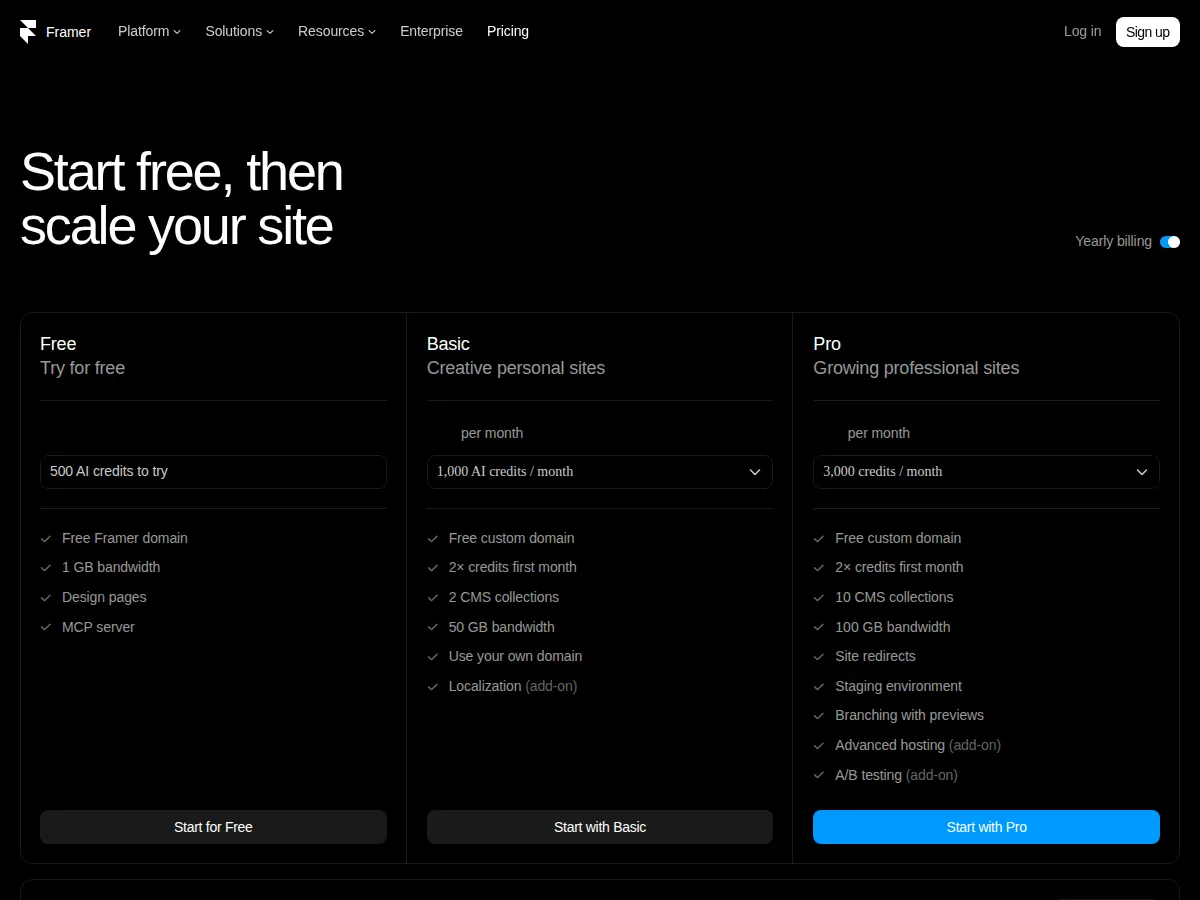
This guide prices the same three sites on all three builders, from each vendor's own pricing page as read in November 2026, and names the exact limit that forces each upgrade. Webflow's page was read from its own site on November 5, 2026. Framer's page is rendered by JavaScript, so its figures were cross-checked across six independent 2026 reads of framer.com/pricing, which all agree on the ladder below. WordPress.com's figures were read from its own pricing page the same day and corroborated the same way. Where a figure could not be verified, this guide says so instead of estimating it.
> [!KEY TAKEAWAY]
> The cheapest plan with a custom domain is WordPress.com Personal at $4 a month billed yearly, and the cheapest plan that can run a 60-page content site is also WordPress.com, at $8 a month on Premium. But the cheapest plan is not the cheapest site: Webflow charges per site and per workspace seat, Framer charges per site and per editor, and WordPress.com charges per site only. A three-person team pays $25 a month on WordPress.com Business, $110 on Framer Pro, and $122 on Webflow Premium with a Core workspace — the team, not the tier, decides the bill.
Who this guide is for, and who should stop here
This guide is for a founder, freelancer, or small team choosing the builder for a real site — a brochure site, a content site, or a small store — who will pay the bill themselves and who wants the total, not the headline price. It assumes one site, a custom domain, and annual billing unless stated otherwise, because all three vendors quote their lowest monthly figure on annual terms and charge more month to month.
It is not for an agency running twenty client sites: all three vendors price per site, so a twenty-site fleet is twenty bills plus workspace and editor fees, and the right comparison for that buyer is the workspace and agency tiers, not the site plans below. It is also not for a team that needs a self-hosted WordPress.org site: WordPress.com is a hosted service, and the cost of self-hosting — server, SSL, updates, backups — is a different comparison that this guide does not price.
The plan ladders, side by side
| | Webflow | Framer | WordPress.com |
| :--- | :--- | :--- | :--- |
| Free tier | Starter, $0: webflow.io domain, 2 static pages, 1 GB bandwidth, 50 form submissions, limited CMS | Free, $0: Framer domain, 1 GB bandwidth, 500 AI credits to try | Free, $0: wordpress.com subdomain, 1 GB storage, ads shown to visitors |
| Entry paid tier | Basic, $15/mo billed yearly: custom domain, 300 static pages, 10 GB bandwidth, unlimited form submissions, password protection | Basic, $10/mo billed yearly ($15 monthly): custom domain, 30 pages, 2 CMS collections, 1,000 items, 50 GB bandwidth | Personal, $4/mo billed yearly ($9 monthly): custom domain free year one, 6 GB storage, no ads, plugins |
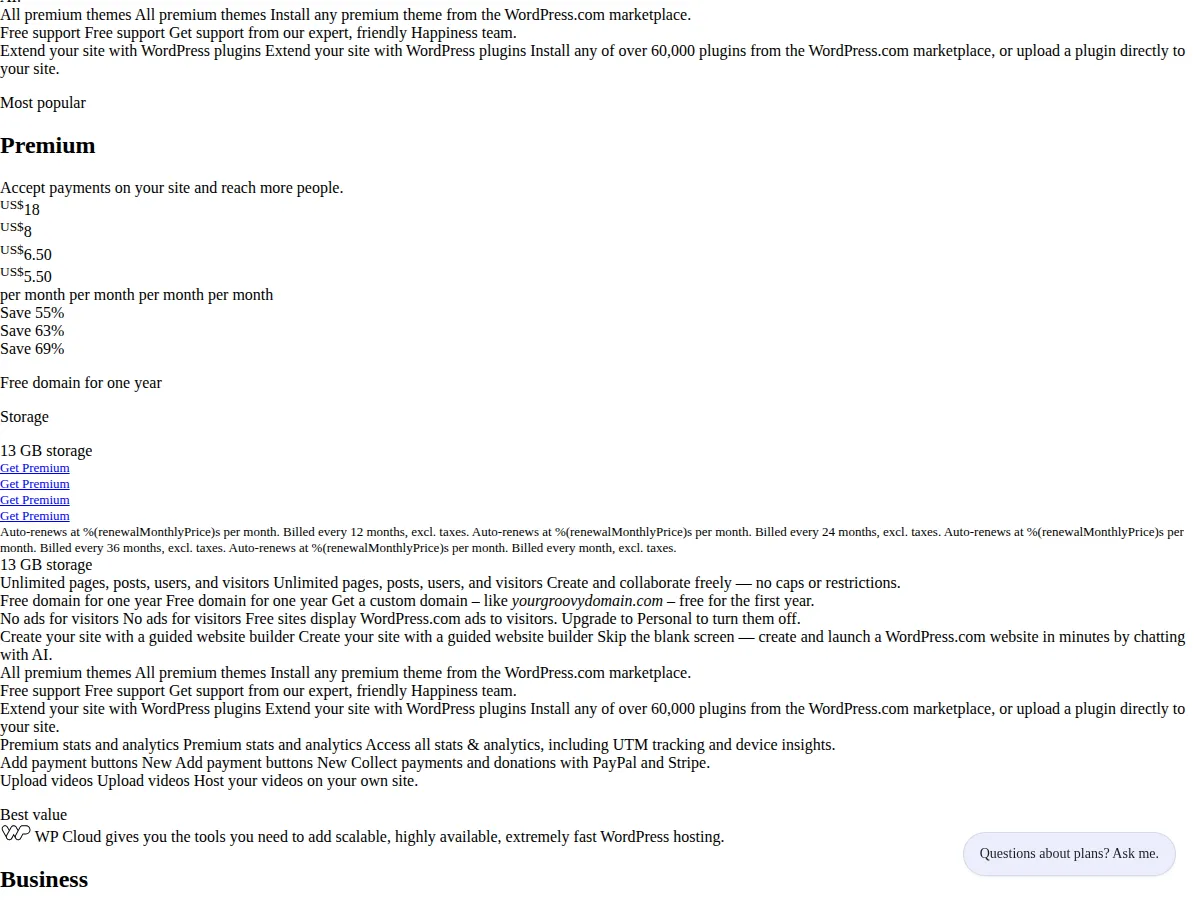
| Content tier | Premium, $25/mo billed yearly: everything in Basic plus Webflow CMS, site search, form file upload, code components | Pro, $30/mo billed yearly ($45 monthly): 150 pages, 10 CMS collections, 2,500 items, 100 GB bandwidth, staging, branching, redirects | Premium, $8/mo billed yearly ($18 monthly): 13 GB storage, premium themes, WordAds, Google Analytics, payment buttons |
| Store tier | Ecommerce Standard, $29/mo billed yearly: 500 items, 2% transaction fee; Plus $74/mo, 5,000 items, 0%; Advanced $212/mo, 15,000 items, 0% | No native ecommerce: sell through an embedded third-party store, priced separately | Commerce, $45/mo billed yearly ($70 monthly): 50 GB storage, WooCommerce, 0% transaction fee |
| High-volume tier | Platform Team, $2,500/mo, annual contract | Scale, $100/mo annual only: higher limits plus usage add-ons | Business, $25/mo billed yearly ($40 monthly): 50 GB storage, SFTP/SSH, WP-CLI, staging, real-time backups |
| Authority | webflow.com/pricing, read November 5, 2026 | framer.com/pricing, cross-checked across six 2026 reads | wordpress.com/pricing, read November 5, 2026 |
Two structural facts sit inside that table. First, Webflow Basic has no CMS at all: a content site on Webflow starts at Premium, $25 a month, not Basic. Second, WordPress.com opened plugins and theme uploads to every paid plan on April 2, 2026, so the old rule that plugins required Business is dead — Personal at $4 a month now installs any of the 60,000-plus plugins. Any comparison written before April 2026 gets WordPress.com wrong.
Worked math: three profiles, one bill each
Profile A: the brochure site. Twelve pages, a custom domain, a contact form, no CMS, no store. Webflow Basic is $15 a month, Framer Basic is $10 a month, WordPress.com Personal is $4 a month, all billed yearly:
$
\text{Profile A Annual} = \text{Monthly} \times 12 = \$180 \text{ (Webflow)} \;|\; \$120 \text{ (Framer)} \;|\; \$48 \text{ (WordPress.com)}
$
WordPress.com wins by $72 a year against Framer and $132 against Webflow, and the gap is structural: Personal is the only entry tier that includes a custom domain, no ads, and plugins at $4 a month. The honest check is whether the site will stay a brochure. If a blog is added later, Personal still covers it — unlimited pages, 6 GB of storage — while Webflow Basic cannot add a CMS at any price and Framer Basic caps at 30 pages and 1,000 CMS items.
Profile B: the content site. Sixty pages, 800 CMS items, 10 GB of bandwidth a month. Webflow Basic cannot run it: no CMS. Premium is $25 a month. Framer Basic cannot run it either: the 30-page cap is a wall, not a meter, so Pro is required at $30 a month. WordPress.com Premium is $8 a month, with unlimited pages and 13 GB of storage:
$
\text{Profile B Annual} = \$300 \text{ (Webflow Premium)} \;|\; \$360 \text{ (Framer Pro)} \;|\; \$96 \text{ (WordPress.com Premium)}
$
The decision point is the page cap, not the price. Framer Basic is cheaper than Webflow Premium on the sticker, $10 against $25, but the 31st page moves the buyer to Pro at $30 — more than Premium. Count the pages before comparing the prices.
Profile C: the small store. Four hundred products and $10,000 of gross merchandise value a month. Webflow Ecommerce Standard is $29 a month plus a 2 percent transaction fee, which is $200 a month on $10,000 of sales. WordPress.com Commerce is $45 a month with a 0 percent transaction fee. Framer has no native ecommerce, so its cost is Pro at $30 a month plus whatever the embedded store charges — a figure this guide does not estimate, because no Framer page states it:
$
\text{Profile C Monthly} = \$29 + (2\% \times \$10{,}000) = \$229 \text{ (Webflow)} \;|\; \$45 + 0\% = \$45 \text{ (WordPress.com)}
$
On $10,000 of monthly sales the fee is the price. Webflow costs $229 a month against $45 on Commerce, a $184 monthly gap, $2,208 a year, before payment processing, which both vendors charge separately through Stripe. At $1,000 of monthly sales the gap shrinks to $29 plus $20 against $45 — $4 a month — and the choice turns on design tooling instead of fees. Price the fee at your own volume, not at the vendor's example volume.
Bandwidth, priced separately. At 40 GB a month, Webflow Basic's 10 GB is exceeded: the add-on is $20 a month billed annually for each additional 50 GB, so a 40 GB site on Basic pays $15 plus $20, or $35 a month. Framer Basic includes 50 GB, so the same site pays $10. WordPress.com does not meter bandwidth at all — unlimited pages, posts, users, and visitors on every plan — so the same site pays $4 on Personal. Bandwidth is the quietest line on the bill and the easiest to miss.
The team tax: editors and seats
A one-person site and a three-person team buy different products on two of these builders. Framer charges editors per seat: $20 a month each on Basic, $40 a month each on Pro and Scale. WordPress.com charges nothing per seat: unlimited users on every plan, including Free. Webflow charges per workspace seat: a Core workspace is $19 a month and includes one full seat, with additional full seats at $39 a month and limited seats at $15 a month. For the workspace half of the same question, the Notion versus Airtable versus Coda team workspace pricing guide prices all three on the same 5, 25, and 100-seat teams, with the maker-ratio break-even.
For a three-person team on the content-site profile above:
$
\text{Team Monthly} = \$25 + \$19 + (2 \times \$39) = \$122 \text{ (Webflow)} \;|\; \$30 + (2 \times \$40) = \$110 \text{ (Framer Pro)} \;|\; \$25 \text{ (WordPress.com Business)}
$
WordPress.com Business at $25 a month is the whole team bill. Framer Pro is $110, Webflow is $122, and both totals exclude the add-ons a team usually buys next: Framer's localization and advanced hosting, Webflow's Optimize at $299 a month and Analyze at $9. The team tax is where Framer and Webflow stop looking cheap, and it is invisible in every headline figure, which is always the single-site, single-editor price.
The renewal trap
WordPress.com prints a renewal price under each first-year price, and it is higher: Personal renews at $5 a month against $4 in year one, Business at $28 against $25, Commerce at $50 against $45. A Personal site held for three years costs $48 in year one and $60 in each of the next two, $168 in total against $144 if the first-year price had held. Every plan renews higher, and the headline is always the first-year figure.
Framer and Webflow price the same way in reverse: Framer Basic is $10 a month billed yearly and $15 a month billed monthly, a $60 annual difference; Pro is $30 against $45, a $180 difference. Webflow's page quotes annual rates for its site plans, and the monthly-billing figures are not stated on the page as rendered — do not budget from the annual figure if you intend to pay monthly.
> [!WARNING]
> The cheapest tier that cannot run your site is the most expensive mistake in this comparison. Webflow Basic has no CMS, Framer Basic stops at 30 pages, and WordPress.com Free shows ads to your visitors and gives you no custom domain. Buying the entry tier and discovering the wall mid-build costs a migration, not an upgrade — and a migration between builders is a rebuild, not a settings change.
Where each builder breaks
Webflow breaks on team cost and on CMS entry: the design tooling is the strongest of the three, and the price of that tooling is a workspace plan plus per-seat fees on top of the site plan. Framer breaks on scale ceilings and on commerce: 30 pages on Basic, 150 on Pro, with paid add-ons up to 700 pages, 40,000 CMS items, 40 collections, 2 TB of bandwidth, and 1.5 million events on Pro — and no native store at any tier. WordPress.com breaks on design control: it is a hosted CMS with 60,000 plugins and no per-seat fees, and the price of that freedom is a theme and plugin stack you own the maintenance of, even though Automattic hosts it.
> [!FOUNDER]
> "I have watched founders pick a builder on the headline price and then pay three times that price in the second year — in seats, in add-ons, in the migration they did not budget for. Price the site you will have in twelve months, with the team you will have in twelve months, at the renewal rate. The builder that wins that comparison is the one to buy."
> — Enow A. Jovial, Founder & Chief Executive Officer
The decision, by site
A brochure site that stays a brochure belongs on WordPress.com Personal at $48 a year, unless the design work justifies Framer Basic at $120 or Webflow Basic at $180. A content site with more than 30 pages belongs on WordPress.com Premium at $96 a year, unless the team needs Framer's staging and branching at $360 a year on Pro, or Webflow's design tooling at $300 a year on Premium. A store doing real volume belongs on WordPress.com Commerce at $540 a year, unless the design work justifies Webflow's $29 plus 2 percent — $2,748 a year at $10,000 of monthly sales, five times Commerce. A team of three belongs on WordPress.com Business at $300 a year, unless the workflow justifies $1,320 on Framer Pro or $1,464 on Webflow.
> [!TIP]
> Trial the tier above the one you plan to buy, then buy the tier below it if the trial never touches the higher tier's features. Framer's free plan, Webflow's Starter plan, and WordPress.com's free plan all let you build before you pay — and the page count, CMS item count, and bandwidth in the trial are the numbers that decide the tier, not the price list.
The sequence, in order:
1. Count the site: pages, CMS items, monthly bandwidth, and products. Write the numbers down before opening any pricing page.
2. Find the wall: check each vendor's cap against your counts — Webflow's CMS gate, Framer's 30-page Basic cap, WordPress.com's 1 GB free storage.
3. Price the team: add editors and seats at the vendor's per-seat rates, not the headline rate.
4. Price the renewal: use the renewal figure where the vendor prints one, and the annual figure only where you will actually pay annually.
5. Price the fee at your volume: for a store, multiply the transaction fee by your own monthly sales, not the vendor's example.
Related reading on this site: the headless WordPress vs Next.js guide for the decoupling decision when WordPress.com's hosted limits stop fitting; the Shopify vs WooCommerce vs BigCommerce guide for the store comparison once selling outgrows a builder; and the Vercel vs Netlify vs Cloudflare Pages guide for the hosting half of the same build. To total the full build — builder, domain, and the add-ons — run the figures through the website cost calculator with the team seats and the transaction fee as separate line items.