HashiCorp Nomad vs Kubernetes vs Docker Swarm: The Orchestrator Playbook
Picking a container orchestrator is a decision about who does the work when a node dies at 3 a.m., how many servers you pay for before a single customer request arrives, and how much of your week disappears into upgrades. It is not a decision about container runtimes. Runtimes run the containers; the orchestrator decides where they run, what happens when they stop, and how the desired state gets restored. This playbook compares Nomad, Kubernetes, and Docker Swarm on scheduler design, control-plane high availability, failure modes, overhead, workload fit, and reproducible node-count cost math from the vendors' own documentation.
Our editorial analysis found that the three systems differ less in what they can run than in what they charge you to keep running. Nomad charges the least in control-plane servers and operator attention. Kubernetes charges the most in both, and pays it back with the deepest ecosystem. Swarm charges the least at small scale.
What each orchestrator actually does
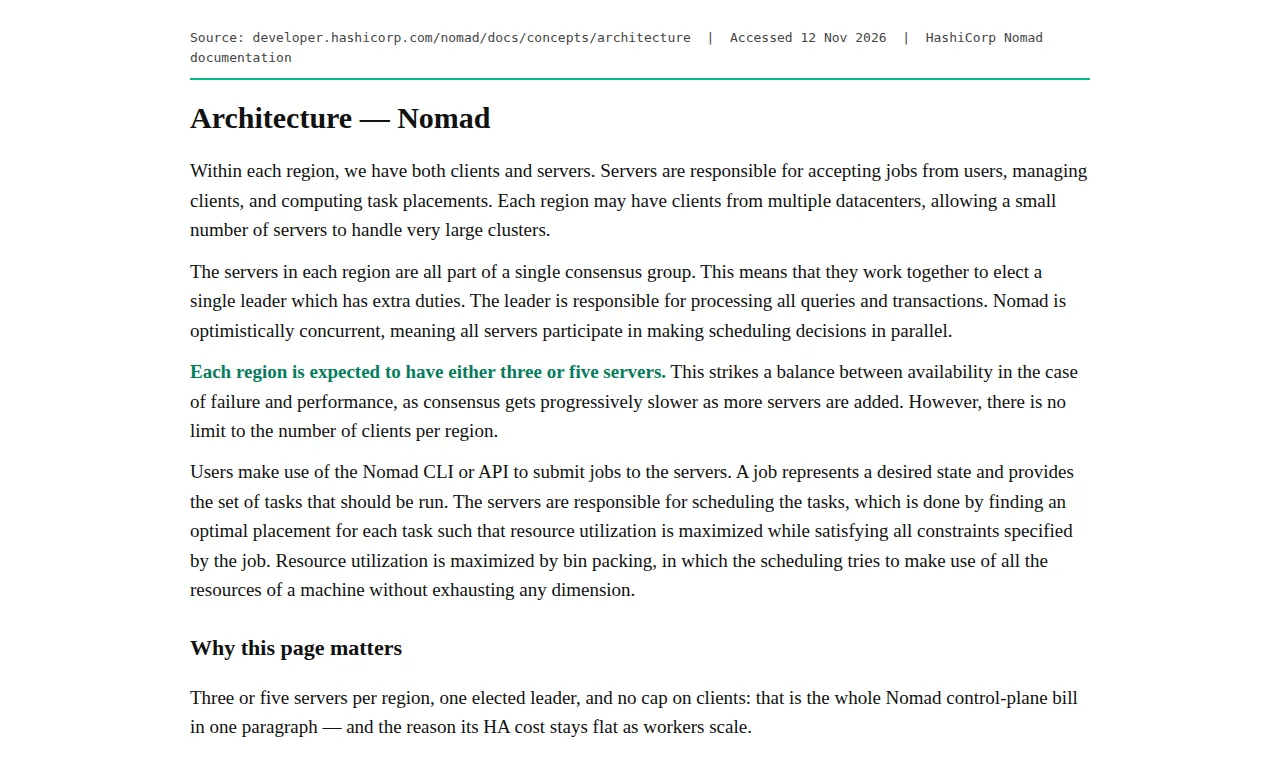
Nomad runs as a single binary. Each region has servers and clients: servers accept jobs, manage clients, and compute placements; clients register resources, send heartbeats, and run allocations. The HashiCorp architecture documentation states that a small number of servers can handle very large clusters, because each region may hold clients from multiple datacenters.
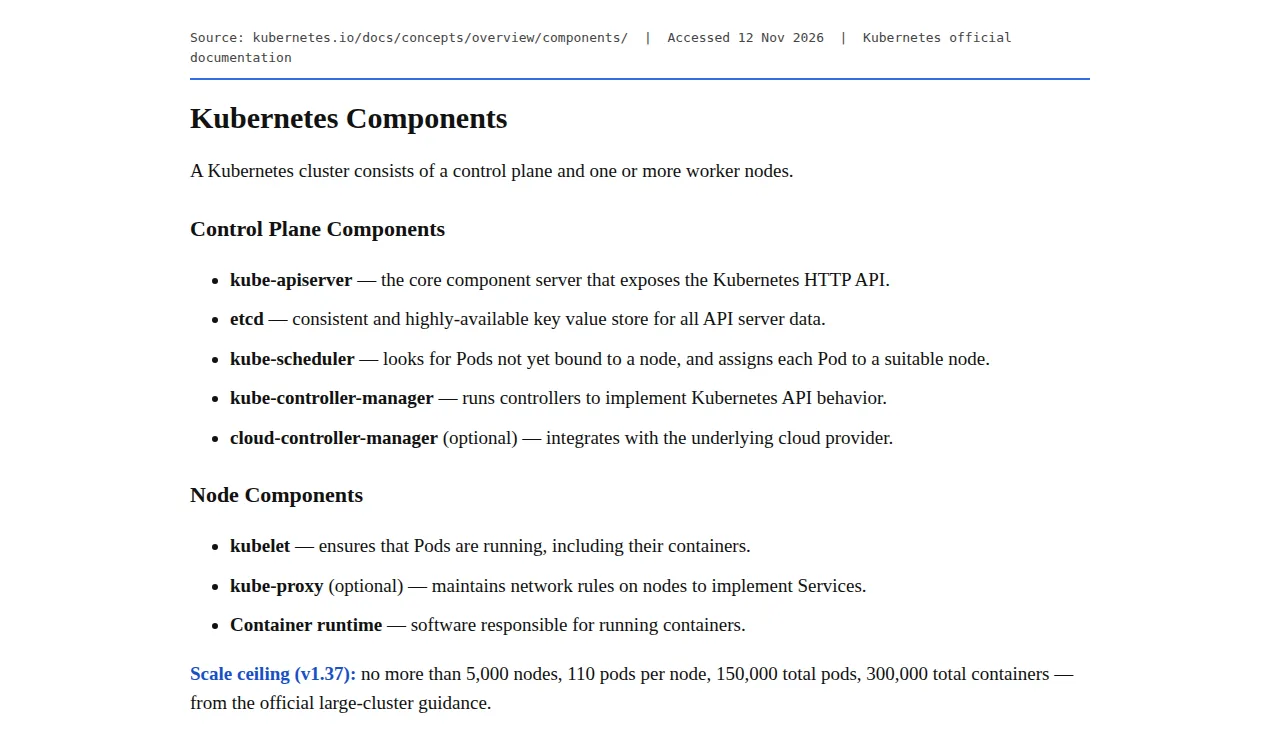
Kubernetes splits the same job across five control-plane components: kube-apiserver exposes the HTTP API, etcd stores all API server data, kube-scheduler assigns unbound Pods to nodes, kube-controller-manager runs the controllers, and the optional cloud-controller-manager integrates with the cloud provider. Every node runs a kubelet, and usually kube-proxy and a container runtime. Each one has to be installed, secured, and monitored.
Docker Swarm hides the split inside Docker Engine. You run docker swarm init on one node, join others as managers or workers, and declare services with docker service create. The Docker services documentation describes a declarative model: you define the desired state — image, replica count, published ports, restart behavior, placement constraints — and Docker maintains it.
Scheduler architecture: how placements get made
Nomad gives you four schedulers, one per job type. The service scheduler runs long-lived services; it ranks a large portion of eligible nodes with a best-fit algorithm influenced by Google's Borg work. The batch scheduler handles short-lived jobs. The system scheduler puts a job on every eligible client; sysbatch runs a job to completion on every client. Bin packing drives the design: the scheduler fills each machine without exhausting any single dimension, under constraints such as CPU, GPU, and RAM availability.
Kubernetes schedules in two phases. The kube-scheduler filters nodes against a Pod's requirements, scores the survivors, and binds the Pod to the best-scoring node. Controllers then reconcile reality: ReplicaSet replaces dead Pods, Deployment rolls versions forward, DaemonSet keeps one copy per node. That split is why Kubernetes handles affinity, taints, topology spread, and Pod disruption budgets.
Swarm schedules services, not Pods, and its model is deliberately thin. A service declares a replica count or a global mode, plus placement constraints. The manager assigns tasks to nodes that meet the constraints and spreads them evenly. The Docker services documentation is candid about the failure mode: a service can sit pending if its image is unavailable or if no node meets its requirements. There is no affinity language, no taint system, no disruption budget.
| Decision | Nomad | Kubernetes | Docker Swarm | Authority |
|---|---|---|---|---|
| Scheduler model | Four schedulers: service, batch, system, sysbatch | kube-scheduler filter and score, plus controllers | Service scheduler, constraints, spread | HashiCorp scheduling docs; Kubernetes components docs; Docker services docs |
| Placement quality | Best-fit ranking | Scored placement: affinity, taints, topology spread | Even spread | HashiCorp scheduling docs; Kubernetes components docs |
| Node-level daemons | system scheduler | DaemonSet | Global service mode | Vendor scheduling docs above |
Control-plane high availability and failure modes
Every orchestrator here uses quorum, and quorum has the same math everywhere. With N voting members, the failures a cluster tolerates is the floor of (N minus 1) divided by 2:
At N = 3, F = 1; at N = 5, F = 2. An even number buys nothing.
Nomad puts it in writing: each region is expected to have either three or five servers, because consensus gets progressively slower as more servers join, and there is no limit on the number of clients per region. The servers form a single consensus group and elect one leader, who handles all queries and transactions. Lose the leader and the group elects another. Lose two of three servers and the region stops accepting writes, while running work keeps running.
Kubernetes HA comes in two topologies, documented in the kubeadm HA guide. Stacked control plane puts etcd on the same machines as the control-plane nodes. External etcd puts the three etcd members on their own machines. Either way you need three or more control-plane machines and a load balancer in front of kube-apiserver on port 6443. Lose etcd quorum and the API server cannot serve writes; running Pods keep running, but nothing new can be scheduled or scaled until quorum returns.
Swarm documents its quorum table directly: 3 managers need a majority of 2 and tolerate 1 failure; 5 need 3 and tolerate 2; 7 need 4 and tolerate 3. The Docker admin guide adds three facts. First, if the swarm loses quorum, tasks on existing workers keep running, but no management task works — no scaling, no updates, no node changes. Second, managers double as workers by default, but they are sensitive to resource starvation and should be drained of workloads in serious deployments. Third, swarm state and keys live in /var/lib/docker/swarm/, and the guide warns never to restore a manager by copying the Raft directory from another node.
The node-count cost math
Node cost is the one part of this comparison that can be computed exactly. The anchor price is €5.49 per month, excluding VAT, for one entry-level shared-vCPU node — the "starting from" rate on Hetzner's own cloud page on 12 November 2026. Control-plane counts come from the vendors' own docs: 3 Nomad servers, 3 Kubernetes control-plane nodes stacked, 3 Swarm managers. Monthly total cost is control-plane nodes plus workers, times the node rate:
where $W$ is the worker count. Annual cost is twelve times the monthly total:
Nomad at 3 workers: (3 + 3) × 5.49 = €32.94 per month, or €395.28 per year (12 × 32.94 = 395.28). At 10 workers: (3 + 10) × 5.49 = €71.37 per month, €856.44 per year. At 50 workers: (3 + 50) × 5.49 = €290.97 per month, €3,491.64 per year. The external-etcd topology adds 3 more nodes, so its totals are €49.41 at 3 workers, €87.84 at 10, and €307.44 at 50 — €592.92, €1,054.08, and €3,689.28 per year.
Swarm is the exception: its managers run workloads by default, so a 3-node swarm is 3 managers and 0 dedicated workers: 3 × 5.49 = €16.47 per month, €197.64 per year — exactly half the Nomad and Kubernetes bill. At 10 nodes: 10 × 5.49 = €54.90 per month, €658.80 per year. At 50 nodes: 50 × 5.49 = €274.50 per month, €3,294.00 per year. The per-worker cost makes the shape clear:
Nomad at 3 workers costs €10.98 per worker per month (€32.94 ÷ 3); at 50 workers, €5.82 (€290.97 ÷ 50). Swarm at 3 nodes costs €5.49 per worker — the node rate itself. Control-plane cost is a fixed tax, and fixed taxes hurt small fleets most.
| Fleet (workers) | Nomad + Kubernetes stacked (3 CP) | Kubernetes external etcd (3 CP + 3 etcd) | Docker Swarm (3 managers) | Authority |
|---|---|---|---|---|
| 3 workers | €32.94/mo, €395.28/yr | €49.41/mo, €592.92/yr | €16.47/mo, €197.64/yr | Hetzner Cloud page, 12 Nov 2026; vendor docs above |
| 10 workers | €71.37/mo, €856.44/yr | €87.84/mo, €1,054.08/yr | €54.90/mo, €658.80/yr | Same sources as above |
| 50 workers | €290.97/mo, €3,491.64/yr | €307.44/mo, €3,689.28/yr | €274.50/mo, €3,294.00/yr | Same sources as above |
Two honest limits. First, the €5.49 rate is the vendor's published starting rate, excluding VAT. A same-site comparison published 8 November 2026 found the cheapest Hetzner CX sizes marked as unavailable to new buyers, so check availability before you order. Second, every extra euro per node per month adds €12 per node per year, so €1 on a 50-node fleet is €600 a year before VAT.
Operational overhead: the hours nobody invoices
Node math is exact. Operator hours are not: the numbers below are planning assumptions, not vendor claims. No vendor publishes "hours per month to run our orchestrator." Track your real hours for one quarter and replace the assumptions below with your own data. The planning rate is $75 per hour, fully loaded, as an explicit assumption:
where $H$ is hours per month and $R$ is the $75 hourly planning rate. At the assumed hours — Swarm 2, Nomad 4, self-managed Kubernetes 10 per month — the monthly operator cost is $150, $300, and $750 (hours × $75). Per year: $1,800, $3,600, and $9,000. At the 10-worker fleet size, the operator cost for self-managed Kubernetes is roughly ten times its node bill. That ratio is the real price of running your own control plane.
What fills those hours differs by system. Nomad upgrades are a binary swap and a rolling restart of servers, then clients. Swarm upgrades are a Docker Engine upgrade, node by node, with docker node update --availability drain keeping workloads off the node being patched. Kubernetes upgrades are a project: kubeadm upgrades the control plane one minor version at a time, etcd must stay compatible, and add-ons such as CoreDNS need their limits revisited as the cluster grows.
Founder & CEO Insight — Enow A. Jovial
Workload fit: who should not run each
Nomad fits teams that run mixed workloads — containers plus raw binaries plus batch jobs — on a fleet they own. It fits platform teams that already run Consul and Vault. It does not fit teams that need the Kubernetes API as a product surface: if your customers deploy Helm charts or your CI pipeline speaks kubectl, Nomad cannot substitute.
Kubernetes fits teams whose workload is large, multi-tenant, or regulated enough to need its vocabulary: namespaces, RBAC, network policies, admission control, and an audit log. It does not fit a two-person team running five stateless services. The official large-cluster guidance sets the supported ceiling at 5,000 nodes, 110 Pods per node, 150,000 total Pods, and 300,000 total containers for Kubernetes v1.37:
At the maximum of 110 Pods per node, the 150,000-Pod cap binds at 1,363 nodes, long before the 5,000-node ceiling. Almost nobody reading this guide will ever approach either number: Kubernetes sells headroom you will probably never use, at an operating cost you will pay every month.
Swarm fits a single team running stateless services on a handful of nodes, especially where Docker Compose files already describe the workload. It does not fit multi-tenant platforms, GPU scheduling with placement rules, or stateful services with strict ordering.
| Profile | Pick | Why | Authority |
|---|---|---|---|
| Solo developer, 1–3 nodes, stateless | Docker Swarm | Managers run workloads; €16.47/mo at 3 nodes | Swarm admin guide; Hetzner Cloud page |
| Small team, 3–10 nodes, mixed workloads | HashiCorp Nomad | One binary, 3 servers, four schedulers | Nomad architecture and scheduling docs |
| Platform team, 10–50 nodes, multi-tenant | Kubernetes | RBAC, namespaces, policies, audit log | Kubernetes components docs; large-cluster guidance |
| Team needing a managed control plane + SLA | Managed Kubernetes (EKS, GKE, AKS) | Vendor runs etcd and the API server | EKS vs GKE vs AKS: The Managed Kubernetes Pricing Playbook |
This guide compares orchestrators, not runtimes. If you are still deciding between runtimes, read the runtime comparison first — Docker vs Podman vs nerdctl: Container Runtime Playbook. Before you sign a managed plan, run the fleet size through the ROI Calculator alongside the node math here.
Pre-flight checklist: before you commit
- [x] Name the fleet size you will run in six months, and re-run the cost formula at that size.
- [x] Write down the quorum count — 3 or 5, never 4 or 6 — and the failure count it tolerates.
- [x] Practice quorum loss on staging: kill the minority, confirm writes stop.
- [x] Check the node size you priced is actually orderable today, including VAT if you cannot reclaim it.
- [x] Track operator hours for one quarter and replace the assumptions with your real numbers.
- [x] Confirm who owns upgrades, backups, and the 3 a.m. page.
The orchestrator you pick is the system your worst week will be spent inside. Nomad asks the least and gives the least in return. Kubernetes asks the most and gives the most. Swarm asks almost nothing at small scale and stops answering as you grow. Run the formula, count the hours honestly, and pick the system your team can run on a bad week.