Docker vs Podman vs nerdctl Container Runtime Playbook
Docker vs Podman vs nerdctl Container Runtime Playbook
Three runtimes run the same container image, and the image cannot tell you which one launched it. Docker runs it through a daemon and, on a developer laptop, through a paid Desktop license. Podman runs it without any daemon at all, free under the Apache License 2.0. nerdctl runs it as a thin command line over containerd, the same runtime that powers Kubernetes clusters. The container is identical. The bill, the security boundary, and the failure modes are not.
This playbook compares the runtime itself, not the orchestrator above it; for the deployment layer, read the Docker vs Kubernetes vs Amazon ECS container deployment pricing playbook and the EKS vs GKE vs AKS managed Kubernetes pricing playbook. Every price below comes from the vendors' own pages, read 12 November 2026.
Step 1: Learn the architecture — daemon, daemonless, or thin CLI
Docker's design centers on a daemon. The Docker Engine runs as a long-lived background process, dockerd, and the docker command line talks to it over a socket. On Linux it runs natively; on macOS and Windows, Docker Desktop runs it inside a Linux virtual machine. One daemon, one socket, one process to secure. Anyone who can reach the Docker socket can ask the daemon to run a privileged container, which is why socket access is effectively root access.
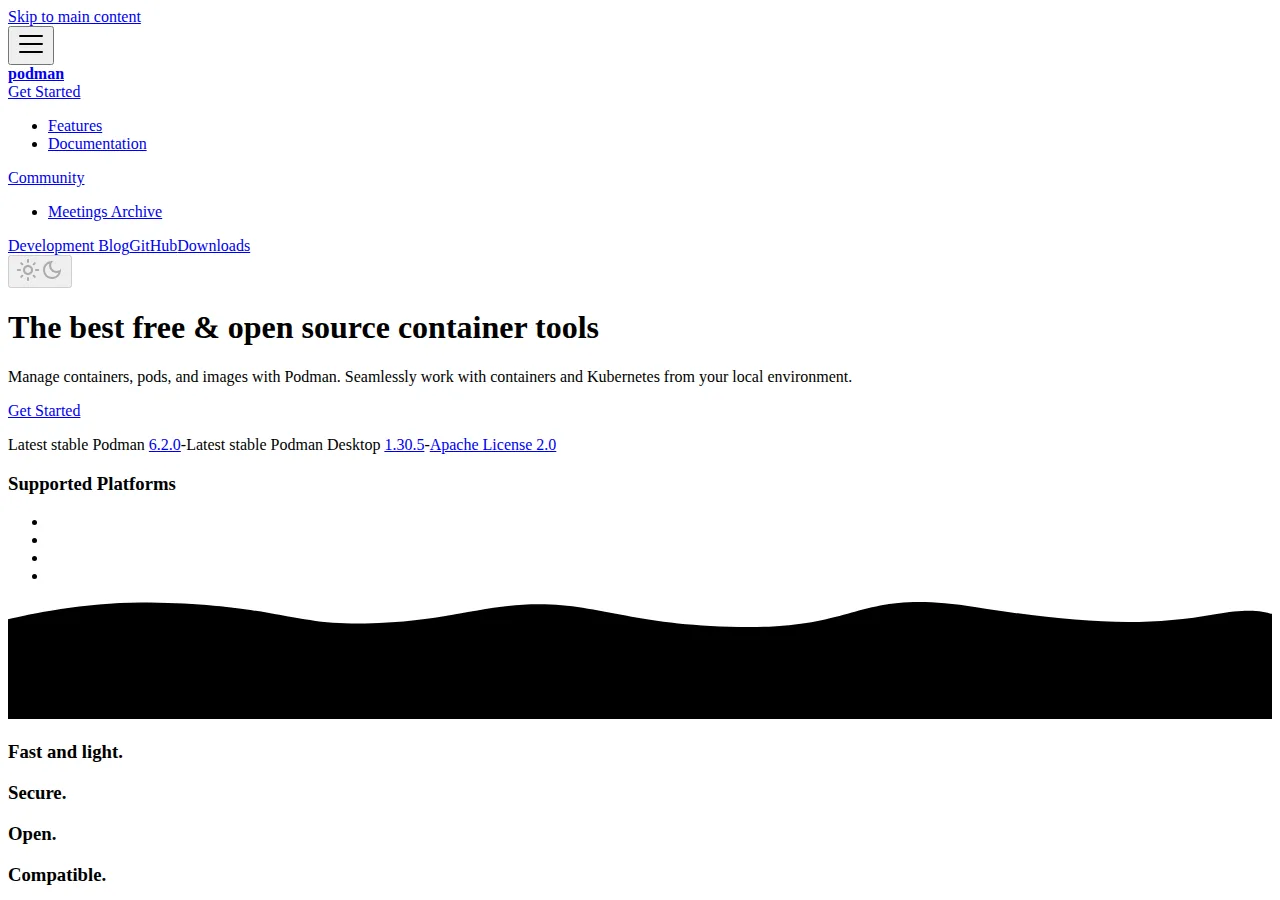
Podman removes the daemon entirely. When you run podman run, the Podman command starts the container as its own child process and exits when the container stops. No daemon to patch or secure, no single privileged process every container depends on. Podman also speaks Kubernetes: podman kube play runs a Kubernetes YAML file directly, creating the pods it describes. Latest stable: Podman 6.2.0, Podman Desktop 1.30.5, Apache License 2.0.
nerdctl is thinner still: a Docker-compatible command line for containerd, described in its own README as a non-core sub-project of containerd. It runs nothing itself; it sends commands to a containerd instance already running, the same containerd Kubernetes uses. Commands mirror Docker: docker run becomes nerdctl run, docker compose up becomes nerdctl compose up. That makes nerdctl the natural local tool for a team that already operates Kubernetes.
| Runtime | Process model | Who owns lifecycle | Desktop GUI | Authority |
|---|---|---|---|---|
| Docker | Daemon (dockerd) | The daemon, as root by default | Docker Desktop, paid past the threshold | Docker pricing page |
| Podman | Daemonless | The launching user | Podman Desktop, free | podman.io |
| nerdctl | Thin CLI over containerd | containerd, already running | None bundled; Lima on macOS | containerd/nerdctl README |
Step 2: Apply the Docker Desktop license test before you price anything
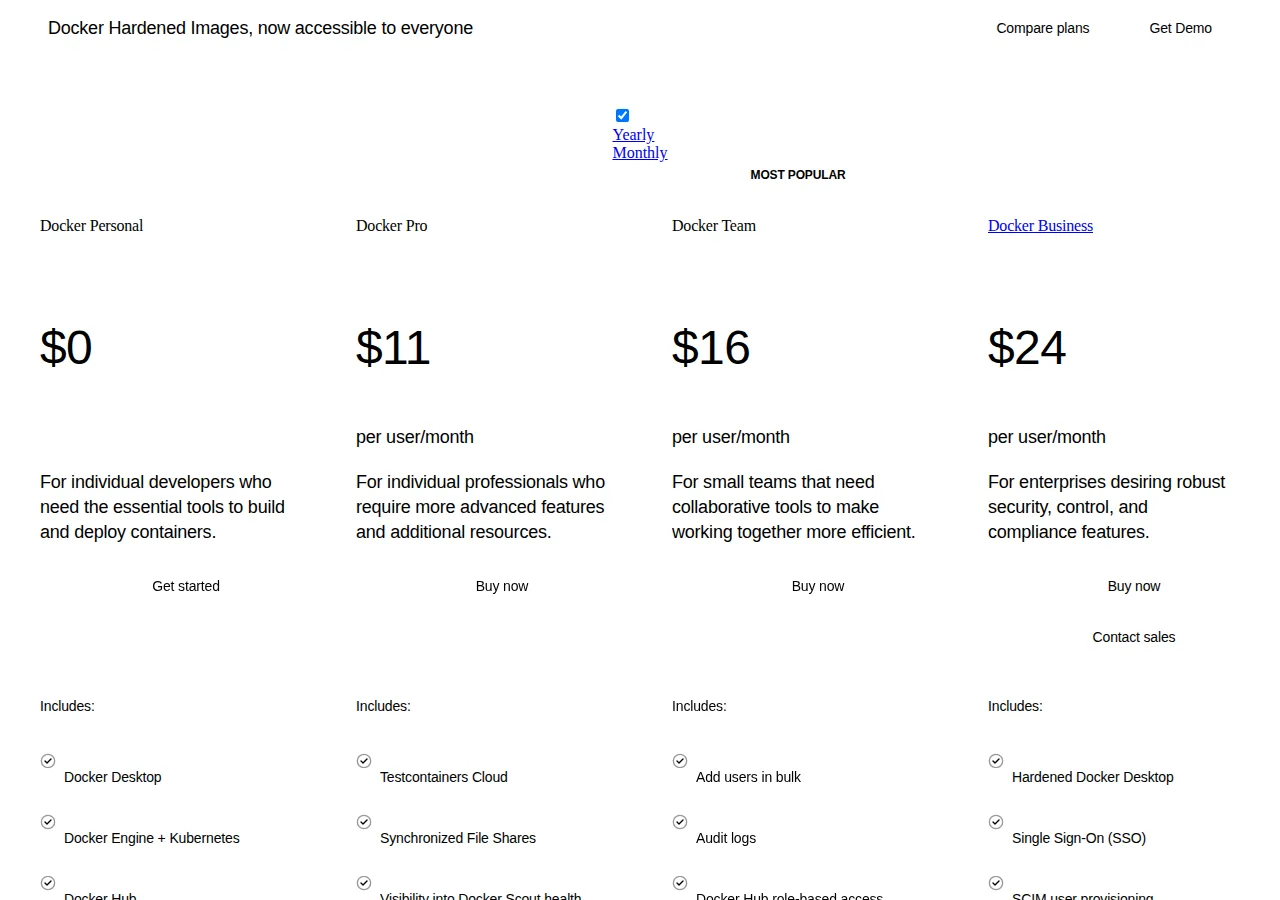
Docker Engine is open source; Docker Desktop is not free for everyone, and the line is drawn by company size. The pricing FAQ quotes Docker Desktop Subscription Agreement section 4.2: use of Docker Desktop without a paid subscription is restricted to a non-commercial open source project, or to use in a commercial undertaking with fewer than 250 employees and less than US $10,000,000 in annual revenue. Both conditions must hold: 300 employees with $2 million in revenue fails, and so does 100 employees with $12 million. Government entities shall not use Docker Desktop without a subscription at all.
That threshold converts a free tool into a per-seat bill the day headcount or revenue crosses it. A startup with 40 developers is free today; at 260 employees it owes a subscription for every developer running Desktop, even one who only tests a compose file weekly. The Engine stays free; the Desktop is where the license bites.
Podman and nerdctl have no equivalent test: no employee count, no revenue figure, no government carve-out. Somebody still installs, upgrades, and troubleshoots them, so the cost becomes labor instead of license, as Step 4 prices.
Step 3: Price Docker at your headcount — per-seat math, annual against monthly
Docker sells four tiers. Personal is $0 for one developer. Pro is $9 per user a month on annual billing, $11 monthly. Team is $15 annual, $16 monthly, capped at 100 users. Business is $24 on either cycle, no user cap. The pricing page lists the same rates in the plan cards and the comparison table.
Included usage differs more than the headline rate. Personal: 1 user, 1 Scout-enabled repo, 100 Hub pulls an hour, 1 private repo. Pro: 1 user, 2 Scout repos, unlimited pull rate, 100 Testcontainers minutes a month, 5-business-day support. Team: up to 100 users, unlimited Scout repos, pull rate, and private repos, 500 Testcontainers minutes, 10 organization tokens, 1 Hub organization, 2-business-day support. Business: no user cap, 1,500 Testcontainers minutes, 100 tokens, unlimited Hub organizations, SSO, SCIM, Enhanced Container Isolation, Hardened Docker Desktop, 1-business-day support.
Worked math at annual billing:
Monthly billing costs more except on Business: ten Team seats cost $1,920 a year monthly against $1,800 annual. Pick a tier for the feature: Team buys audit logs, role-based access, and bulk user management; Business buys SSO, SCIM, and Enhanced Container Isolation. A 10-person team needing SSO is a Business customer at $2,880 a year, not a Team customer at $1,800.
The surprise meter is Testcontainers Cloud: Team includes 500 runtime minutes a month, Pro 100, Business 1,500. Extra minutes cost $3 per 100 pre-purchased, $4 per 100 on demand. A CI workload burning 2,000 minutes a month on Team exceeds the included 500 by 1,500:
Check the meter. The subscription fee is the visible price; the consumption meters are where the bill grows.
Step 4: Price the $0 runtimes honestly — license $0, labor not $0
Podman and nerdctl cost $0 in license fees. Neither has a per-seat tier, a pull-rate meter, or a support SLA to buy. The honest comparison therefore prices labor, and labor is where a $0 runtime can still lose.
A switch has a one-time cost and a recurring cost. The one-time cost is migration: rewriting compose files with Docker-only features, re-pointing CI scripts, retraining developers, and fixing the first month of broken setups. The recurring cost is support: a paid Docker tier buys a response in 1 to 5 business days; with Podman the team reads the docs and the issue tracker. Neither cost appears on a vendor page, so the assumptions are stated openly. Assume 10 developers, 4 migration hours each, at a fully loaded $75 an hour:
Against the $1,800-a-year Team bill for those 10 developers:
At 8 hours per developer the cost doubles to $6,000 and payback passes three years. Under these assumptions payback is the same at any headcount — hours and savings both scale with developers — so the size effect sits in fixed costs: reworking CI pipelines costs roughly the same for 3 developers as for 25, and that fixed bill is what punishes small teams. Run the same division with your own rate and hours first; the break-even calculator does it for any pair of numbers.
Docker also charges one cost neither free runtime does: the Hub pull-rate meter. Personal is limited to 100 pulls an hour; the paid tiers are unlimited. Podman and nerdctl pull from the same registries but add no meter of their own.
Step 5: Compare Compose and builds — where the daily workflow actually differs
Most developers run a compose file and build images from a Dockerfile.
In Docker, docker compose up reads the file and starts the stack through the daemon. Podman differs: its docs state podman compose is a thin wrapper around an external compose provider such as docker-compose or podman-compose, and docker-compose takes precedence when installed. Most compose files work unchanged, but files depending on the Docker daemon socket, Docker-only volume drivers, or unsupported health check syntax fail when a developer runs the stack, not during planning. Podman also offers podman kube play for Kubernetes YAML files.
Builds split the same way. Docker builds through BuildKit, with layer caching, multi-platform builds, and build secrets. Podman builds through Buildah, a tool for building OCI container images, and podman build accepts a Containerfile or Dockerfile. A Dockerfile that builds under Docker usually builds under Podman unchanged. The differences sit at the edges: BuildKit-only syntax such as cache and secret mounts, and rootless builds, where an unprivileged build cannot do everything a root build can. nerdctl also builds through BuildKit, but as an external dependency: the README states buildkitd needs to be running, and recommends v0.11.0 or later. If buildkitd is not running, nerdctl build fails outright. nerdctl also offers lazy pulling through Stargz, Nydus, and OverlayBD, plus image signing through cosign. Buildah is actively maintained: v1.46.0 was announced 21 October 2026.
Step 6: Compare the security boundary — rootless by design, rootless as an option
A Docker daemon running as root means every container it starts can, in the worst case, reach host resources with the daemon's privileges. Docker Engine offers a rootless mode, documented with UID and GID mapping guidance, but it is an option configured after install; the default remains a root-owned daemon behind a root-equivalent socket.
Podman inverts the default. With no daemon, a container runs as a child of the user who started it, and rootless is the normal path, not a special mode. A developer running Podman cannot escalate past their own privileges through the runtime, because there is no privileged process to escalate through. Podman machine commands are rootless only; the VM on macOS and Windows exists because containers need a Linux kernel. Defaults: macOS libkrun, Windows WSL, Linux qemu.
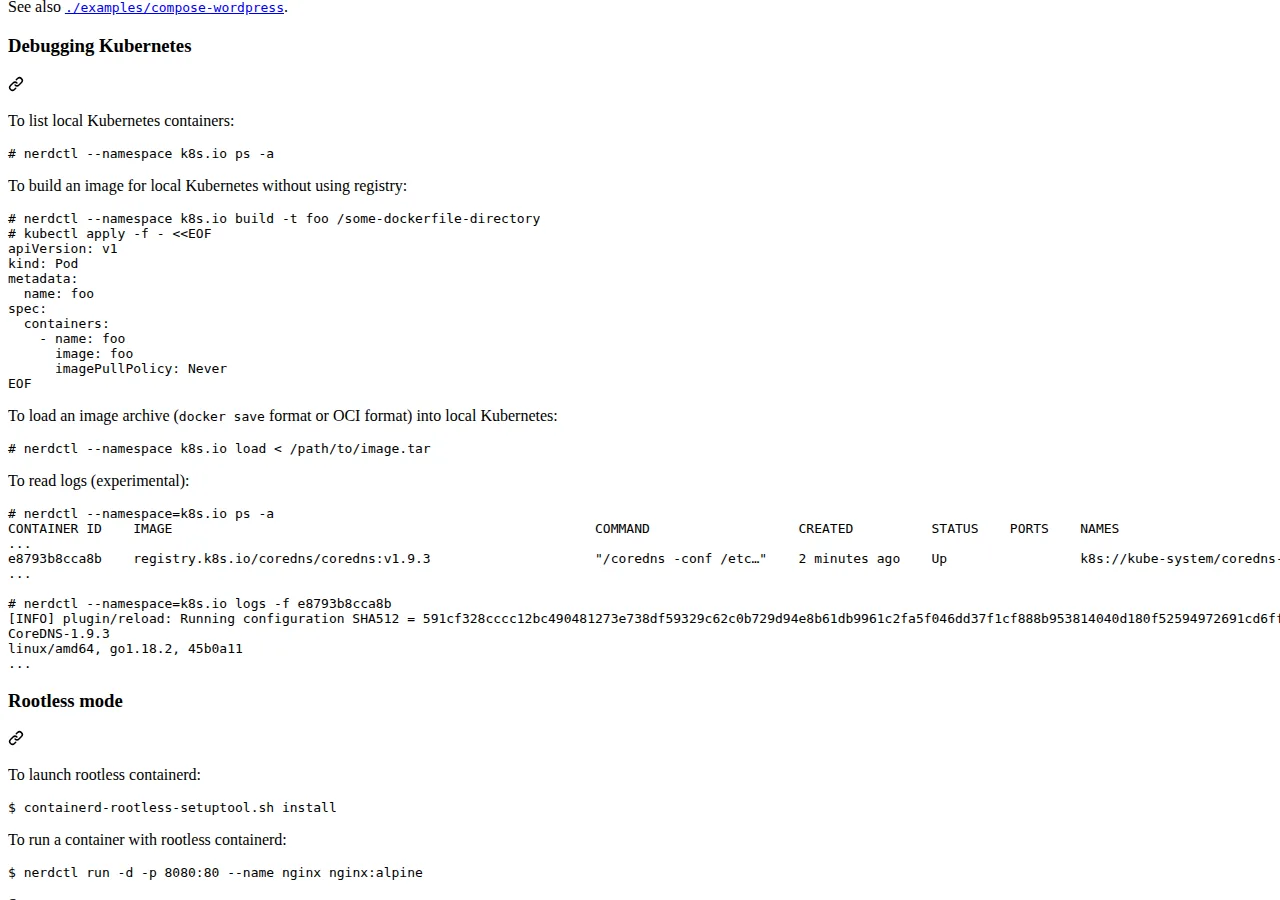
nerdctl sits between the two. Its README documents rootless mode, launched with containerd-rootless-setuptool.sh install, and notes rootless networking avoids slirp overhead through bypass4netns. Rootless containerd needs RootlessKit v0.10.0 or later, and nerdctl run needs CNI plugins v1.1.0 or later. The gain matches Podman's: no root-owned daemon in the path. The price is setup complexity: containerd, CNI plugins, BuildKit, and RootlessKit are four pieces to keep in agreement, where Podman ships as one package and Docker as one installer.
Step 7: Decide with the table, then migrate in slices
| Situation | Pick | Why | Authority |
|---|---|---|---|
| Over 250 employees or $10M revenue, on Docker Desktop | Docker Team or Business | License test failed; pay per seat | Docker pricing FAQ, section 4.2 |
| Small team, Linux-first, wants $0 license | Podman | Daemonless, rootless by design, Apache 2.0 | podman.io; Podman compose docs |
| Team already runs Kubernetes, tests against containerd | nerdctl | Same runtime as the cluster | containerd/nerdctl README |
| macOS or Windows developers, GUI wanted | Docker Desktop or Podman Desktop | Both need a Linux VM; Docker's is paid | Docker pricing; Podman machine docs |
| CI burns over 500 Testcontainers minutes a month | Budget the overage or switch CI | $3 per 100 minutes pre-purchased adds up fast | Docker pricing page |
| Regulated shop needing SSO, SCIM, isolation | Docker Business | Only tier with SSO, SCIM, isolation | Docker pricing page |
| Compose files use Docker-only features | Stay on Docker | podman compose wraps an external provider | Podman compose docs |
Migrate in slices: one service, one developer, one week. Run its compose file under Podman or nerdctl while Docker runs the rest, and compare three operations: build the image, start the stack, read the logs. If all three work, move the next service. A BuildKit-only build failure reveals the real migration cost before it is a deadline.
- [x] Run the license test: employees and revenue against 250 and $10M.
- [x] Price Docker at your headcount, annual billing: Pro $9, Team $15, Business $24 per user a month.
- [x] Add the Testcontainers meter: 500 minutes on Team, $3 per 100 pre-purchased above it.
- [x] Estimate the switch in your own hours: developers times hours times loaded rate, against the seat saving.
- [x] Test your real compose files under Podman or nerdctl first.
- [x] Confirm buildkitd runs for nerdctl, and CNI plugins are v1.1.0 or later.
- [x] Re-check the license test quarterly: headcount and revenue cross silently.
Founder & CEO Insight — Enow A. Jovial
Docker, Podman, and nerdctl run the same image, but they do not charge the same price, secure the same boundary, or fail the same way. Docker sells convenience and support by the seat. Podman sells nothing and asks your team to own the tooling. nerdctl sells nothing and asks your team to own containerd. Pick the one whose cost you can see: a per-seat invoice, a migration week, or four components to keep in agreement.