Google Tag Manager Server-Side Tagging and Consent Mode: The Implementation Playbook
Founder & CEO Insight — Enow A. Jovial
A store runs Google Tag Manager the usual way: the browser loads the web container, which fires a dozen tags, each talking directly to Google Analytics 4, Google Ads, and other vendors. Then the numbers drift: the ad platform reports 8,000 purchases; GA4 reports 6,900. Every tag is a separate browser request an ad blocker can kill, a privacy cap can shorten, or a consent denial can silence. Server-side tagging moves the vendor calls onto a tagging server you control.
The decision in one table
| Your position | The move | What changes | Authority |
|---|---|---|---|
| Under 1 million hits a month, no ads spend | Stay client-side | Cost is zero; the free tier covers you | Cloud Run pricing |
| 1–10 million hits, paid ads, consent banner live | Server container on Cloud Run + advanced consent mode | One first-party stream; cookieless pings when denied | Google server-side docs; Consent Mode overview |
| Regulated traffic, EU visitors, strict legal review | Server container + basic consent mode + data redaction | Nothing reaches Google before consent | Consent Mode overview; GDPR Art. 7 |
| Vendor tags you cannot audit | Server container with transformations | Strip PII before forwarding | Google server-side docs |
| No engineer to own the tagging server | Do not migrate yet | An unmaintained tagging server is a silent data outage | Google manual setup guide |
What server-side tagging actually moves
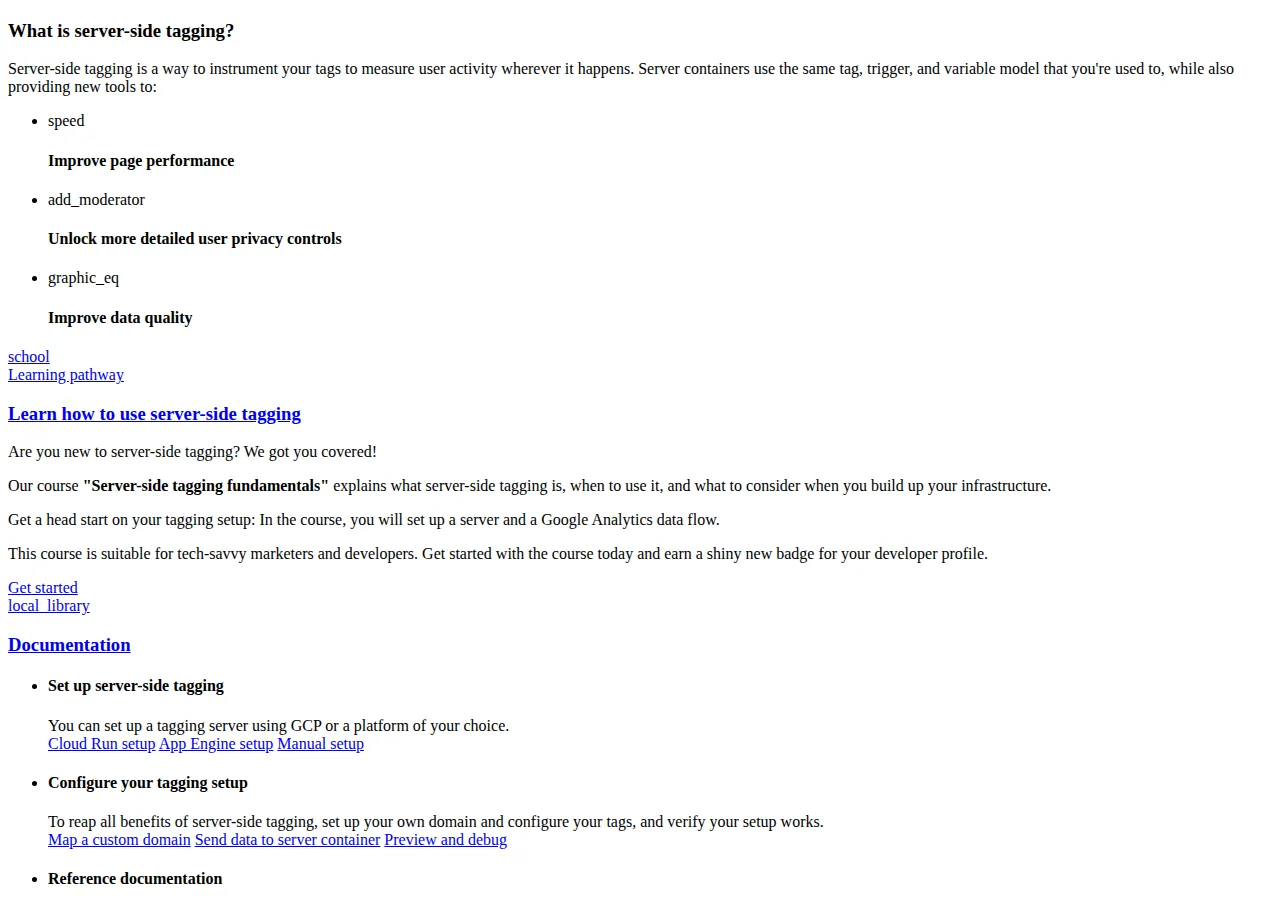
Server-side tagging is a change of address, not a change of product. The server container uses the same tag, trigger, and variable model as the web container. What changes is where the tags execute: the browser sends one stream of events to a tagging server on your own subdomain, such as metrics.example.com, where clients claim each request and tags forward events to each destination.
That buys three things: page performance, with one Google tag instead of a dozen vendor scripts; data quality, because events an ad blocker would have killed now leave from your server; and control, because the server container can redact fields before they leave.
The tagging server is a Node.js server inside a Docker image published by Google at gcr.io/cloud-tagging-10302018/gtm-cloud-image:stable, deployable to Cloud Run, App Engine, or any Docker host. Google warns the server environment's owner may have access to your data.
The Google tag can send by image pixel, Fetch API, XHR, or a service worker in an iframe loaded from the server container domain, so your Content Security Policy must allow the tagging subdomain in img-src, connect-src, and frame-src, and X-Frame-Options must not block its iframes. Miss one directive and the service-worker transport fails silently.
The acronyms, in one honest paragraph
GTM is Google Tag Manager; sGTM is the same container model running on a tagging server instead of in the browser. The tagging server exposes an API that receives events over HTTPS, and mobile apps send events through an SDK rather than a browser tag. GDPR makes consent the legal basis for most EU tracking, while CCPA gives California residents the right to opt out of the sale or sharing of personal information. A CMP, or Consent Management Platform, records the visitor choice, and the DNS record pointing metrics.example.com at the tagging server is the single point of failure. A SaaS analytics vendor and a CRM receive the same cleaned event stream, and GA4 turns those events into sessions, users, and key events.
First-party cookies: what the subdomain buys, and what it does not
The most misunderstood benefit is the cookie. When GA4 runs in the browser, it sets first-party cookies on your domain, but the browser treats JavaScript-set cookies differently from server-set ones. A cookie set by your own tagging server, arriving in an HTTP response from metrics.example.com, is first-party in the full sense. Google Analytics cookie documentation read 10 November 2026 gives the _ga cookie and the _ga_<container-id> cookie a default expiration of 2 years, used to distinguish users and persist session state.
That 2-year default is a setting, not a guarantee: browsers cap JavaScript-set cookies more aggressively than server-set ones, so the tagging server restores the lifetime the browser would otherwise cut short. Three limits stay: consent still governs, so a refused cookie may not be set; the browser still governs, so a visitor who blocks all cookies blocks server-set cookies too; and GDPR Article 7 still requires consent to be demonstrable and withdrawal as easy as giving it. A subdomain is a technical control, not a legal argument.
Consent Mode v2: basic versus advanced
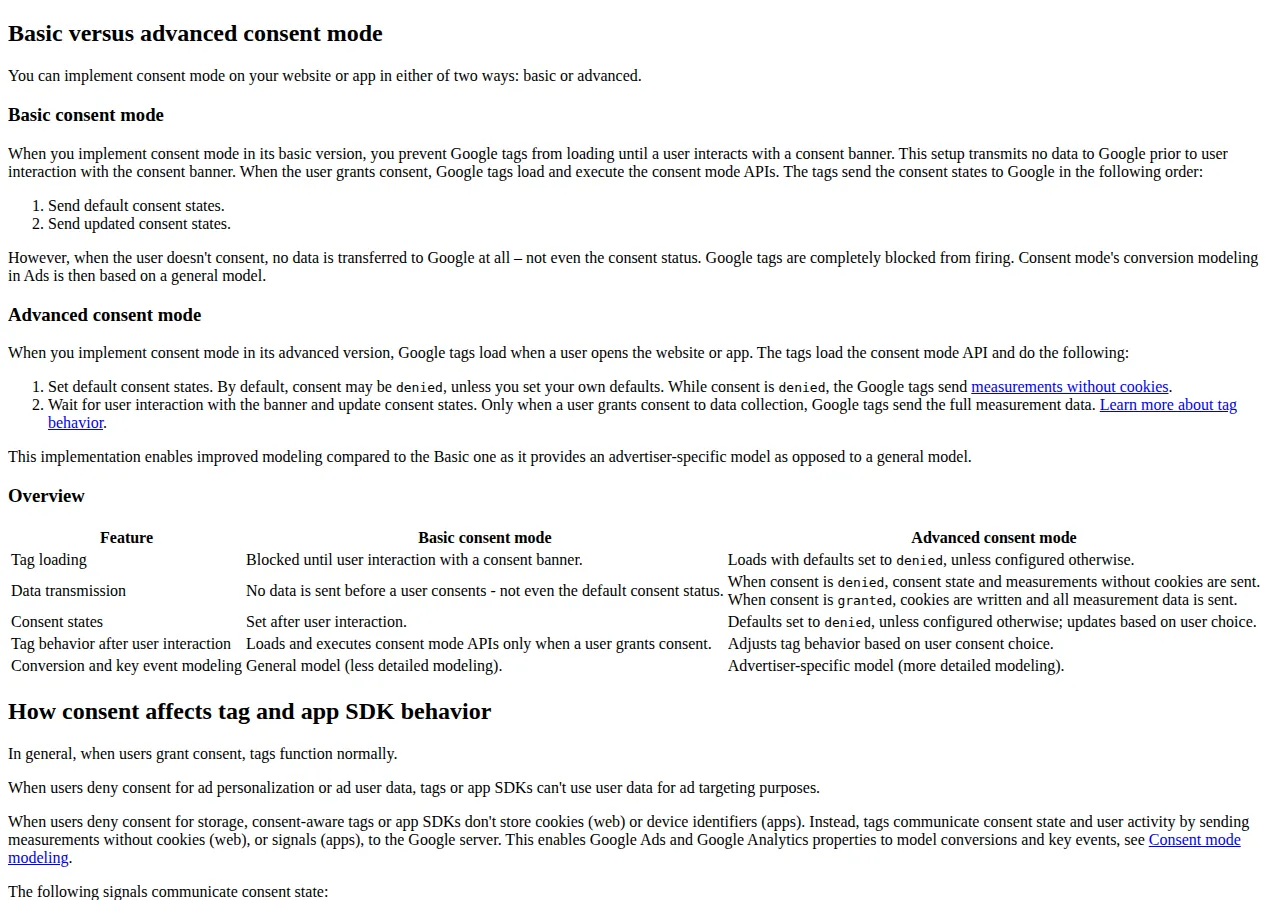
Consent Mode v2 is the protocol by which your site tells Google what the visitor chose, and Google tags adjust in response. It recognizes seven consent types: ad_storage, ad_user_data, ad_personalization, analytics_storage, functionality_storage, personalization_storage, and security_storage. The two that decide most measurement outcomes are ad_storage and analytics_storage. Your CMP sends the consent state to Google; tags with built-in consent checks modify their behavior, and tags without them can be given checks under Advanced, then Consent Settings in Tag Manager.
| Feature | Basic consent mode | Advanced consent mode |
|---|---|---|
| Tag loading | Blocked until banner interaction | Loads with defaults set to denied |
| Data sent before consent | No data is sent at all, not even the default consent status | Cookieless measurements are sent while consent is denied |
| After consent is granted | Tags load and run | Cookies are written and all measurement data is sent |
| Conversion and key event modeling | General model | Advertiser-specific model |
In basic mode, a visitor who does not consent sends no data to Google at all, so Ads conversion modeling rests on a general model. In advanced mode, while consent is denied, Google tags send cookieless measurements: consent state pings from each page visited, key event pings when a key event occurs, and Google Analytics pings on page load and event logging. Those pings carry timestamp, user agent, referrer, ad-click information such as a GCLID or DCLID, boolean consent state, and a random number per page load. Google uses them to model conversions and key events; its documentation states modeling requires a data-collection threshold, which Google does not publish.
When ad_storage is denied, no advertising cookies may be written or read, requests go through a different domain, and Ads truncates IP addresses at collection. When analytics_storage is denied, tags will not read or write first-party analytics cookies. With ads_data_redaction set, a visitor who once granted consent and later denies it has the stored information deleted by Google Ads, with ad-click identifiers redacted in the pings.
Data-layer design: the contract before the container
A server container cannot fix a bad data layer; it can only forward it faster. Design the data layer as a contract first. Every event carries the same five fields: event name, page location, user or anonymous identifier, currency and value, and a consent snapshot from the moment the event fired. Event names follow one rule — past tense for completed actions, present tense for views — and no name is reused. Product identifiers and prices come from checkout, never from page markup. Email addresses, phone numbers, and full names never enter the data layer; if Ads needs user-provided data for enhanced conversions, it is hashed on the server and sent through the User-provided Data event.
Version the contract: a version number travels with every event, and the server container rejects unrecognised versions — turning silent schema drift into a visible error.
The cost math: what a million hits actually costs
Cloud Run pricing read 10 November 2026 sets the rates: requests cost $0.40 per million beyond a free tier of 2 million requests a month, CPU costs $0.000024 per vCPU-second, memory costs $0.0000025 per GiB-second, and the monthly free tier covers 180,000 vCPU-seconds and 360,000 GiB-seconds. Stated assumptions: 1 vCPU, 512 MiB of memory, 50 milliseconds of active CPU per request, on-demand Tier 1 pricing in us-central1.
Scale it to a 10-million-hit month, where the free tier absorbs the first 2 million requests and the CPU and memory allowances.
A 10-million-hit month costs about $10.88, with memory at zero because 250,000 GiB-seconds sits inside the free allowance. At 100 million hits a month the same arithmetic gives about $160.23.
One minimum instance kept warm around the clock bills idle CPU and memory at $0.0000025 per vCPU-second and per GiB-second.
A warm instance costs about $9.72 a month.
The attribution math: what a restored cookie is worth
The cookie math is an illustration with stated assumptions, not a measurement of any real store. Take a store with 12,000 purchases a month at an average order value of $85. Suppose 40 percent of those purchases, 4,800 orders, come from buyers whose first visit was more than 7 days before they bought. If the identifier linking the first visit to the purchase survives only 7 days, those 4,800 purchases are recorded as new sessions with no campaign history; suppose 15 percent of them, 720 orders, lose their ad-click identifier entirely.
If first-party server-set cookies restore the identifier for 80 percent of those 720 orders, 576 regain their campaign attribution.
No sale is created or recovered by this change: the $48,960 is measurement, not revenue.
Worked example: the checkout funnel that stops leaking
A store records 50,000 checkout starts and 8,000 completed purchases a month. Assume 18 percent of purchase events never reach GA4 from the browser, killed by ad blockers and browser privacy caps, and assume the server container recovers 70 percent of them, because the event now leaves from the tagging server.
The $85,680 is purchase value that becomes visible in analytics again; the tagging server costs about $10.88 a month at this volume. But the server did not create $85,680, it stopped hiding it. Run the same arithmetic with your own blocker rate and recovery rate before quoting any number.
The execution checklist
- Map the custom domain first. Create the DNS record for metrics.example.com and confirm HTTPS resolves before any tag points at it.
- Provision the tagging server on Cloud Run. Use the automatic provisioning flow, keep one minimum instance for quiet gaps, and set a billing alert at $25.
- Build the preview server and verify it separately. It needs CONTAINER_CONFIG and RUN_AS_PREVIEW_SERVER; the cluster needs CONTAINER_CONFIG and PREVIEW_SERVER_URL.
- Write the data-layer contract and version it. Five mandatory fields on every event, one naming rule, no PII, and an enforced version number.
- Implement Consent Mode v2 with the mode chosen in writing. Set defaults to denied, wire the CMP to send updates, and enable ads_data_redaction where consent can be withdrawn.
- Set the Content Security Policy. Allow the tagging subdomain in img-src, connect-src, and frame-src, and confirm X-Frame-Options allows its iframes.
- Publish, then reconcile for 30 days. Compare GA4 purchases against the order system daily, Ads conversions against GA4 weekly.
Who should NOT migrate yet
Server-side tagging is the wrong move for a store with no engineer to own the tagging server: the image needs version updates, and a tagging server that stops responding is a silent outage. It is the wrong move for a team that has not settled its consent basis in writing, because advanced mode transmits cookieless pings from visitors who denied consent. It is the wrong move for a site whose data layer is still unversioned and full of raw PII, or for a founder who expects more sales: the server recovers measurement, not revenue.
Server-side tagging and Consent Mode v2 are one operation with two halves: the tagging server decides where data flows, and consent mode decides what may flow. Price the server at $1.66 per million billable hits, restore the first-party cookie, choose basic or advanced mode in writing, and reconcile for 30 days. The vendor comparison is in our Google Tag Manager vs Segment vs RudderStack playbook; the analytics destination is in our Google Analytics 4 vs Mixpanel vs Amplitude playbook; the hosting is in our Google Cloud Run vs AWS App Runner vs Azure Container Apps playbook; and the self-hosted alternative is in our self-hosting analytics guide. Run the worked examples through our profit calculator before moving budget on recovered attribution.