Three tools own the same job — getting a schema change from a laptop to production without breaking the database — and they disagree about what a migration is. Flyway says it is a numbered SQL file, applied in order, never edited once it runs. Liquibase says it is a changeset in a changelog, written once in a database-agnostic format, rendered to SQL at deploy time. Prisma Migrate says it is the diff between your data model and your database, planned from the model, reviewed before it applies. Pick the wrong model and every deploy fights you; pick the right one and the step disappears into the pipeline.
Founder & CEO Insight — Enow A. Jovial
The three models, side by side
| Attribute | Flyway | Liquibase | Prisma Migrate (ORM 8) |
|---|---|---|---|
| Migration unit | Versioned SQL file, V2__add_users_email.sql | Changeset (id + author) in a changelog | Migration directory planned from contract.prisma |
| Authoring format | SQL first; Java and script migrations supported | SQL, XML, YAML, JSON; Formatted Mongo for Secure | TypeScript data model; SQL preview generated for review |
| Change tracking table | flyway_schema_history | DATABASECHANGELOG + DATABASECHANGELOGLOCK | Migration history under migrations/app/ with a db ref |
| Integrity check | Checksum per migration; editing an applied migration fails validation | Checksum per changeset; validation on update | Contract hash per state; planner diffs contract against the db ref |
| Rollback | U__ undo migrations, Teams and above; Enterprise generates the undo scripts | rollback-count / rollback-one-changeset in every edition | No rewind step in the loop; a bad migration is fixed forward |
| Database coverage | 50+ engines | 60+ relational, NoSQL, and graph databases | PostgreSQL and MongoDB; SQLite experimental, MySQL early preview |
| License | Community free under Apache 2.0; Teams and Enterprise commercial | Community under the Functional Source License from 5.0; Secure commercial | ORM free; Prisma Postgres and Compute usage-based |
| Pricing model | Per user, quoted through sales (Teams reseller list $650.43/user/year) | Per application and database type, quote-only | Usage-based: Free $0, Starter $10/month, Business $129/month |
The table's last row decides most evaluations and has the least public information. Neither Redgate nor Liquibase publishes list prices for the commercial editions — both sell through sales — so the worked math uses the only hard figures available and labels the rest as quotes.
Worked example: five developers, three environments, three years
Take five developers shipping to one PostgreSQL database across dev, staging, and production. The migration tooling cost, before any database hosting:
Flyway Community and Liquibase Community are $0 at any team size, and Prisma Migrate itself ships free inside the ORM; the Prisma money is for Postgres and Compute, not the migration tool. The honest comparison is therefore not $0 against $3,252. It is $0 (Community, self-supported, no undo) against $3,252 a year for Flyway Teams with undo and dry runs, against an unquoted Liquibase Secure contract priced by application count and database type, against $120–$1,548 a year for Prisma's hosted Postgres and Compute on top of free migrations. A team that needs undo scripts and drift reports pays for them in the Flyway or Liquibase column; a team that only needs the runner pays nothing in any column. Run the break-even calculator on the three-year totals before a sales call sets the budget.
Flyway: the file is the migration
Flyway's model is the simplest to reason about and the hardest to cheat. Migrations are files in version control — V1__create_users.sql, V2__add_users_email.sql — applied in version order. Each run is recorded in flyway_schema_history with a checksum, so editing an applied migration fails validation instead of silently diverging environments. Repeatable migrations use an R__ prefix and re-run whenever their checksum changes — the escape hatch for views and stored procedures that should always reflect the latest file. Adopting an existing database is a baseline command that marks the current schema as version 1.
The edition gap is where Flyway costs money. Community is the runner: migrate, validate, baseline, info. Teams adds object-level versioning, dry-run output, and undo migrations — the U__ files that reverse a versioned migration. Enterprise adds script generation through Redgate's comparison engine, generated undo scripts, policy-as-code checks, and continuous drift monitoring. Two commercial facts matter for budgeting: Teams licenses are capped at 100 schemas, and since May 14, 2025, Teams is sold only to existing customers — a new buyer is quoted Enterprise. The one public per-user price is a reseller list: ComponentSource lists Flyway Teams at $650.43 per user per year for a one-year subscription. Redgate itself publishes no list price.
Liquibase: the changelog is the migration
Liquibase inverts Flyway's model: the developer writes what should change, not the SQL that changes it. A changelog — SQL, XML, YAML, or JSON, plus Formatted Mongo for Secure users — lists changesets, each with an id and an author, declaring change types such as createTable or addColumn that Liquibase renders into engine-specific SQL at runtime. Preconditions, contexts, and labels decide which changesets run in which environment, so one changelog can carry dev-only seed data and a production-only index build side by side. A root changelog that includes others must be XML, YAML, JSON, or Formatted Mongo. Two tables track state: DATABASECHANGELOG records every applied changeset, and DATABASECHANGELOGLOCK serializes concurrent runs.
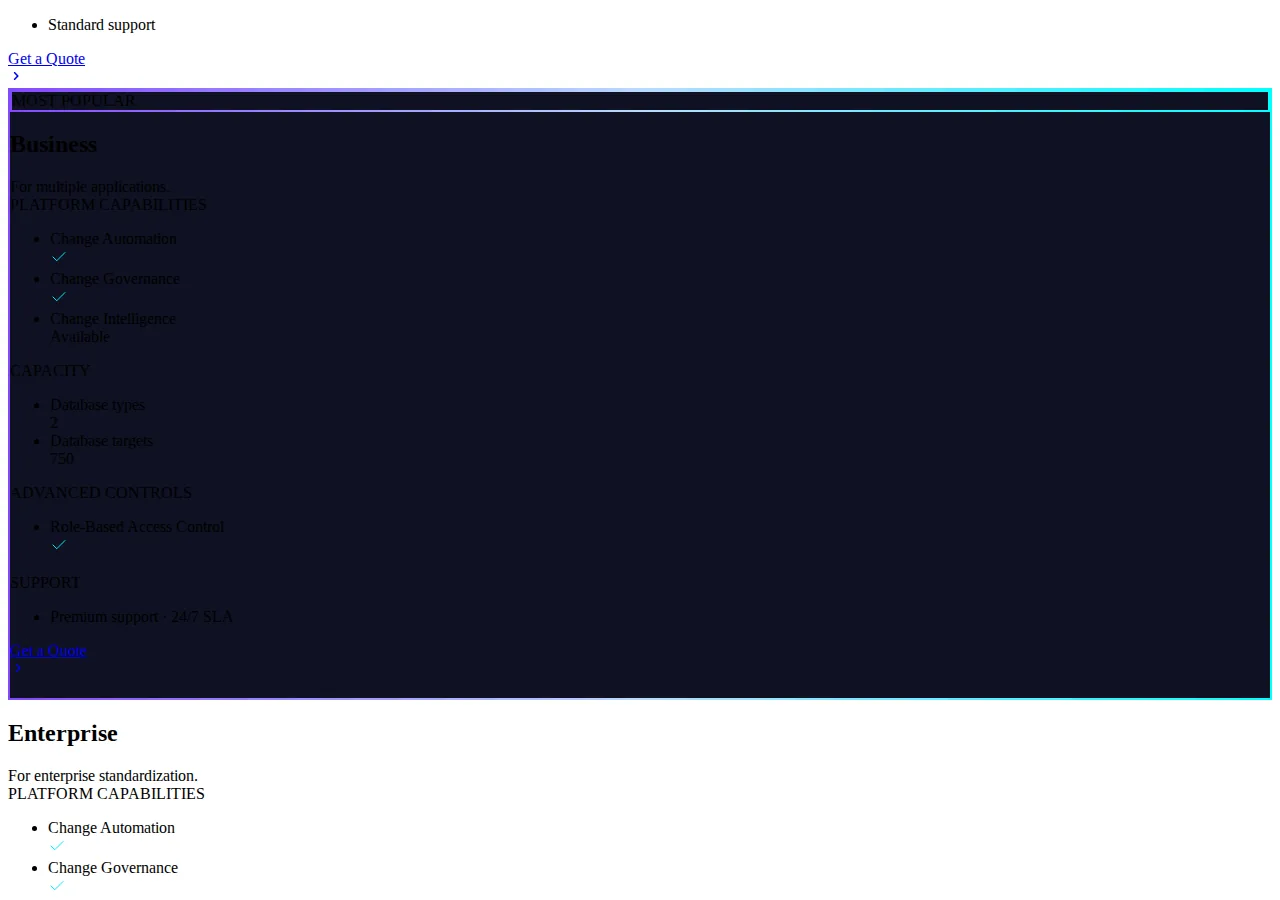
Rollback is Liquibase's strongest card, and it is not gated by edition: rollback-count reverts a specified number of changesets in reverse order, and rollback-one-changeset reverts one changeset without touching the ones after it. The catch is in the docs: auto-generated rollback works only for supported change types, and rolling back deletes the changeset's row from DATABASECHANGELOG. Liquibase Secure 4.27.0 and later can generate a Rollback Report for the command. The commercial side is capacity-priced and quote-only: Starter covers companies under $1B in revenue, 1 database type, 250 database targets; Team covers a single application with 500 targets; Business covers multiple applications, 2 database types, 750 targets, role-based access control, and premium 24/7 support; Enterprise covers 4 database types and 2,000 targets. Community moved to the Functional Source License with the 5.0 release — read the license before building a commercial product on it.
Prisma Migrate: the model is the migration
Prisma Migrate in ORM 8 is the newest shape of the three, and the docs are explicit that the old commands moved. The schema file is now contract.prisma, which replaced schema.prisma; npx prisma contract emit replaces prisma generate and writes contract.json for the migration commands. The loop is four steps: change the contract, plan, review, apply. migration plan diffs the new contract against an earlier state — by default the db ref, the file migrations/app/refs/db.json naming the contract state last applied in development — and writes the migration files. The developer reads the TypeScript and the SQL preview, edits the migration when a change needs a data step, and db migrate applies the pending ones. The old names map directly: migrate dev becomes migration plan plus db migrate --advance-ref db, migrate deploy becomes db migrate, migrate diff becomes migration show <dir> or db update --dry-run.
Two ORM 8 facts change the evaluation. First, migrate reset has no equivalent, because Prisma ORM 8 never resets a database — on a development database that does not need its history, npx prisma db update moves it to the contract directly and asks before it loses data. Second, the database surface is narrower: PostgreSQL and MongoDB are supported, SQLite is experimental, and MySQL is an early preview whose migrations can create and drop tables, columns, indexes, unique constraints, and foreign keys. A team on SQL Server or Oracle does not get a choice here. The pricing is the only fully public ladder: Free $0 a month with 1M Compute requests and 200k Postgres operations, Starter $10 a month, Business $129 a month with 100M Compute requests, 50M Postgres operations, 100 GB storage, 1,000 databases, 30-day backups. Note the retirement in the docs: Accelerate cache retires December 1, 2026.

The rollback gap decides the pick
| Situation | Flyway | Liquibase | Prisma Migrate |
|---|---|---|---|
| Bad migration lands in production | Apply the U__ undo (Teams+) or hand-write the reverse as a new V__ | rollback-count 1 or rollback-one-changeset in any edition | Fix forward with a new migration; no reset, no rewind |
| A developer edits an applied migration | Validation fails on checksum mismatch | Validation fails on checksum mismatch | Planner diffs the contract; the applied state is in the db ref |
| Preview before applying | Dry run, Teams and above | update-sql in every edition | db update --dry-run |
| Rollback the middle changeset only | Not supported — undo is sequential by version | rollback-one-changeset | Not applicable — forward-only |
| Audit trail after a rollback | flyway_schema_history keeps the undo record | The rolled-back row is deleted from DATABASECHANGELOG | Migration history keeps both migrations |
The rollback table is where the "which tool" question usually answers itself. A team deploying ten times a day that needs to unwind one bad change without touching the nine good ones after it has exactly one tool with a first-class answer. A team deploying weekly and reviewing every migration by hand may never need it.
Execution checklist: adopting a migration tool without a rewrite
- [x] Step 1 — Baseline the existing database first: run
flyway baseline,liquibase generate-changelogpluschangelog-sync, or Prisma'sdb updateon a copy — never point a new tool at production on day one. - [x] Step 2 — Put migrations in the same repo as the code: the migration files, the changelog, or the
contract.prismalive beside the application code in GitHub, reviewed in the same pull request. - [x] Step 3 — Run migrations in CI before the app deploys: the pipeline applies pending migrations to a disposable database and runs the test suite against it; a failed migration blocks the deploy.
- [x] Step 4 — Prove the rollback before you need it: apply a migration, then undo it on staging with the tool's own command —
U__,rollback-one-changeset, or a forward fix — and record the time it took. - [x] Step 5 — Lock the production credentials: the migration runner gets its own database user with DDL rights, and no developer runs migrations by hand against production.
- [x] Step 6 — Freeze the rule on editing applied migrations: any change to a migration that already ran anywhere becomes a new migration; the checksum failure is the alarm, not the problem.
- [x] Step 7 — Price the paid tier on the real team size: count every person who contributes database changes for Flyway, every application and database type for Liquibase Secure, and the request volume for Prisma.
- [x] Step 8 — Check the database list against your estate: PostgreSQL and MongoDB only for Prisma ORM 8; 50+ engines for Flyway; 60+ for Liquibase — a SQL Server estate removes one option.
- [x] Step 9 — Test the multi-environment flow: dev, staging, and production must run the same migration set in order, with contexts or labels carrying the environment-specific changesets.
- [x] Step 10 — Schedule the upgrade review: Liquibase's FSL terms, Prisma's ORM 8 renames, and Flyway's Teams availability all changed in 2025–2026 — re-check the license and the edition matrix every year, not once.
db ref drifting from production — only show up against a database with real data and real traffic, and they show up in week one.Who should not pick which tool
Flyway is the wrong pick for a team that needs to unwind a single middle changeset, or that runs more than 100 schemas on a Teams license — the cap forces Enterprise. Liquibase is the wrong pick for a team that wants SQL files as the source of truth, or that will not read the Functional Source License before shipping commercially on Community. Prisma Migrate is the wrong pick for a team on SQL Server, Oracle, or MySQL in production, or that needs a rewind command after a bad deploy — ORM 8 has no reset and no rollback step. None of the three replaces the deployment pattern around it: the zero-downtime Postgres migrations playbook covers the blue-green rollout the tool runs inside, the Postgres connection pooling playbook covers the pooler the migrations run through, and the ClickHouse vs Snowflake vs BigQuery pricing playbook covers the warehouse side when the migration question becomes an analytics question.