The migration that takes your site down is rarely the migration with the wrong SQL. It is the migration with the right SQL run at the wrong lock level, at the wrong hour, with no timeout and no rollback. PostgreSQL documents it plainly: ALTER TABLE takes an ACCESS EXCLUSIVE lock unless a subform notes otherwise, and that lock is the only one that blocks a plain SELECT. Figures and lock modes as documented in PostgreSQL 18.
The lock table is the whole problem
PostgreSQL 18 documents eight table-level lock modes, and the only question that matters is which modes conflict with which. SELECT takes ACCESS SHARE, which conflicts only with ACCESS EXCLUSIVE. UPDATE, DELETE, and INSERT take ROW EXCLUSIVE, which conflicts with SHARE, SHARE ROW EXCLUSIVE, EXCLUSIVE, and ACCESS EXCLUSIVE — but not with SHARE UPDATE EXCLUSIVE. That single non-conflict is the whole zero-downtime technique.
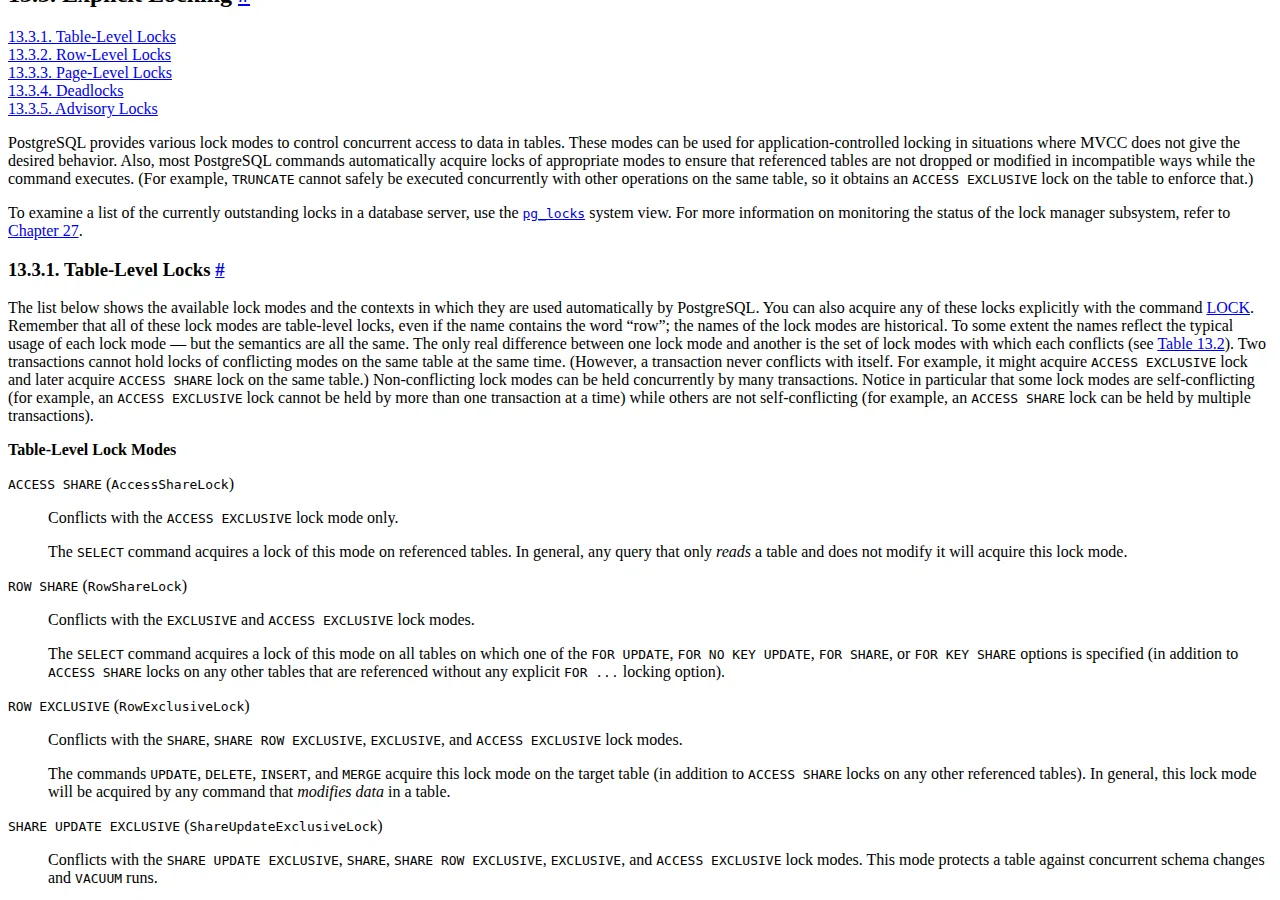
| Lock mode | Conflicts with | Acquired by | Blocks reads? | Blocks writes? | Authority |
|---|---|---|---|---|---|
| ACCESS SHARE | ACCESS EXCLUSIVE only | SELECT | No | No | PG 18, 13.3 |
| ROW SHARE | EXCLUSIVE, ACCESS EXCLUSIVE | SELECT FOR UPDATE | No | Partially | PG 18, 13.3 |
| ROW EXCLUSIVE | SHARE, SHARE ROW EXCLUSIVE, EXCLUSIVE, ACCESS EXCLUSIVE | UPDATE, DELETE, INSERT, MERGE | No | No | PG 18, 13.3 |
| SHARE UPDATE EXCLUSIVE | All except ACCESS SHARE, ROW SHARE, ROW EXCLUSIVE | VACUUM, ANALYZE, CREATE INDEX CONCURRENTLY | No | No | PG 18, 13.3 |
| SHARE | All except ACCESS SHARE, ROW SHARE | CREATE INDEX (without CONCURRENTLY) | No | Yes | PG 18, 13.3 |
| SHARE ROW EXCLUSIVE | All except ACCESS SHARE, ROW SHARE | CREATE TRIGGER | No | Yes | PG 18, 13.3 |
| EXCLUSIVE | All except ACCESS SHARE | REFRESH MATERIALIZED VIEW CONCURRENTLY | No | Yes | PG 18, 13.3 |
| ACCESS EXCLUSIVE | All modes | DROP TABLE, TRUNCATE, REINDEX, most ALTER TABLE | Yes | Yes | PG 18, 13.3 |
The timeouts that are all zero by default
PostgreSQL 18 ships with statement_timeout, lock_timeout, and idle_in_transaction_session_timeout all defaulting to zero, and zero means disabled. A fresh database has no protection against a migration that waits forever for a lock, a backfill that runs for six hours, or a session that holds locks while idle in a transaction. The documentation warns against setting these in postgresql.conf, where they would affect all sessions.
| Setting | Default | What it aborts | Migration value | Authority |
|---|---|---|---|---|
| statement_timeout | 0 (disabled) | Any statement over the limit | 30 seconds | PG 18, 19.11 |
| lock_timeout | 0 (disabled) | Any statement waiting for a lock over the limit | 2 seconds | PG 18, 19.11 |
| idle_in_transaction_session_timeout | 0 (disabled) | A session idle inside a transaction | 60 seconds | PG 18, 19.11 |
The ordering between the first two is the arithmetic that matters. A statement that waits 2 seconds for its lock aborts on lock_timeout while statement_timeout would have allowed it 30 seconds — the lock timeout fires first by design:
Set them at the top of the migration session:
SET lock_timeout = '2s';
SET statement_timeout = '30s';
SET idle_in_transaction_session_timeout = '60s';
Deadlock detection needs no tuning: deadlock_timeout defaults to 1 second, and PostgreSQL aborts one of the transactions involved. The documentation is candid that which transaction is aborted is difficult to predict — so the playbook treats a deadlock abort as a retry signal, and the CI/CD pipeline must retry on the deadlock error code. The best defence is acquiring locks in a consistent order, which means running DDL against tables in the same order in every deploy.
Expand and contract: the only pattern that never locks
Expand-and-contract is five phases, ordered by what the old code can tolerate. Phase 1, expand: add the new column as nullable, or add the new table, with no constraint the old code can violate. The documentation makes one form of this free: adding a column with a constant default value does not require each row to be updated when the ALTER TABLE runs — the default is returned when the row is next accessed. The trap is the volatile default: a default of clock_timestamp() forces a per-row update at ALTER TABLE time. Phase 2, dual-write: deploy code that writes both shapes. Phase 3, backfill: copy old values into the new shape in batches. Phase 4, contract-read: deploy code that reads the new shape. Phase 5, contract-write: drop the old column or table, after a full deploy cycle in which no old code is running anywhere.
The phase most often skipped is phase 2, and skipping it is the most common expand-and-contract failure. Without dual-write, a write that lands between the backfill and the read switch writes only the old shape, and the new shape goes stale the moment the switch flips. The backfill must also be re-runnable and idempotent — a batch that fails halfway must be safe to run again, because a backfill that aborts on a lock timeout will be run again. Our PostgreSQL connection pooling playbook covers the pooler that sits between the application and the DB during all five phases, and the high-traffic infrastructure comparison prices the application servers whose connection counts the pool math depends on.
Renames deserve their own warning because they look harmless and are not. ALTER TABLE RENAME COLUMN and RENAME TO take ACCESS EXCLUSIVE, and a rename breaks every prepared statement, view, and function that names the old identifier. The expand-and-contract answer to a rename is to not rename: add the new column, dual-write, backfill, switch reads, drop the old column.
Backfill in batches, counted to the batch
A backfill is a loop with exactly two numbers: the batch size and the batch count:
Ten million rows at 1,000 rows per batch is 10,000 batches; at 10,000 rows per batch it is 1,000 batches. The total time is the batch count times the per-batch time, measured in staging — no throughput number is printed here, because none was measured.
Keyset pagination is the batching method the loop uses, because OFFSET degrades as the offset grows. The loop orders by the primary key and takes the next batch after the last key it processed — the DB reads the rows by index, so each batch costs the same CPU and RAM:
UPDATE orders
SET total_cents = (subtotal_cents + tax_cents) * 100
WHERE id > $1
ORDER BY id
LIMIT 1000;
The loop needs a progress record: the last processed key, written to a migration state table after each batch.
Indexes without the write lock
CREATE INDEX CONCURRENTLY is the only index build that does not lock out writes. The documentation states it directly: the option builds the index without taking any locks that prevent concurrent inserts, updates, or deletes. The price is time: a concurrent build performs two scans of the table, waits for existing transactions to terminate before each scan, and cannot run inside a transaction block.
The failure mode is specific and must be handled, not hoped away. If a deadlock or a uniqueness violation interrupts the build, the command fails but leaves behind an INVALID index: ignored for queries because it might be incomplete, but still consuming update overhead on every write to the table. The documented recovery is to drop the index and run CREATE INDEX CONCURRENTLY again, or rebuild it with REINDEX INDEX CONCURRENTLY. A second caveat is sharper: a concurrent unique index starts enforcing uniqueness when the second table scan begins, so other transactions can report constraint violations before the index is usable — and if the build then fails, the invalid index keeps enforcing uniqueness afterwards. Check pg_index after every concurrent build:
SELECT indexrelid::regclass AS index, indisvalid
FROM pg_index
WHERE NOT indisvalid;
Adding a constraint follows the same two-step shape. ADD CONSTRAINT with NOT VALID adds the constraint without scanning the table, and VALIDATE CONSTRAINT then scans under SHARE UPDATE EXCLUSIVE — which blocks neither reads nor writes.
Blue-green cutover and the rollback math
Blue-green is two databases, not two deploys. Blue serves production; green is the copy with the migration applied. The cutover is a sequence with a measured window: stop writes to blue, drain the pool, promote green, point the application at green, resume writes. The DNS record is the pointer that flips, and the HTTP health check follows it. The rollback is the same sequence in reverse:
That second clause is the part teams miss. Rolling back the pointer does not roll back the data: every row written to green after the cutover exists only on green, and a pointer rollback orphans it. The rollback plan must therefore name one of three answers before the cutover starts: accept the loss of the window's writes — the JSON payloads the REST API received in the window — replay them from the application log or logical replication, or keep the window so short that the loss is acceptable and named in advance.
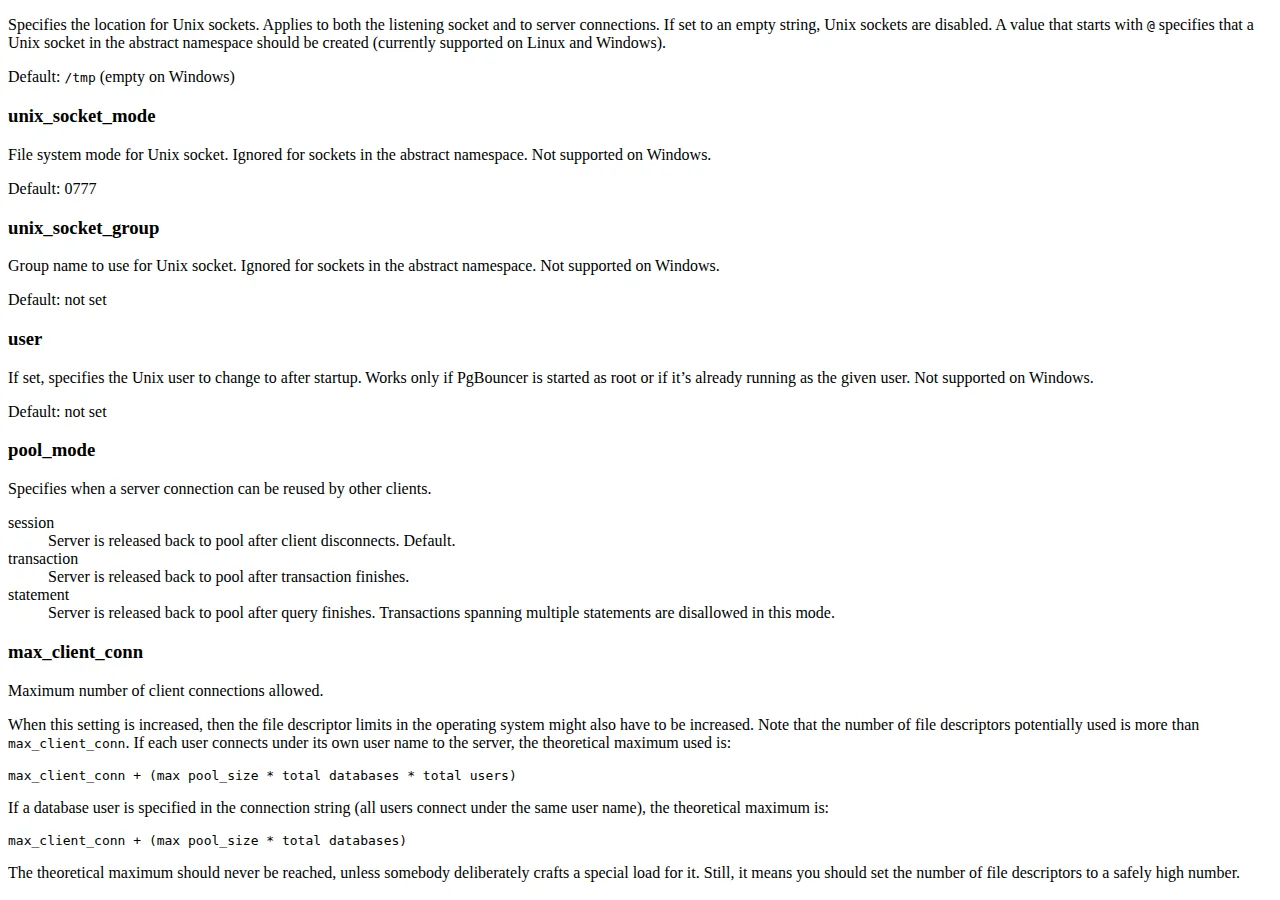
The drain is where PgBouncer earns its place in this guide. PgBouncer's pool_mode defaults to session, which releases a server connection back to the pool only when the client disconnects — a long-lived application connection never releases. Whether the DB runs on a VPS, in Docker, or on AWS, the pool_mode setting is the same. Transaction mode releases the server connection when the transaction finishes, which is the mode a blue-green cutover wants: connections return to the pool between transactions, and the drain completes in seconds rather than at the next deploy. Set pool_mode to transaction on the green pooler before the first connection opens — a pooler in session mode during a cutover is a drain that never drains.
The pooler during cutover: PgBouncer math
The pool math uses documented defaults only. PostgreSQL's max_connections is typically 100, and superuser_reserved_connections defaults to 3, so the application has 97 usable connections. PgBouncer's default_pool_size is 20 server connections per user and database pair, and it listens on TCP port 6432 by default:
Four application servers at the default pool size need 80 server connections, inside the 97 usable. Five servers need 100, which is 3 over the usable ceiling. The green environment must therefore not open its pool while blue still holds one, or the pool size must be lowered: 5 servers at 19 connections each need 95. PgBouncer's reserve_pool_size defaults to 0 (disabled) and its reserve_pool_timeout defaults to 5.0 seconds — a reserve pool is available, but it is off until configured. Run the whole stack through the website cost calculator with the pool sizes as line items before the cutover window is booked.
Founder & CEO Insight — Enow A. Jovial
Who should not do this
A database with no traffic outside business hours should take the maintenance window and run the plain ALTER TABLE. A table under 100,000 rows should not be backfilled in batches — the whole backfill is one short statement.
The execution checklist
- [x] Step 1: Audit every DDL statement against the lock table — anything that takes ACCESS EXCLUSIVE is rewritten or split.
- [x] Step 2: Open the migration session with SET lock_timeout = '2s' and SET statement_timeout = '30s'.
- [x] Step 3: Expand first — add the new column nullable, with a constant default if one is needed and never a volatile one.
- [x] Step 4: Deploy dual-write code, then backfill in keyset batches of 1,000 or 10,000 rows.
- [x] Step 5: Build indexes with CREATE INDEX CONCURRENTLY only, never inside a transaction block, and check pg_index for invalid indexes after every build.
- [x] Step 6: Add constraints as NOT VALID, then VALIDATE CONSTRAINT, then SET NOT NULL — the validated CHECK constraint lets the NOT NULL step skip its table scan.
- [x] Step 7: Count the pool before the cutover — app servers times default_pool_size must stay under 97 usable connections — and name the rollback answer for the window's writes.
A zero-downtime migration is five disciplines: the lock audit, the timeouts, the phases, the counted backfill, and the pool math.