Deputy vs Homebase vs When I Work: The 2026 Employee Scheduling Pricing Playbook
Deputy charges per user. Homebase charges per location. When I Work charges per user — and then charges again for the clock. That decides almost everything: the same 25-person team costs $125 a month on one vendor and $24 a month on another, and the only thing that changed is the unit being sold. This playbook prices all three from the vendors' own pricing pages, read 11 November 2026, and works the cost at 5, 25 and 100 employees, so the winner is a number.
The price board
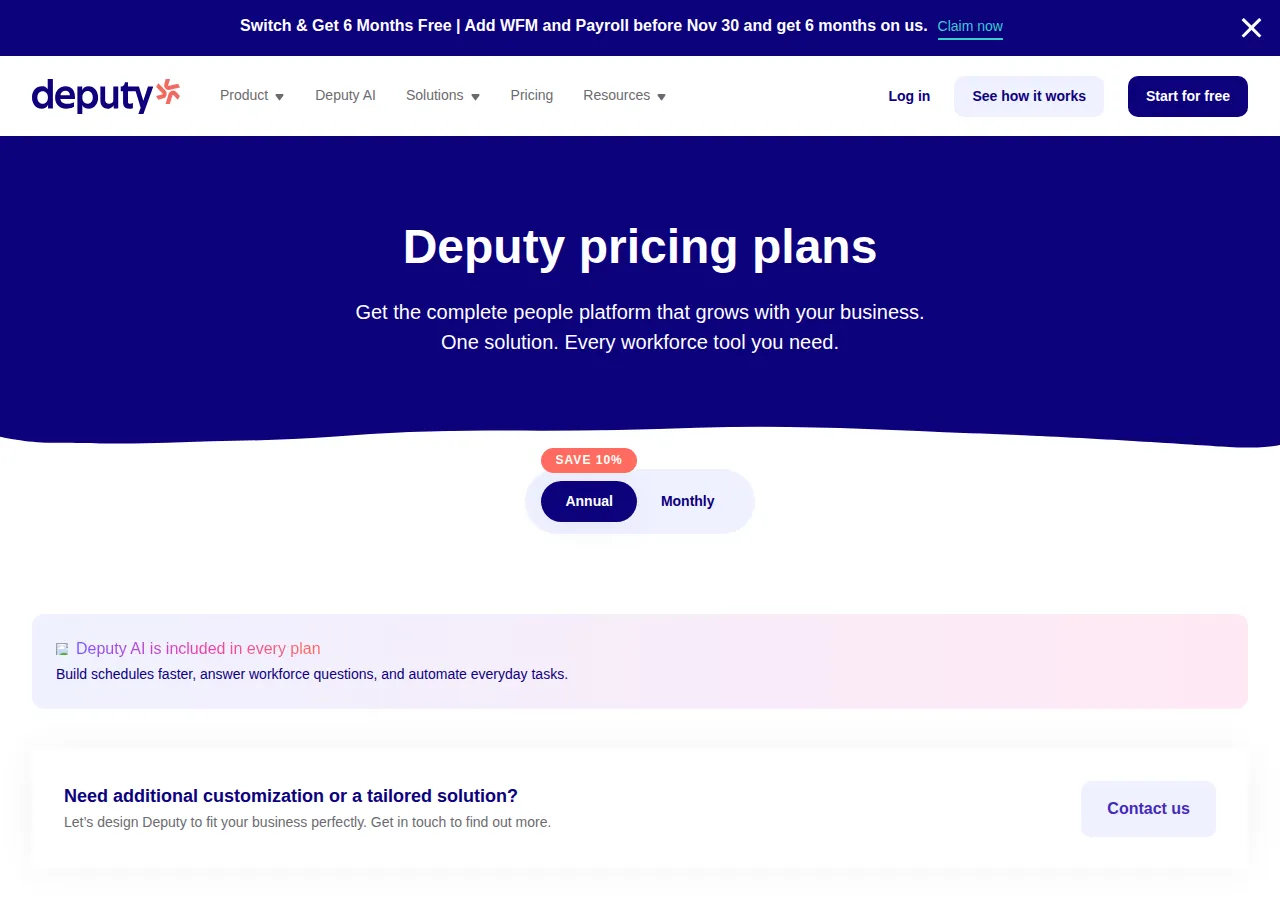
All prices are US list prices before tax, as published on 11 November 2026. Deputy labels its annual discount "SAVE 10%"; Homebase's annual prices run 20% below monthly. When I Work publishes no monthly prices, so it has no monthly column here.
| Plan | Monthly billing | Annual billing | Authority |
|---|---|---|---|
| Deputy Lite | $5.50 / user | $5.00 / user | deputy.com/pricing |
| Deputy Core | $7.25 / user | $6.50 / user | deputy.com/pricing |
| Deputy Pro | $10.00 / user | $9.00 / user | deputy.com/pricing |
| Homebase Basic | $0 | $0 | joinhomebase.com/pricing |
| Homebase Essentials | $30 / location | $24 / location | joinhomebase.com/pricing |
| Homebase Plus | $70 / location | $56 / location | joinhomebase.com/pricing |
| Homebase All-in-One | $120 / location | $96 / location | joinhomebase.com/pricing |
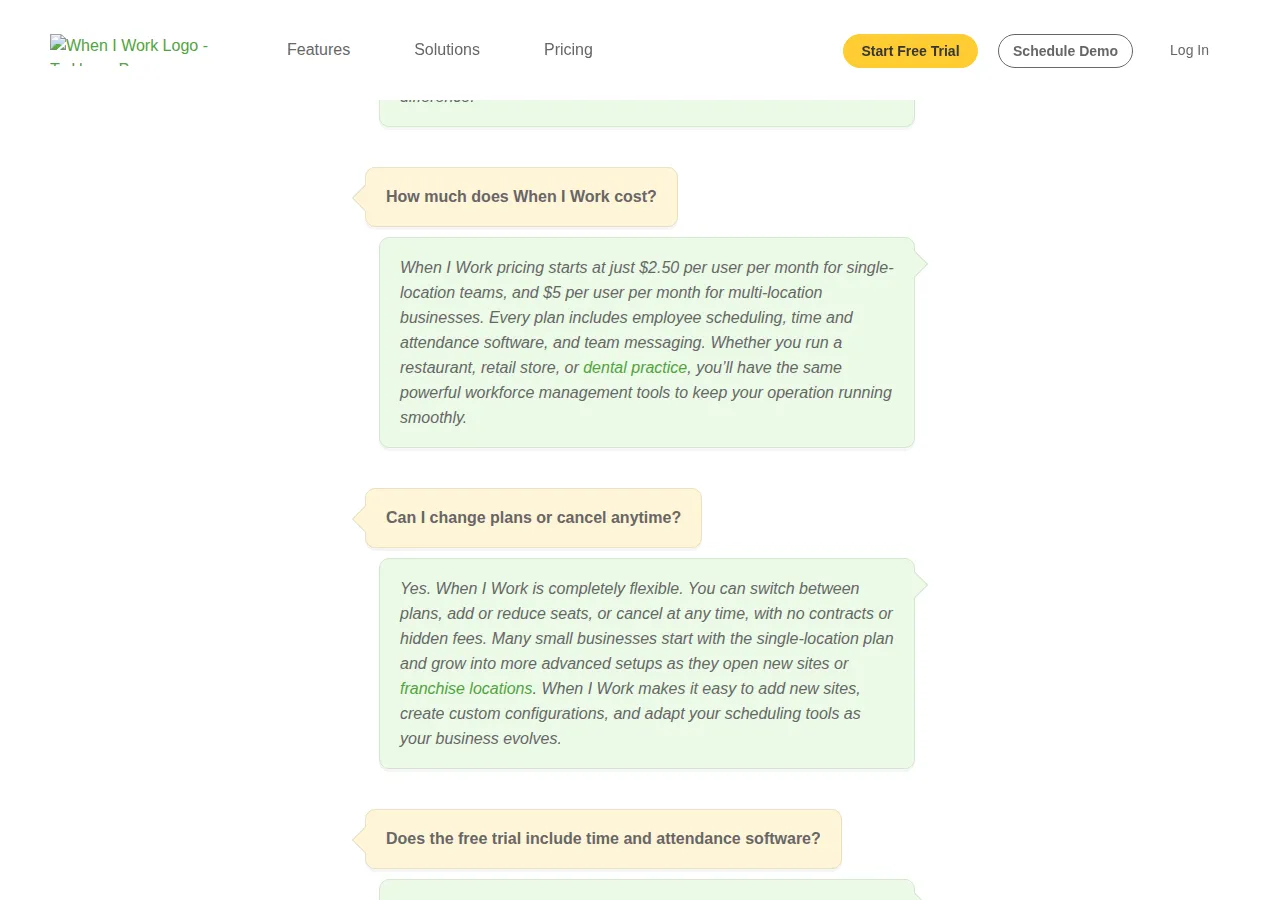
| When I Work Essentials | Not published | $2.50 / user | wheniwork.com/pricing |
| When I Work Pro | Not published | $5.00 / user | wheniwork.com/pricing |
| When I Work Premium | Not published | $8.00 / user | wheniwork.com/pricing |
| When I Work Essentials + clock | Not published | $4.00 / user | Turnozo / TracefyHR, 2026 |
| When I Work Pro + clock | Not published | $7.00 / user | Turnozo / TracefyHR, 2026 |
| When I Work Premium + clock | Not published | $10.00 / user | Turnozo / TracefyHR, 2026 |
What each tier buys
Lite ($5) covers scheduling, timesheets, time clocking, labor-law compliance, shift swap and find-a-replacement. Core ($6.50) adds auto-scheduling, timesheet auto-approval, biometrics clocking, and wage budgets. Pro ($9) adds custom access levels, location hierarchies, pay centers, single sign-on, plus Analytics+ and Messaging+.
Basic is free for one location and up to 10 employees, with basic scheduling and basic time tracking. Essentials ($24) adds advanced scheduling and advanced time tracking. Plus ($56) adds the AI-powered Scheduling Assistant, PTO and time-off controls, and departments and permissions. All-in-One ($96) adds employee onboarding without payroll, and HR and compliance. Every paid tier covers unlimited employees.
Essentials ($2.50) includes auto-scheduling, multi-week and multi-location scheduling, in-app team messaging, OpenShifts and shift swapping, and payroll and POS integrations. Pro ($5) adds scheduling rules, role permissions, labor sharing, custom forecasting, and the time-zone toggle. Premium ($8) adds API key access, webhooks, and SAML single sign-on. The catch: Time Tracking & Attendance is a paid toggle on every plan card, and the page prints no price for it. Our Toggl vs Harvest vs Clockify time tracking pricing playbook covers standalone time tracking.
The seat math — 5, 25 and 100 employees
Every figure below is per month in US dollars before tax, on annual billing, with a time clock included.
| Team | Deputy Lite $5/user | Homebase Ess $24/location | When I Work Ess + clock $4/user | When I Work sched-only $2.50/user |
|---|---|---|---|---|
| 5 employees, 1 location | $25.00 | $24.00 | $20.00 | $12.50 |
| 25 employees, 1 location | $125.00 | $24.00 | $100.00 | $62.50 |
| 25 employees, 3 locations | $125.00 | $72.00 | $100.00 | $62.50 |
| 100 employees, 1 location | $500.00 | $24.00 | $400.00 | $250.00 |
| 100 employees, 5 locations | $500.00 | $120.00 | $400.00 | $250.00 |
Per year, multiply by 12: at 25 employees and one location, Deputy Lite is $1,500, Homebase Essentials $288, and When I Work with the clock $1,200 — Homebase saves $1,212 a year against Deputy and $912 against When I Work. At 100 employees and one location, the gaps are $5,712 and $4,512.
Mid tiers, same pattern: at 25 employees, Deputy Core is $162.50 a month and Pro $225, Homebase Plus $56 and All-in-One $96, When I Work Pro with the clock $175 and Premium with the clock $250.

The crossover lines — where the winner flips
One equation per tier pair: per-user price × headcount = the per-location flat price. Solve for N and you get the team size where the cheaper vendor changes.
Below 5 employees, Deputy Lite beats Homebase Essentials; at 5, Homebase wins by $1. Below 6, When I Work with the clock beats Homebase; at 6 they tie at $24, at 7 Homebase wins. Below 9, Deputy Core beats Homebase Plus; below 11, Deputy Pro beats All-in-One.
Between the per-user vendors, When I Work with the clock undercuts Deputy Lite by $1 a user — $25 a month at 25 employees, $100 at 100. Higher up, Deputy fights back: Core ($6.50) beats Pro with the clock ($7) by $12.50 a month at 25 employees; Pro ($9) beats Premium with the clock ($10) by $25.
On monthly billing, Deputy Lite is $5.50 a user and Homebase Essentials $30 a location — $150 and $72 a year more than annual at 25 employees and one location. When I Work publishes no monthly prices, so no annual gap can be computed for it.
Payroll add-ons — the second invoice
Deputy Payroll is $8 a user a month plus a $49 monthly base fee, only on annual Core and Pro, US only. Homebase payroll is an add-on on any plan at $49 base plus $6 per employee paid, first 6 months free. When I Work sells no payroll; it points to integrations and a Rippling partnership with 6 free months of Rippling payroll and HR.
| Team | Deputy Payroll $8/user + $49 base | Homebase Payroll $49 base + $6/employee | Gap |
|---|---|---|---|
| 5 employees | $89.00 | $79.00 | $10.00 |
| 25 employees | $249.00 | $199.00 | $50.00 |
| 100 employees | $849.00 | $649.00 | $200.00 |
Homebase payroll is cheaper at every size — $6 per employee vs Deputy's $8, same $49 base. The gap is $50 a month at 25 employees — $600 a year. Combined at 25 employees with payroll: Deputy is $125 plus $249, or $374 a month; Homebase is $24 plus $199, or $223. Combined gap: $151 a month, $1,812 a year. Our Gusto vs Rippling vs QuickBooks payroll pricing playbook prices standalone payroll.
The four traps
The $30 floor — Deputy charges a $30 minimum per invoice on monthly Lite, Core and Pro plans. A 5-person team on monthly Lite owes 5 × $5.50, or $27.50 — below the floor, so the invoice is $30 and $2.50 a month buys nothing. A 6-person team owes $33 and the floor stops binding. Fix: buy annual billing ($25 a month at 5 users) or add the sixth seat.
The 90-day record — Homebase Basic is free for one location and up to 10 employees, and it stores timesheets for up to 90 days. 29 CFR § 516.5 requires every employer to preserve payroll records for at least 3 years, and § 516.2(a) requires the records to include hours worked each workday and total hours each workweek. Three years is 1,095 days. Basic stores 90. The shortfall is 1,005 days of hours the employer must keep and the free plan deletes. Free only if you export timesheets monthly — or pay the $24.
The toggle with no price — When I Work's pricing page shows Time Tracking & Attendance as a paid toggle on every plan card, and its FAQ says every plan includes time and attendance software. The FAQ also prices by location — $2.50 single-location, $5 multi-location — while the cards show three tiers with no location split. The with-clock prices in this guide — $4, $7 and $10 — come from two independent reads of the toggle and agree, but they are not the vendor's printed words. Get the with-clock price in writing before you sign.
The annual lock-in — Deputy annual billing is charged up front, and the vendor's FAQ states that on an annual plan you cannot change plan or lower the number of employees, and cancelling brings no refund. A team that buys Pro for 25 in January and drops to 18 by June pays for 25 all year. The discount is real money — $150 a year on Deputy Lite at 25 employees — but only if the headcount holds.
The decision table
| If your team looks like this | Buy this | Why, with the number | Authority |
|---|---|---|---|
| 1 location, up to 10 employees, tight budget | Homebase Basic, free | $0; export timesheets monthly — 90-day storage vs a 3-year rule | joinhomebase.com/pricing; 29 CFR § 516.5 |
| 1 location, 6–25 employees, wants the cheapest clock | Homebase Essentials, annual | $24 a location; beats Deputy Lite from 5 employees, WIW with clock from 6 | See above |
| 1 location, 25+ employees, wants SSO and API | Deputy Pro, annual | $9 a user, SSO and sandbox included; undercuts WIW Premium with clock by $25/mo | deputy.com/pricing |
| 3+ locations, 25 employees | Homebase Essentials, annual | $72/mo for 3 locations; Deputy Lite $125, WIW with clock $100 | See above |
| Multi-location, needs API and webhooks | When I Work Premium, annual | $8 sched-only, $10 with clock; API keys and webhooks — confirm clock price in writing | wheniwork.com/pricing; Turnozo / TracefyHR |
Paying for seats: the back office
Collect a W-9 from any US vendor you pay over $600 in a year, and a W-8BEN from a non-US payee; your EIN goes on the vendor's tax form, your SSN or ITIN only if you are a sole proprietor with no EIN. Pay by card monthly, by ACH annually — not by wire. The LLC, S-Corp or C-Corp on the invoice must match the entity claiming it. A CPA will ask for the FICA treatment of any payroll add-on and the GAAP treatment of prepaid annual billing — file the annual invoice as a prepaid expense. The tax estimator runs the deduction math, and the ROI calculator prices the time saved.
Founder & CEO Insight — Enow A. Jovial
Execution checklist
- Step 1: Count heads and locations: every user counts on Deputy, including admins, and Homebase charges per location.
- Step 2: Price all three on annual billing at your real headcount, clock included, from the tables above.
- Step 3: Run the break-even calculator on the annual discount: Deputy Lite saves $150 a year at 25 employees, Homebase Essentials $72 per location. Take it only if headcount is stable.
- Step 4: Start on monthly billing for one month and check the first invoice: the Deputy $30 floor, the When I Work clock toggle, the Homebase per-location count.
- Step 5: Confirm the When I Work with-clock price in writing and whether seats are billed in bundles of 5 or 10 — a 23-person team billed for 25 seats pays for two who do not exist.
- Step 6: If you take Homebase Basic, set a monthly reminder to export timesheets. Switch to annual billing only after three months of steady headcount and re-price every renewal.