Every duplicate record in a CRM is a tax on every number downstream. A contact split across two records means a rep calls a prospect marketing already emailed, a report counts one customer as two, and a lead score is computed on half the history. The tax is quiet — nobody gets an error message — and it compounds with every import, form fill, and integration. CRM data hygiene stops the compounding: detect the duplicates, merge them under a rule you can defend, and prevent the next ones at the point of entry.
This playbook is for operators who own a CRM with at least 10,000 records — a RevOps lead, a sales operations manager, or a founder who has just found the same customer three times in a pipeline review. It is not for a fresh CRM with 200 contacts; at that size, manual cleanup is faster than any rule. The scope is the CRM itself: Salesforce and HubSpot, whose duplicate machinery is documented well enough to build on.
How duplicates get in: the four entry points and their gaps
Duplicates are not created by bad data, but by normal operations running without a uniqueness check. Each entry point has a different gap, and the gap is what prevention has to close.
| Entry point | How the duplicate forms | The gap in the native check | Authority |
|---|---|---|---|
| Web forms | A known contact submits with a new email or a typo | Form matches on email only; a new email is a new contact | HubSpot Deduplication docs |
| Imports | A list is loaded without Record ID or unique keys | Rows saved in the same import are not compared with each other | Salesforce Duplicate Rules docs |
| API and integrations | A sync app creates companies by domain-less payload | Companies created through the API are not deduplicated by domain | HubSpot Deduplication docs |
| Manual entry | A rep creates a contact instead of searching first | Duplicate rules do not run on Quick Create | Salesforce Duplicate Rules docs |
HubSpot's automatic deduplication is narrow by design: contacts by email address and companies by company domain name, and only for records created manually, through forms, or through imports. Companies created through the API — including installed third-party sync apps — are not deduplicated on domain at all. Deals and tickets have no automatic deduplication. The only reliable key for those objects on import is the Record ID property, or a custom property marked as requiring unique values. HubSpot allows up to ten such custom properties per object, applying to manual edits and imports — but not to forms, where the default email and domain checks are what you get.
Salesforce's gaps are documented the same way. Duplicate rules do not run on records created through Quick Create, on leads converted unless Apex lead conversion is enabled, on records restored from the Recycle Bin, on records merged manually, or on an edit that does not touch a field in the matching rule. Records saved together in one import are not compared with each other. A team importing a 5,000-row list and assuming the rules cleaned it has made the most common error in this playbook: the rules never ran.
Detection: what the native tools actually see
Detection is a matching rule: which fields to compare, and whether each must match exactly or approximately. Salesforce splits the job in two — a matching rule defines how records are compared, a duplicate rule defines what happens on a match: block, alert, or log. HubSpot's duplicates manager compares property values daily, surfaces pairs with a similarity score, and lets you merge or reject them individually or in bulk.
The limits are the operating envelope — hard-coded, and Salesforce's help article says they cannot be increased by Support:
| Limit | Salesforce | HubSpot |
|---|---|---|
| Active matching rules per object | 5 | 2 custom rules per object (up to 9 properties each) |
| Total matching rules | 100 total, 25 active | Default rule plus custom rules |
| Active duplicate rules per object | 5, up to 3 matching rules each | N/A — merge criteria instead |
| Records merged in one action | 3, including the master | Bulk merge by criteria (see below) |
| Pairs the tool will show | Duplicate jobs cap: 1,000,000 items | Pro/Enterprise: 10,000; Data Hub Pro: 30,000; Enterprise: 100,000 |
| Editions | Matching rules: Professional and above | Manage duplicates: Professional and above; bulk: Data Hub Pro and above |
Three limits change the design. First, Salesforce's activation threshold: when you create or modify a matching rule, the platform runs it against existing data, and if the rule identifies potential duplicates exceeding approximately 2% of total records, it refuses to activate. Support can raise the threshold to approximately 5%, but cannot remove it. Second, HubSpot's custom-rule warning: if a rule matches more than 10% of all records and the average group size is greater than three, the duplicates table may not return complete results. Third, Salesforce duplicate jobs — the org-wide scans — are limited to Performance and Unlimited editions, cap at 1,000,000 items across all jobs, and cannot compare and merge records on custom objects.
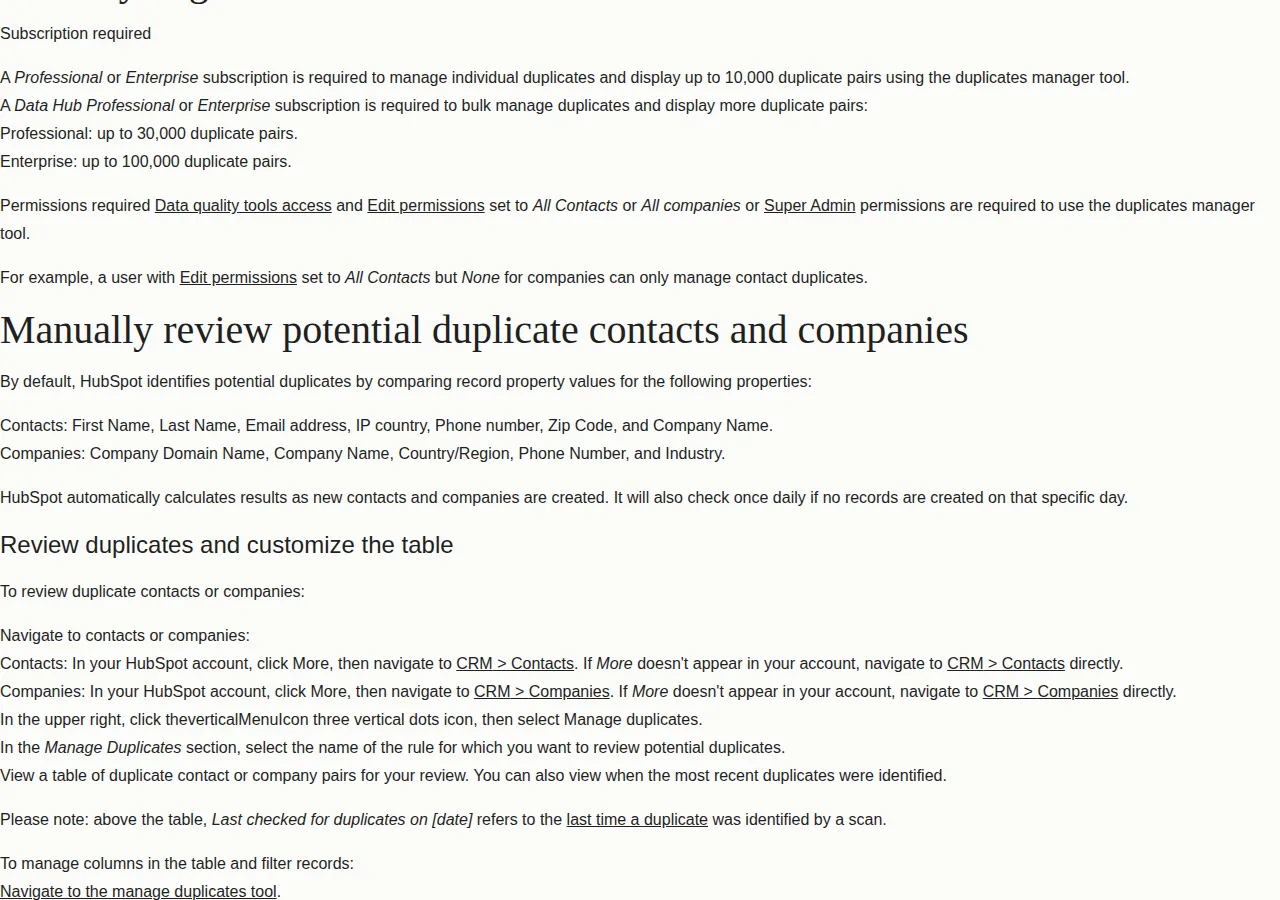
HubSpot's default matching properties define what "similar" means out of the box. Contacts are compared on first name, last name, email address, IP country, phone number, zip code, and company name. Companies are compared on company domain name, company name, country or region, phone number, and industry.
The merge decision: survivorship is the whole job
Detection is mechanical. The merge decision is judgment, and it is the part of the playbook that destroys value when improvised. Every merge picks a surviving record — the master — and every other record's values either survive into it or are discarded. The rule that decides the master is survivorship, and it must be written down before the first merge, because two operators merging the same pair with different instincts will produce different CRMs.
HubSpot's bulk merge criteria are the menu to choose from: most recent engagement, oldest engagement, created first, created last, or most recently updated. Custom merge rules go further — up to five criteria per rule, checked in order, with a tie-breaker: a property condition (for example, email does not contain gmail.com), most associated objects, most activities logged, or highest fill rate. For contacts, most recent engagement usually wins — the record the customer interacted with carries the live email and consent. For companies, created first usually wins — the oldest record carries the original source and first-touch attribution. Write the choice in the rule; never merge by feel.
The cost of getting survivorship wrong is not theoretical. The merged record keeps the oldest create date, the furthest lifecycle stage, and the combined activities — but the primary record's original source and first-touch attribution dominate, and the secondary's are lost.
Founder & CEO Insight — Enow A. Jovial
The math: price the cleanup before you start it
Take a stated scenario: a 120,000-contact database at an 8% duplicate rate — 9,600 duplicate records, roughly 4,800 pairs. At 2 minutes per pair, the manual cleanup is 160 hours: four full work-weeks. At a stated loaded cost of $45 an hour, that is $7,200 for one cleanup pass — and it buys nothing permanent if the entry points stay open.
The pair caps decide whether the native tool can hold the work. HubSpot Professional and Enterprise display up to 10,000 pairs; at 4,800 pairs the native tool covers the scenario. At 60,000 pairs it does not — Data Hub Enterprise caps at 100,000. Salesforce's duplicate-job cap is 1,000,000 items across all jobs; a job that would exceed it must be split, and old results deleted first.
Insycle prices its data-integrity platform by records, not seats: Starter at $100 a month, Growth at $150, Professional at $200, all billed annually with 20% off, unlimited users and operations on every plan, for databases up to 500,000 records. Its Merge Duplicates module matches on exact, similar, or fuzzy criteria and bulk-merges with master selection rules, field retention control, and a full preview before anything changes. The renewal price is recalculated on the record count — an incentive to keep the database clean, because removing redundant records lowers the next bill.
| Option | What it costs | What it covers | Authority |
|---|---|---|---|
| Manual cleanup | $7,200 one-off (scenario: 4,800 pairs at $45/hr) | Any platform, any object | Derived from the scenario above |
| HubSpot native | Included in Professional and above | Contacts and companies, daily scan, 10,000 pairs shown | HubSpot duplicates manager docs |
| Salesforce native | Included in Professional and above | Accounts, contacts, leads; jobs on Performance and above | Salesforce duplicate management docs |
| Insycle Professional | $200 a month, billed annually | All modules, fuzzy matching, bulk merge with preview | Insycle Pricing |
Run the scenario against your own counts with the break-even calculator: if the manual hours exceed the annual tool cost, the tool pays for itself in the first pass. Our email list hygiene playbook covers duplicates inside the email list itself, and the HubSpot vs Salesforce vs Pipedrive pricing playbook prices the CRM seats the duplicates inflate.
Prevention: close the entry points
Prevention has four moves, each mapped to the gap it closes. One more belongs in the tooling, not the process: export the duplicates table as a CSV on every review and keep it in the audit trail, so a disputed merge can be reconstructed from the file. Where the SaaS CRM exposes a REST API, pull the duplicate counts into the same dashboard as pipeline — a SQL query over the export gives the rate by owner, source, and object, and a JSON payload from the API gives the same numbers live.
- Unique-value properties — mark up to ten custom properties per object as requiring unique values in HubSpot, on your real business keys: the billing-system customer ID, the partner-supplied external ID. They apply to manual edits and imports, not forms, so they are the import gate.
- Record ID on every import — include the Record ID property in every import file.
- Duplicate rules at the door — activate the standard matching rules in Salesforce and set the duplicate rule to alert on create and block on edit for exact matches. Alert, never block, on records integrations and web forms create: a blocked form is a lost lead.
- API hygiene — dedupe lists before loading them, because same-batch imports are never compared, and give API-created companies a domain value at creation time, because the domain check never runs on them otherwise.
Who should NOT use this playbook
Do not run a bulk merge on a database whose survivorship rule is not written down — bulk merging without a rule is data destruction at scale, and it is irreversible. Do not use Salesforce duplicate jobs on custom objects expecting a merge interface; the platform cannot compare and merge those records. And do not buy a dedup tool to fix a process problem: if the entry points are still open and nobody owns the weekly review, the tool cleans the database once and the duplicates return at the same rate. Fix the entry points first, then decide whether the tool earns its $100 to $200 a month.
The 10-step CRM hygiene rollout
- [x] Step 1: Export everything — full export with Record ID, Email, Company domain, owner, create date.
- [x] Step 2: Measure the duplicate rate — duplicates divided by total records, per object.
- [x] Step 3: Write the survivorship rule — master-selection criteria, per object, in writing.
- [x] Step 4: Activate the native rules — standard matching rules on, duplicate rules alerting on create.
- [x] Step 5: Clean the worst segment first — the object with the highest duplicate rate, in a reviewable batch.
- [x] Step 6: Merge in reviewed batches — never bulk-merge an unreviewed rule.
- [x] Step 7: Close the entry points — unique-value properties, Record ID on imports, API domain values.
- [x] Step 8: Set the cadence — weekly or daily review, duplicate rate recorded.
- [x] Step 9: Decide on a tool — manual hours against Insycle's $100 to $200 a month.
- [x] Step 10: Re-measure monthly — the duplicate rate is the metric; a falling rate is the proof.
- Export before anything — the export is the only undo.
- Measure the rate — per object, with the formula above.
- Write survivorship — one rule per object, agreed by sales and marketing.
- Activate prevention — rules on, entry points closed.
- Merge in batches — reviewed, criteria-driven, never by feel.
- Record the rate monthly — the number that proves the operation works.