> [!FOUNDER]
> "Vercel offers the world's best developer experience for prototyping frontend applications. However, once your web app scales to millions of requests and terabytes of bandwidth egress, serverless function invocation limits and $0.15/GB bandwidth pricing can result in multi-thousand-dollar monthly cloud bills. Transitioning to self-hosted PaaS solutions like Dokku on Hetzner cuts infrastructure overhead by over 80% without sacrificing deployment simplicity." — Enow A. Jovial, Founder & Chief Executive Officer
Serverless Convenience vs. Dedicated Compute Economics
Serverless computing charges for CPU execution time, memory allocation, and data transfer. While ideal for unpredictable traffic spikes, predictable high-traffic SaaS products pay a steep premium compared to bare-metal compute resources:
> [!WARNING]
> Transitioning from managed serverless infrastructure to self-hosted bare metal transfers full responsibility for operating system security patches, firewall configuration (UFW), DDoS mitigation, and offsite disaster recovery to your internal engineering team. Neglecting kernel security updates or automated offsite database snapshots introduces unacceptable operational single-point-of-failure risks.
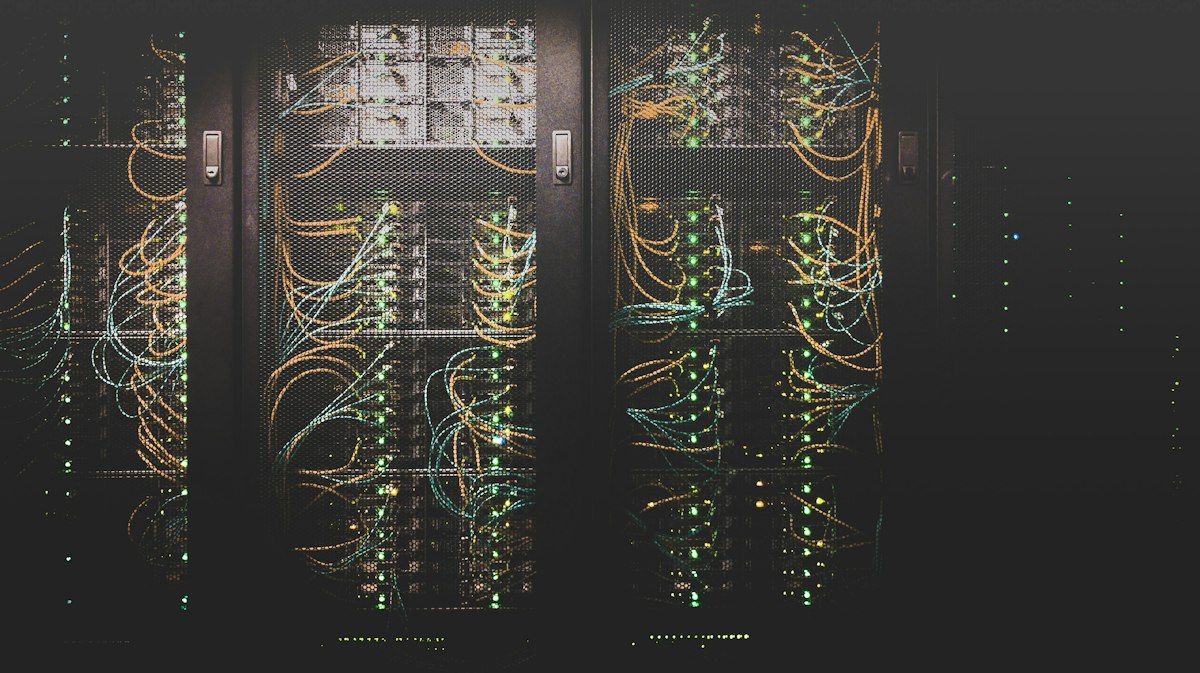
!Server Room Rack Switches and Network Cables
Mathematical Formulation: Serverless vs. Bare-Metal Break-Even Threshold
The total monthly cloud expenditure formula comparing managed serverless hosting against dedicated bare-metal PaaS is expressed as:
$ \text{Cost}_{\text{Serverless}} = P_{\text{base}} + \max(0, E_{\text{GB}} - E_{\text{included}}) \times P_{\text{egress}} + \left(\frac{I_{\text{invocations}}}{10^6}\right) \times P_{\text{exec}} $
Where $P_{\text{egress}} = \$0.15/\text{GB}$ on Vercel compared to flat unmetered $20\text{ TB}$ bandwidth on Hetzner dedicated instances ($P_{\text{bare-metal}} = \$49/\text{month}$). The economic tipping point occurs whenever monthly egress exceeds $1,250\text{ GB}$ or serverless invocations exceed $8,000,000$.
Infrastructure Cost Model at 2,000,000 Monthly Pageviews (3 TB Egress)
Note: Comparative infrastructure costs calculated based on published public vendor pricing tiers as of August 2026. Actual cloud expenditures vary with container RAM allocation, compute duration, and CDN edge cache hit ratios.
Assume a Next.js / Express application serving 2M pageviews, consuming 3,000 GB of bandwidth, and executing 10M serverless function calls monthly:
| Resource Metric | Vercel Pro Plan + Usage Overage | Hetzner AX42 Dedicated + Dokku |
| :--- | :--- | :--- |
| Base Monthly Plan Fee | $20 / seat | $0 (Open Source Dokku PaaS) |
| Compute Hardware | Shared Serverless Execution | Dedicated 8-Core AMD Ryzen 7, 64 GB RAM |
| Bandwidth Egress Included | 1,000 GB | 20,000 GB (20 TB included free) |
| Egress Overage Charge (2,000 GB) | $300 ($0.15 / GB) | $0 (Well within 20 TB allocation) |
| Serverless Invocations (10M execution units) | $60 | $0 (Unlimited container executions) |
| Total Estimated Monthly Bill | $380 / month | $49 / month |
| Annual Infrastructure Expense | $4,560 / year | $588 / year (87% Savings) |
Architecture Overview: Self-Hosted Dokku PaaS on Hetzner
Dokku provides a mini-Heroku experience on your own server, allowing simple git-push deployments ('git push dokku main') with automated Let's Encrypt SSL certificates, Nginx reverse proxying, and Docker containerization.
```
Dev machine
↓ git push dokku main
Hetzner server
↓
Dokku controller
├ Docker buildpack
└ Zero-downtime swap
↓
Nginx + SSL
↓
Redis + Postgres
```
Dokku Server Provisioning Quick-Start
Provision a dedicated server running Ubuntu 24.04 LTS and execute:
```bash
1. Install Dokku
wget -NP /tmp https://dokku.com/install/v0.34.0/bootstrap.sh
sudo DOKKU_TAG=v0.34.0 bash /tmp/bootstrap.sh
2. Add SSH Deployment Key
cat ~/.ssh/id_rsa.pub | dokku ssh-keys:add admin
3. Create Application Container
dokku apps:create my-app
4. Enable Automatic Let's Encrypt SSL
dokku plugin:install https://github.com/dokku/dokku-letsencrypt.git
dokku config:set --no-restart my-app DOKKU_LETSENCRYPT_EMAIL=admin@my-domain.com
dokku letsencrypt:enable my-app
```
Real-World Case Study: Content Platform Cloud Migration
In an enterprise operating scenario, a developer documentation and media analytics platform generating $1,850,000 in ARR, $460,000 in EBITDA, and $170,000 in COGS managed vendor disbursements and corporate treasury via an FDIC-insured checking account under corporate EIN credentials.
The platform experienced viral user growth, driving monthly traffic to 4,800,000 pageviews and consuming 8.4 TB in bandwidth egress. Their monthly Vercel invoice spiked from $45 to $1,420 due to $0.15/GB bandwidth overage charges:
The Break-Even Ledger
The article's own price list lets the tipping point be checked rather than trusted. Vercel Pro is $20 a seat with 1,000 GB of egress included and $0.15 per GB above that; the Hetzner AX42 is $49 a month flat with 20 TB included. The article states the tipping point at 1,250 GB of egress. At exactly 1,250 GB the serverless bill is $20 plus 250 GB of overage at $0.15, which is $57.50 — already above the $49 bare-metal line. The true crossing sits lower: solve $20 + 0.15 \times (E - 1000) = 49$ and $E$ comes out at about 1,193 GB. The article's 1,250 GB figure is therefore a conservative rounded threshold, not an exact one — a team that waits for 1,250 GB has already been overpaying for roughly 57 GB.
The same check confirms the headline model. At the article's 3,000 GB and 10 million invocations: $20 base plus 2,000 GB of overage at $0.15 is $320, plus $60 for invocations, which is $380 a month — exactly the table's figure. Annualized, $380 \times 12 = $4,560$ against $49 \times 12 = $588$, a saving of $3,972 a year, or 87.1% ($3,972 / $4,560$). Per pageview the gap is $380 / 2,000,000 = $0.00019$ against $49 / 2,000,000 = $0.0000245$ — serverless costs about 7.8 times more per view at this volume. Monthly serverless cost as a function of egress $E$ in GB and invocations $I$, with the article's $60 per 10 million invocations ($6 per million):
$ C_{serverless} = 20 + 0.15 \times \max(0, E - 1000) + 6 \times \frac{I}{10^6} $
The invocation leg checks out the same way. At the article's 8,000,000-invocation threshold the invocation line alone is $48 (8 \times $6), and with the $20 base the total is $68 — above the $49 bare-metal line before a single GB of egress overage. The case study closes the loop: a bill that spiked to $1,420 falling to $58 a month is $1,362 a month recovered, and $1,362 \times 12 = $16,344$ a year — exactly the annualized expansion the article claims.
> [!KEY TAKEAWAY]
> The break-even is not a feeling — it is 1,193 GB of monthly egress, derived from the article's own price list. Below that, Vercel's $20 base wins; above it, every additional GB costs $0.15 on serverless and $0 on the $49 dedicated box. At 3,000 GB the gap is $331 a month, $3,972 a year. Any team whose egress graph has crossed 1,200 GB and is still on serverless is paying a premium for a convenience they no longer need.
The Migration Cost Ledger
The migration itself is priced in the article as 6 engineering hours, one time. The saving it buys is $1,362 a month in the case study, recurring. On a labelled hypothetical of $150 an hour fully loaded, the migration costs $900 once — the first month's saving alone repays it, and every month after is margin. The honest accounting adds one line the article's table does not: $49 a month is the server line, not the total cost of ownership. The real price of the dedicated box is the ongoing sysadmin time the article's warning names — kernel patches, firewall rules, offsite backups — and a team that prices that time at zero will discover it at the worst moment. The ledger still favours migration at this volume, because $1,362 a month buys a great deal of patching time; at 1,200 GB the margin is thin enough that the sysadmin cost decides the answer, not the server price.
> [!TIP]
> Migrate production first and keep Vercel for preview deployments: the pull-request preview workflow is the one Vercel feature Dokku does not replace, and the article's own FAQ names it as a reason to stay. Run the Dokku stack on a staging clone with production traffic replayed through Cloudflare for a week before cutting DNS over — the 6-hour migration assumes the first deploy works, and a staging rehearsal is what makes that assumption true.
Decision Table
| Operator shape | Monthly egress | Verdict |
| --- | --- | --- |
| Pre-revenue MVP | Under 100 GB | Stay on Vercel; the $20 base is cheaper than any sysadmin hour |
| Growing SaaS | 1,200–3,000 GB | Migrate production to Dokku; keep Vercel for preview deployments |
| Viral or spiky media | Unpredictable | Hybrid: Cloudflare cache in front, Dokku origin behind it |
| Regulated or data-residency | Any volume | Dedicated hardware wins on control, regardless of the bill |
| No sysadmin on the team | Any volume | Stay managed; the article's FAQ is blunt on this and it is right |
Operator Boundaries
1. No offsite backups. A single disk failure on a single dedicated box ends the company if the database lives only there. The $49 server needs the backup the article's warning demands, or the 87% saving is fictional.
2. Skipped kernel patches. The warning names this directly: an unpatched kernel on an internet-facing box is a breach waiting for a scanner, not a cost saving.
3. No CDN in front. Without Cloudflare absorbing static traffic and attacks, the origin takes every spike at full price in CPU — the migration saves money only because the cache does the heavy lifting.
4. Secrets handled carelessly. Environment variables copied into a git repo or a shared doc during the migration turn a cost project into a credential leak. Import secrets through the Dokku config store, never through chat or commits.
5. A single server as a single point of failure. One AX42 is one machine. There is no second node for failover in the $49 figure — plan the second box before the first outage, not after it.
4-Step Infrastructure Migration Execution Protocol
1. Conduct Hardware Footprint Profiling: Profile production memory (RAM) allocation, CPU utilization curves, and peak concurrent HTTP connection volume.
2. Provision Hardened Linux Bare-Metal Instance: Deploy Ubuntu 24.04 LTS on Hetzner or OVHcloud, configure UFW firewall rules, and install Dokku bootstrap binaries.
3. Configure Git Remotes & Environmental Variables: Add Dokku deployment targets (`git remote add dokku dokku@server:app`) and import encrypted environment secrets.
4. Deploy Cloudflare Edge Cache & SSL Certificates: Route primary DNS through Cloudflare to absorb DDoS attacks and cache static assets before traffic reaches your origin server.