Loom vs Vidyard vs Wistia: Video Messaging Pricing Playbook
Async video messaging answers one question: how do you send a person a video instead of a meeting? Loom, Vidyard, and Wistia all answer it, but they charge for three different jobs. Loom sells fast record-and-send video for internal teams. Vidyard sells video as a sales motion, with analytics that show which prospect watched what. Wistia sells hosted video as a marketing asset, with lead capture built into the player. Prices below come from the vendors' own pricing pages, read on 10 November 2026, with monthly math at 1, 5, and 25 seats.
How to read this comparison
Every price below comes from the vendor's own pricing page as served on 10 November 2026, in US dollars: Loom lists per-user monthly prices, Vidyard lists per-seat prices, and Wistia lists flat per-account prices with seats included.
The three lineups at a glance
| Vendor | Free | First paid tier | Top self-serve tier | Enterprise | Authority |
|---|---|---|---|---|---|
| Loom | $0 | Business, $18 per user per month | Business + AI, $24 per user per month | Custom | Loom pricing page |
| Vidyard | $0 | Starter, $89 per seat per month | Teams, custom pricing | Custom | Vidyard pricing page and pricing.md |
| Wistia | $0 | Business, $79 per month, billed annually | Business + Signals, $329 per month, billed annually | Custom | Wistia pricing page |
Loom and Vidyard multiply by seats; Wistia does not, up to 3 users. A solo user pays $18 a month for Loom Business, $89 for Vidyard Starter, and $79 for Wistia Business. At 25 seats the order flips: Loom Business $450 a month, Vidyard Starter $2,225, Wistia Business $629 on annual billing.
Free tiers: what $0 actually buys
Loom Starter gives 25 videos per person, 5-minute recordings, video up to 720p, and up to 50 workspace members. Transcriptions in more than 50 languages are included. Downloads need Business.
Vidyard Free allows 5 videos per month with recordings up to 30 minutes each, plus 15 AI videos, stock avatars, and 3 custom AI avatars. Video hosting is not included on Free, so free videos live as messages, not as a hosted library. The 30-minute cap is the most generous free recording limit of the three, best for a long single take such as a full product demo, and worst for volume.
Wistia Free gives 25 GB of storage, 1 user only, more than 3,000 lifetime credits, basic video analytics, and 200 GB of bandwidth per month, with Wistia branding on the player. There is no per-video recording cap stated, because the cap is storage: 25 GB is the whole library. A team cannot run on Free, because it allows exactly one user.
The free recording ceilings follow one formula.
Loom Starter gives 25 videos at 5 minutes each, a ceiling of 125 minutes per person. Vidyard Free gives 5 videos a month at 30 minutes each, a ceiling of 150 minutes a month. Wistia Free has no minute ceiling, only the 25 GB storage wall.
The paid math at 1, 5, and 25 seats
Start with the formula every per-seat bill follows.
Wistia needs a second step, because the price is flat for the first 3 users and only extra seats are charged per user.
Loom: $18 and $24 per user per month
Loom Business costs $18 per user per month on monthly billing, or $15 on annual billing ($180 per user per year), a saving of up to 17 percent. Business + AI costs $24 on monthly billing, or $20 on annual billing ($240 per user per year). The AI step-up is $6 per user per month on either billing term.
| Seats | Business, monthly | Business, annual | Business + AI, monthly | Business + AI, annual |
|---|---|---|---|---|
| 1 | $18 | $15 | $24 | $20 |
| 5 | $90 | $75 | $120 | $100 |
| 25 | $450 | $375 | $600 | $500 |
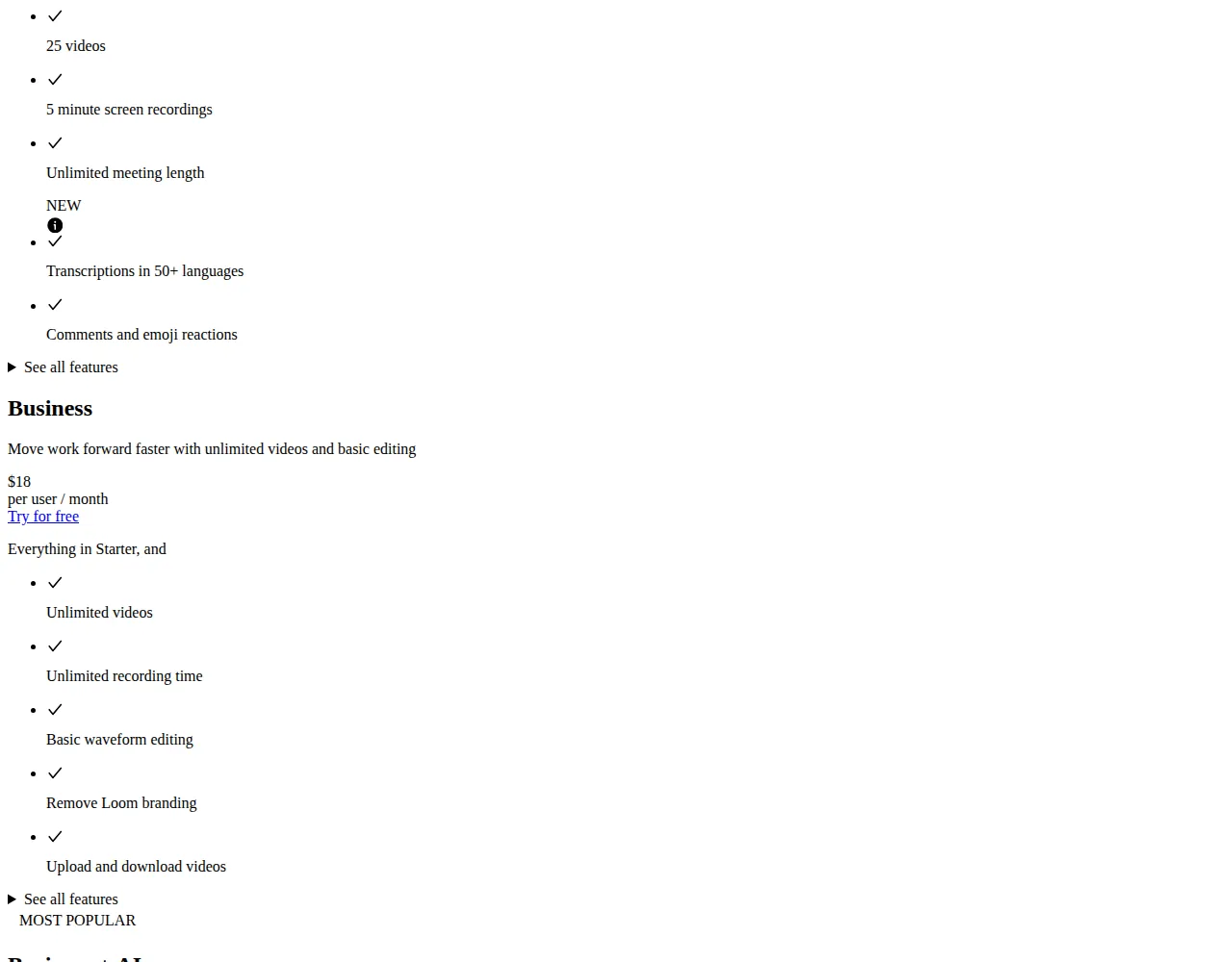
Business removes every Starter cap: unlimited videos and recording length, video up to 4K, editing, removal of Loom branding, uploads and downloads, and password protection. Business + AI adds auto summaries, auto chapters, filler-word removal, and auto meeting notes. If your team never reads an auto summary, Business + AI is $6 per seat of unused spend.
Vidyard: $89 and $59 per seat per month
Vidyard Starter costs $89 per seat per month on monthly billing, or $59 billed annually, a saving of about 30 percent by Vidyard's own statement. The live page also shows a 10 percent off note on Starter, so the checkout price may sit below the listed figure; this article uses the listed $89 and $59.
| Seats | Starter, monthly | Starter, annual | Starter + Video Agent, annual |
|---|---|---|---|
| 1 | $89 | $59 | $83 |
| 5 | $445 | $295 | $415 |
| 25 | $2,225 | $1,475 | $2,075 |
The third column adds the Video Agent add-on at $24 per seat per month on annual billing ($29 on monthly billing). Video Agent creates and delivers personalized video messages based on buyer actions, and it connects to Salesloft, Salesforce, HubSpot, Marketo, and Zapier. On Teams and Enterprise it is custom priced.
Starter includes unlimited recording, full video analytics, team performance analytics, a branded sharing page, and CTA templates. Teams is custom priced for teams of 5 or more and adds CRM integrations and fully customizable CTAs. Enterprise is custom priced and adds SSO and API access.
Wistia: $79 flat for 3 users
Wistia Business costs $79 per month billed annually ($948 a year), or $99 per month on monthly billing ($1,188 a year). Business + Signals costs $329 per month billed annually, or $412 on monthly billing. Annual billing saves 20 percent. Each extra user past the included 3 costs $25 per month on annual billing, or $31.25 on monthly billing.
| Seats | Business, annual | Business, monthly | Business + Signals, annual |
|---|---|---|---|
| 1 | $79 | $99 | $329 |
| 5 | $129 | $161.50 | $379 |
| 25 | $629 | $786.50 | $879 |
The 5-seat row is $79 plus 2 extra users at $25, which is $129. The 25-seat row is $79 plus 22 extra users at $25, which is $629. At 25 seats the effective cost per seat is $25.16 on annual billing, under half of Vidyard Starter.
Business includes 250 GB or more of storage, 3 or more users, more than 5,000 monthly credits, 1 TB of bandwidth, removal of Wistia branding, CTAs and forms, and heatmaps. Business + Signals adds integrations with HubSpot, Marketo, and Pardot, engagement data on contact records, and lead scoring. Enterprise is custom priced with storage from 1 TB, custom users, and SSO.
Recording limits and storage
Loom caps Starter at 5 minutes per video; paid plans are unlimited. Vidyard caps Free at 5 videos a month and 30 minutes per video; Starter and above are unlimited. Wistia caps by storage: 25 GB on Free, 250 GB or more on Business, 1 TB or more on Enterprise. Loom and Vidyard have no storage meter on paid plans, so their bills stay at seats times rate.
Viewer analytics: who watched, and what they did
Loom Business gives viewer insights and engagement insights, with exportable engagement data.
Vidyard Starter gives full video analytics, team performance analytics, and an insights dashboard with reporting. A sales manager can see which rep's videos get watched and where viewers drop off, then coach from that.
Wistia Business gives advanced video analytics, heatmaps, engagement graphs, A/B testing, and CSV export. Heatmaps show the exact seconds where viewers drop off, the most precise viewing data of the three. Business + Signals writes engagement data onto contact records and fires sales alerts.
If you only need to know whether a video was watched, Loom Business at $18 a seat is enough. To coach a sales team from viewing data, Vidyard Starter is built for it, at $59 a seat on annual billing. To score leads from viewing data, Wistia Business + Signals at $329 a month is the only self-serve tier here that does it.
For a related head-to-head on video tools, see the Runway vs Pika vs Sora AI video generation pricing playbook, and for live meetings the Zoom vs Google Meet vs Microsoft Teams pricing comparison covers the same per-seat math.
Calls to action, forms, and email capture
Loom puts links inside the video on Business, with embed links and custom thumbnails, and adds auto CTA on Business + AI. It never gates the video behind an email form.
Vidyard puts CTA templates on Starter and fully customizable CTAs on Teams. The templates cover full-screen prompts, banners, and email capture forms that guide a viewer to book a meeting or visit a website. Password protection is included from Starter.
Wistia puts CTAs and forms on Business, including in-player email capture that asks for an address before or during playback. That email gate is the feature marketers buy Wistia for: the viewer trades an address for the rest of the video. Business + Signals connects that capture to HubSpot, Marketo, and Pardot, and scores the lead.
If the video needs a button, all three do it. If it needs to collect the viewer's email before it plays, Wistia Business is the only self-serve answer here.
Security and the SSO wall
Loom Enterprise adds SSO with SAML, SCIM provisioning, user roles, and a 99.95 percent uptime SLA. Vidyard Enterprise adds SSO, custom permissions, and IP access control. Wistia Enterprise adds SSO, team accounts, and video playback protection. None of the three sells SSO on a self-serve plan. Password-protected videos are the affordable substitute, and Loom Business and Vidyard Starter both include them.
The decision guide
Buy Loom Business when the job is internal communication at scale: standups, walkthroughs, feedback, and handoffs between teammates. At $18 a user a month on monthly billing, or $15 on annual billing, it is the cheapest paid seat here. Add Business + AI at $24 a user for meeting notes without a second tool.
Buy Vidyard Starter when the job is outbound sales: prospecting videos, follow-ups, and demos where you must know who watched and for how long. At $59 a seat on annual billing it costs more than triple Loom Business, and that premium only pays back if viewing data changes who you call next.
Buy Wistia Business when the job is marketing video that must capture leads: product videos, webinars, and explainers on your own site where the player itself collects emails and feeds the CRM. At $79 a month flat for 3 users it is the cheapest option for a small marketing team that records little and hosts a lot.
Check whether the video spend earns its keep with the ROI calculator, using your real seat count and time saved per video.
Checklist: buy in this order
- [x] Count seats that will actually record, not seats that will only watch.
- [x] Pick monthly billing for the first quarter and annual billing only after 90 days of real use. The annual saving is real, up to 17 percent at Loom, about 30 percent at Vidyard, and 20 percent at Wistia.
- [x] Confirm who needs SSO before you buy. If the answer is anyone, get the Enterprise quote first.
- [x] Price the add-ons, not just the plan: Vidyard's Video Agent adds $24 a seat on annual billing, and Wistia's Signals step-up is $250 a month over Business.
Founder & CEO Insight — Enow A. Jovial
The verdict
There is no single winner, because the three vendors are not selling the same job. Loom wins on price per seat and recording freedom: $18 a user a month buys unlimited videos at up to 4K. Vidyard wins on sales analytics and automation, and charges for it: $59 a seat a month on annual billing is the price of knowing which prospect watched. Wistia wins on flat pricing and lead capture: $79 a month for 3 users with email capture inside the player.
The cheapest bill at 1 seat is Loom Business at $18 a month. At 25 seats on annual billing it is Loom Business at $375 a month, with Wistia Business at $629 in second place and Vidyard Starter at $1,475 a long way behind. But the cheapest bill is only the right bill if the tool does the job. Match the job first, then read the price, and re-check the vendor's pricing page before you pay.