Organic lead generation on LinkedIn is not a growth hack. It is a funnel with published ceilings, and the ceilings are the strategy. LinkedIn states some of its limits exactly — 30,000 first-degree connections, three personalized invitation notes a month on a free account, 200 characters per note — and refuses to publish others, most importantly the weekly number of connection invitations. The operators who win on the platform are the ones who build their funnel inside the published numbers and treat the unpublished ones as planning figures, not entitlements.
The distinction matters because the penalties are mechanical. Hit the invitation limit and LinkedIn blocks new invitations, usually for about a week. Send too many in a short burst, collect too many ignored or spam-marked invitations, or let the platform suspect an automation tool, and the restriction can last longer — up to one month for too many outstanding invitations — or become a suspension. You cannot buy more invitations while restricted. LinkedIn Support cannot lift the restriction early. The funnel has to be designed so it never trips.
The limits table: what LinkedIn states versus what operators observe
| Limit | What LinkedIn publishes | What it means for the funnel |
|---|---|---|
| 1st-degree connections | 30,000 maximum | At the cap, Follow replaces Connect; you must remove connections to add more |
| Weekly connection invitations | Limit exists; number not published | Plan on ~100 a week, the figure third-party studies consistently observe |
| Personalized invitation notes, free | 3 per month, 200 characters each | Personalization is the scarcest resource in the funnel |
| Personalized notes, Premium | Unlimited, but connection limits still apply | Premium removes the note cap, not the invitation cap |
| Commercial use limit, free | Monthly cap on searches and profile views; threshold not published; resets midnight PST on the 1st | Free search stops mid-month for active prospectors |
| Sales Navigator search results | 2,500 leads or 1,000 accounts per search | Narrow every search with filters so it fits under the cap |
| InMail credits | 5 Premium Career, 15 Premium Business, 50 Sales Navigator, per month | InMail is a paid channel with a monthly budget, not a free one |
| Event invitations | 1,000 per week | A separate budget from connection invitations |
The two LinkedIn Help pages that govern this are "Types of restrictions for sending invitations" and "Personalize invitations to connect," both opened 19 November 2026. The first states the three triggers — many invitations in a short time, many ignored or spam-marked, suspected automation — and that most restrictions are removed automatically within one week.
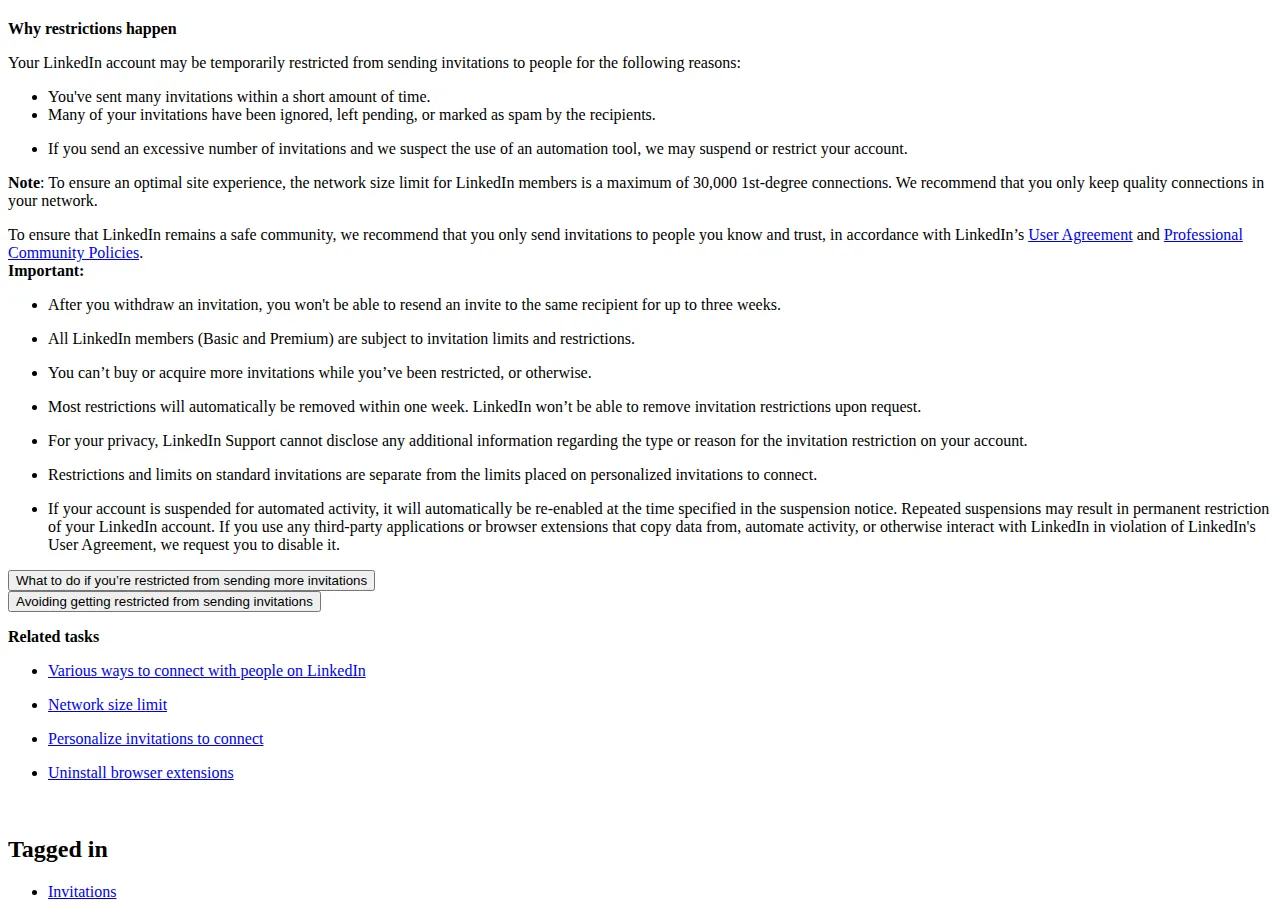 The second states the three-notes-a-month figure and the 200-character limit. After you withdraw an invitation, you cannot resend one to the same person for up to three weeks. Withdrawing pending invitations does not lift a restriction, but it does reduce the outstanding count that can extend one to a month.
The profile is the landing page
Organic leads do not come from the invitation. They come from what the prospect sees after accepting it, and from what the algorithm shows them before that. A B2B profile has one job: make a stranger who lands on it understand, in five seconds, who you help, what changes for them, and what the next step is.
The headline carries the value proposition, not the job title. "Founder, E.A.J.E DEV SERVICES" tells a prospect nothing about what changes for them. "I build websites that take Cameroonian businesses international" tells them the outcome, the audience, and the geography. The featured section holds the proof: the client result, the live site, the case study. The About section holds the operating boundaries — who the work is for and who should look elsewhere. If 120 people accept in a month and 15 view the profile, the profile is the bottleneck, not the invitation volume.
The content engine: cadence, dwell, and the comment-first rule
LinkedIn distributes posts by early engagement, and the signal it weighs most is dwell time — how long a reader stays on the post — followed by comments that start conversations. A founder posting twice a week with posts that earn comments will reach more buyers than one posting daily with posts that earn only likes. The cadence that survives is the one you can sustain for a year: two substantive posts a week, each built around one client problem and one decision, beats a month of daily posting followed by silence.
The comment-first rule is the cheapest distribution available. Commenting substantively on ten target buyers' posts a week puts your name in front of their audiences before you ever send an invitation. When the invitation arrives, the name is familiar, and familiar names get accepted at two to three times the rate of cold ones.
Sales Navigator: the paid half of the organic funnel
Sales Navigator is the tool that turns LinkedIn from a network into a prospecting database, and its pricing is the first cost in the funnel. LinkedIn's own compare-plans page, checked 1 November 2026, lists Core at $119.99 a month or $1,079.88 a year, Advanced at $159.99 a month or $1,799.88 a year, and Advanced Plus by custom quote. All three plans include 50 InMail credits a month. LinkedIn qualifies every figure as an estimate that may exclude VAT, GST, or promotional discounts, and the checkout shows the final price.
| Plan | Monthly billing | Annual billing | Effective monthly | Saving |
|---|---|---|---|---|
| Core | $119.99 | $1,079.88 | $89.99 | $360 a year, 25% |
| Advanced | $159.99 | $1,799.88 | $149.99 | $120 a year, 6% |
| Advanced Plus | Quote only | Quote only | Not published | — |
Advanced adds Buyer Intent, TeamLink, Smart Links, and team reporting over Core. The decision between them is not about the $40 a month. It is about whether your team needs shared lists and CRM writeback. A solo founder buys Core; a team of three or more buys Advanced for the shared pipeline. Advanced Plus exists for the CRM integration — Salesforce or HubSpot sync, SSO, and admin controls — and its price is negotiated, which means it is not a number you can plan around until you have the quote.
The search caps are the operational constraint. A single Navigator search shows at most 2,500 leads across 100 pages, or 1,000 accounts across 40 pages. A market of 40,000 CFOs in Texas is not one search; it is sixteen searches split by geography, seniority, company size, and industry, each small enough to review properly. The operators who complain that Navigator "only shows 2,500 results" are running searches that are too broad to work anyway.
The funnel math: from 100 invitations to two clients
The funnel below uses the observed ~100-invitations-a-week planning figure and stated conversion assumptions. The invitation number is not LinkedIn policy; the conversion rates are planning assumptions, not measured results. Change any assumption and the output changes — that is the point of showing the arithmetic.
At Sales Navigator Core on monthly billing, $119.99 a month, two clients a month means $60 of tool cost per client acquired. On annual billing, $89.99 a month, the same funnel costs $45 per client. The tool is almost never the binding cost. The binding cost is the founder's time: 400 invitations, 120 accepted connections, and 24 conversations a month is roughly an hour a day of focused work, and the funnel collapses the week that hour disappears.
The break-even is simple enough to state in one line. If one client is worth more than $1,079.88 a year in gross margin, Core on annual billing pays for itself with a single client. If one client is worth less than that, the tool is the wrong purchase and the free account — with its three notes a month and its monthly commercial use limit — is the honest starting point. The funnel works on free; it works slower, and the slowness is the price of the $0 seat.
The note budget shapes the sequence more than any other number. Three personalized notes a month against 400 invitations means 397 invitations go out without a note. That is not a defect to work around; it is the design. The note goes to the three highest-value prospects of the month, each message under 200 characters, each one naming the shared context — a post they wrote, a mutual connection, a company event. Everything else rides on the profile and the content that preceded the invitation. A founder who burns all three notes in the first week has no personalization left for the prospect who matters most in week four.
Founder & CEO Insight — Enow A. Jovial
The DM sequence: what happens after acceptance
The first message after acceptance is not a pitch. It is a continuation of whatever earned the acceptance — the post they commented on, the shared connection, the note on the invitation. The second message, a few days later, offers something specific and small: a link, an observation about their business, a question about a problem they mentioned publicly. The pitch comes third, and only after they have replied. A prospect who has replied twice is a conversation; a prospect who has never replied is a name on a list.
The timing rules are LinkedIn's, not yours. The three-week resend cooldown after withdrawing an invitation means a withdrawn prospect is gone for a month. The one-week restriction after hitting the invitation limit means a burst of invitations costs a week of prospecting. Pace the work: twenty invitations a day, five days a week, is the same 100 a week as a hundred on Monday — and only one of them trips the volume trigger.
Who should not run this playbook
This playbook is for B2B founders and sellers with a service worth more than $1,000 a client, a profile that proves it, and an hour a day to spend. It is not for mass outreach, and it is not for anyone selling a $29 product: the funnel produces a handful of clients a month, and the arithmetic only works when each client is worth the hour. It is not for job seekers either — the same limits apply, but the content, the profile, and the sequence are built for a different outcome. And it is not a substitute for paid advertising when speed matters: if you need fifty leads this week, the paid side is the honest route, and our LinkedIn Ads versus Google Ads playbook prices that decision. For the paid-versus-organic comparison on the same platform, the TikTok Ads versus LinkedIn Ads playbook carries the cost-per-lead figures. For the outbound channel that pairs with LinkedIn — cold email with its own deliverability rules — the cold email deliverability playbook covers SPF, DKIM, and DMARC. To check what a client is worth before you price the funnel, run the numbers in our ROI calculator.
The 30-day launch checklist
- Rebuild the profile as a landing page. Headline states the outcome and the audience; featured section holds the proof; About states who the work is for and who should look elsewhere.
- Set the content cadence you can sustain. Two substantive posts a week, each built around one client problem and one decision, for the full 30 days.
- Comment first for one week. Ten substantive comments a week on target buyers' posts before sending the first invitation.
- Build the Navigator searches. Split the market into searches under the 2,500-lead cap, filtered by geography, seniority, and company size.
- Send 20 invitations a day, five days a week. Never a burst; never more than the planning figure of 100 a week.
- Spend the three notes on the three best prospects. Each under 200 characters, each naming a shared context.
- Work the replies, not the sends. The first message continues the conversation; the pitch comes third, after two replies.
- [x] Profile rebuilt with outcome headline, proof in featured, and boundaries in About
- [x] Two posts a week published for four consecutive weeks, with comments tracked
- [x] Navigator searches split under the 2,500-lead cap, with saved lists reviewed weekly
- [x] Invitation pace held at 20 a day with zero bursts and zero automation
- [x] Stale invitations withdrawn every Friday; outstanding count kept under 500