Heroku's free tier is gone, and the bill for a managed platform-as-a-service now arrives every month whether the app earns or not. Three open-source projects answer the same question — what if the platform ran on your own server — and all three cost $0 in licence fees. The decision is not which one is free. It is which one's minimum server, backup model, licence, and managed-cloud price fit the way you actually operate. This playbook compares Coolify, Dokploy, and CapRover from their own documentation and pricing pages, as read on November 16, 2026, with the monthly cost worked out server by server.
The three are not the same kind of software. Coolify is the broadest: applications, databases, and one-click services, with unlimited servers and team members on the free tier. Dokploy is the most operationally complete: Docker Compose, databases, built-in monitoring, S3 backups, scheduled jobs, and multi-tenancy. CapRover is the oldest and the lightest: a Docker Swarm-based captain with one-click apps and a wildcard-DNS model. Age is not a defect — it is a different bet about what breaks.
The server floor, in the projects' own words
The minimum server is the first real cost, because it decides the cheapest VPS that can hold the platform at all. The figures below are from each project's installation documentation, not from a benchmark.
| Platform | Minimum CPU | Minimum RAM | Minimum disk | Operating system |
|---|---|---|---|---|
| Coolify | 2 cores | 2 GB | 10 GB | Debian / Ubuntu |
| Dokploy | Not stated | 2 GB | 30 GB | Ubuntu 18.04–24.04, Debian 10–12 |
| CapRover | Not stated | 1 GiB | 5 GiB | Ubuntu 24.04 (fresh server) |
Coolify is the only one that states a CPU floor — 2 cores — and the only one that publishes a smaller-server escape hatch: 1 CPU core, 512 MB RAM, and 4 GB disk, not recommended, with a 1-core, 1 GB server as the starting point if cost is the concern. Dokploy's floor is the most disk-hungry: 30 GB, three times Coolify's 10 GB and six times CapRover's 5 GB — Docker builds consume disk, and the specification prevents system freezes during builds. CapRover's floor is the lightest — 1 GiB RAM and 5 GiB disk — but it adds a requirement the other two do not: a domain with wildcard DNS access, and public inbound TCP ports 80, 443, and 3000. The wildcard record is not optional; every app lives under the root domain.
The install path is the same on all three: a single script, run as root, that installs Docker and the platform. Dokploy's script installs Docker automatically if absent; CapRover's is fetched from get.caprover.com, with a '--check' flag for a read-only verification. Dokploy and CapRover both sit on Docker Swarm — Dokploy's page documents Swarm network configuration for avoiding CIDR conflicts with cloud-provider VPCs, and CapRover's advanced installation covers existing Swarms. Coolify does not require Swarm. That matters when a build fails: Swarm networking is one more layer to debug, and the operator who has never run Swarm should know it is there before the first deploy, not after the first outage.
What $0 actually buys
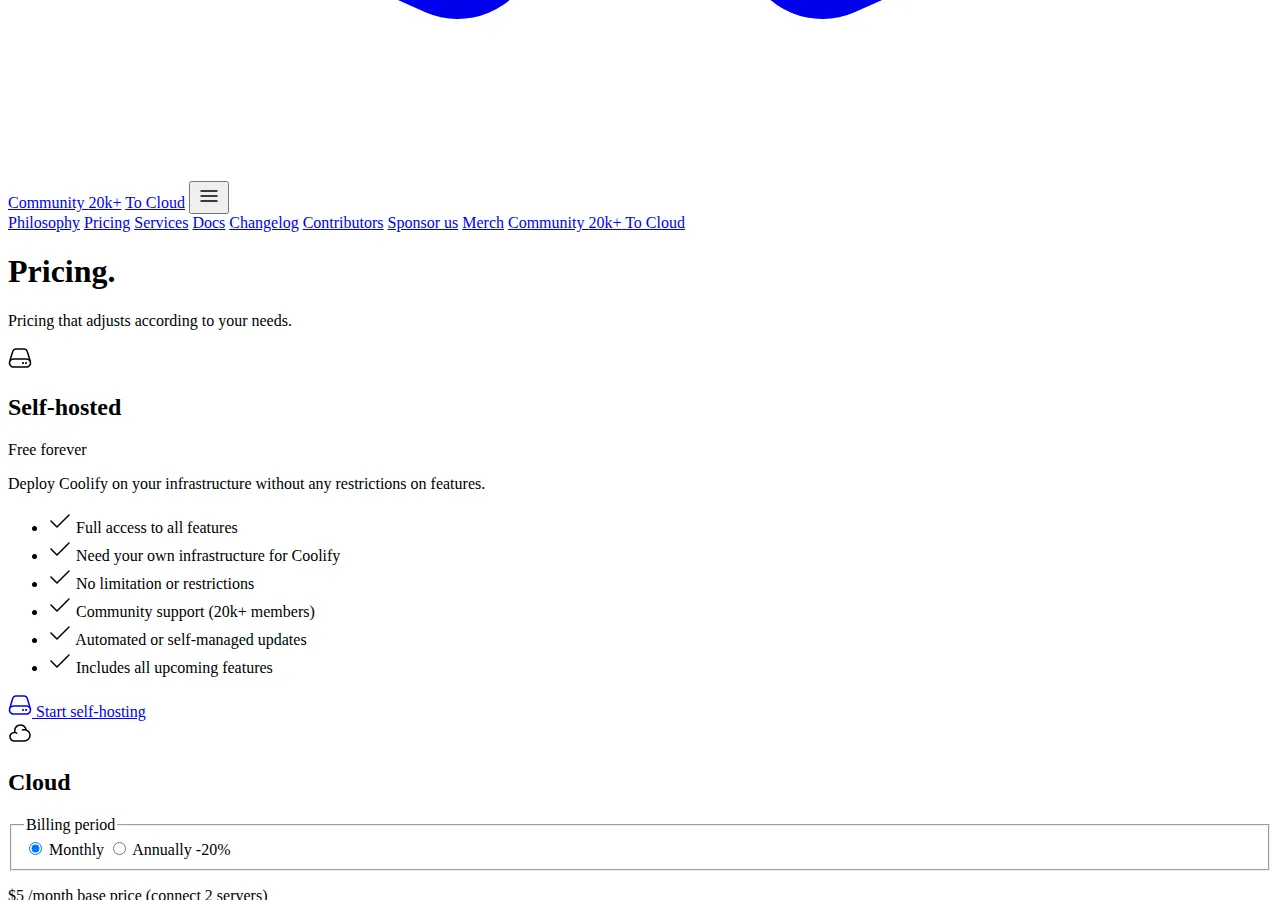
"Free forever" means different things on each pricing page, and the difference is in the ceilings. Coolify's self-hosted tier is the most explicit: free forever, full access to all features, no limitation or restrictions, unlimited deployments, unlimited servers, unlimited team members, community support from 20,000+ members, and automated or self-managed updates. There is no paid self-hosted tier to upsell into — the only paid product is the managed Cloud.
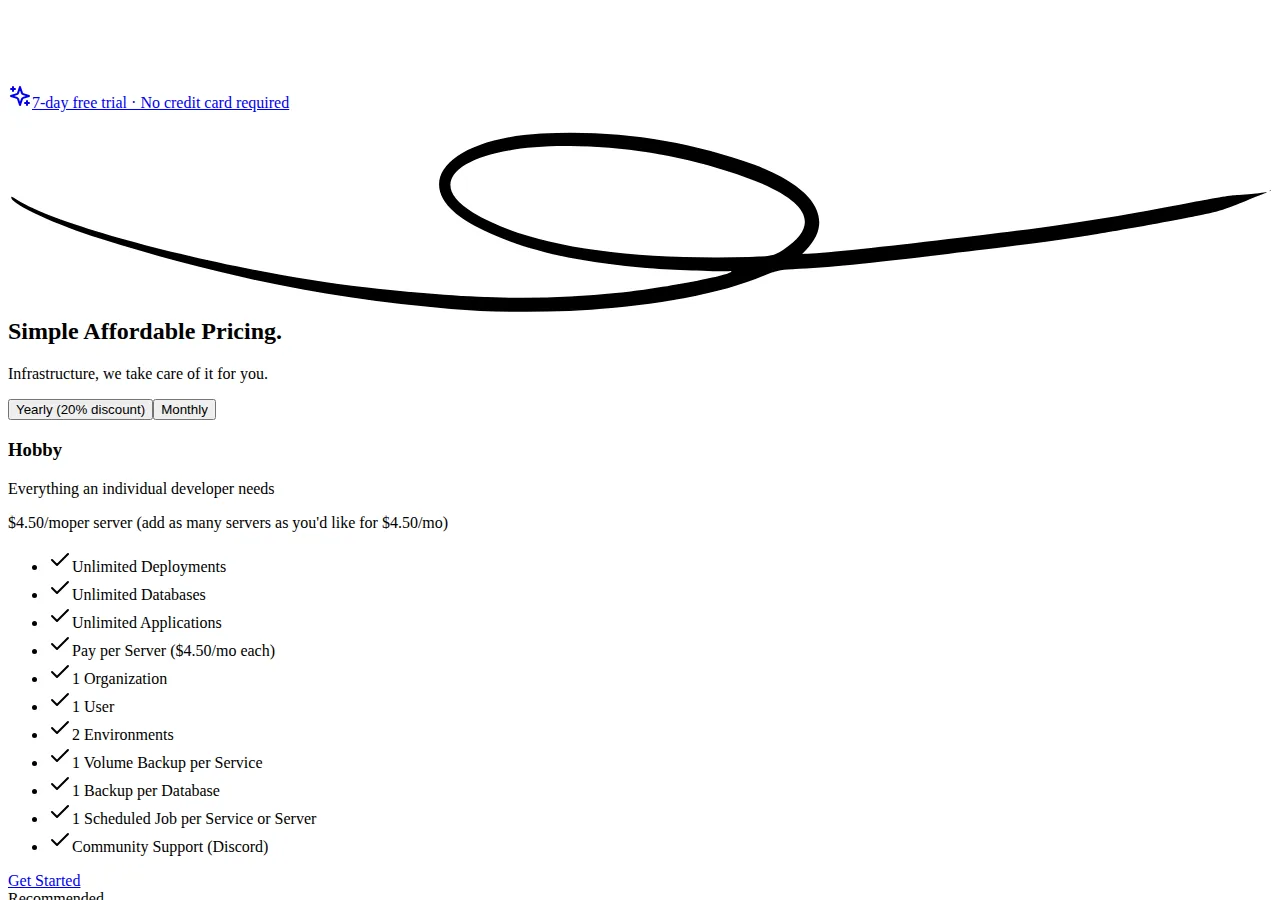
Dokploy's self-hosted install is also free, but its Cloud pricing page is where the ceilings are written down. The Hobby tier at $4.50 per month per server allows 1 organization, 1 user, 2 environments, 1 volume backup per service, 1 backup per database, and 1 scheduled job per service or server. The Startup tier from $15 per month includes 3 servers, 3 organizations, unlimited users, unlimited environments, unlimited volume and database backups, unlimited scheduled jobs, built-in roles, and email and chat support. The ceilings are the product: Hobby is a single developer with two environments and one backup each; Startup is a small team that needs roles and unlimited backups. CapRover has no paid tier at all — no cloud, no per-server price, no support plan. Its cost is the server and the operator's time; its support is the community and the documentation.
The licence is part of what $0 buys. Coolify ships under Apache License 2.0, verified against the LICENSE file at the root of its repository. CapRover ships under Apache License 2.0, copyright BigZee Ventures LLC, verified the same way. Dokploy is open source on GitHub — 38,555 stars as read on November 16, 2026 — but its repository carries no LICENSE file at the root of its main, canary, or master branches, and GitHub's licence detection returns NOASSERTION. That does not make Dokploy closed source; it makes the licence unverified, and an operator embedding it in a commercial product should confirm the licence in writing rather than assume Apache 2.0 because the repository is public.
The monthly cost, worked server by server
The licence is $0 on all three, so the monthly cost is the server plus, optionally, the managed cloud. Coolify's Cloud page anchors the server price: each server costs around $5 per month, and the arithmetic below uses that $5 figure throughout; a larger VPS costs more on every platform equally.
Self-hosted, one server holding both the platform and the apps: $5 a month, $60 a year. Self-hosted, two servers — the topology Coolify recommends, one server for the platform and one for the deployments: $10 a month, $120 a year.
The two-server topology is the right default for anything that earns money: a build that spikes memory on a single server can take the dashboard and every app on it down together. The $60-a-year saving from one server is the cheapest outage you will ever buy, and the most expensive.
The managed clouds charge per server on top of the VPS rental, which you still pay to your provider. Coolify Cloud is $5 a month covering 2 servers, plus $3 per additional server, with 20 percent off annually:
ext{Coolify Cloud, 3 servers} = $5 + $3 = $8/ ext{month}
ext{Coolify Cloud, 5 servers} = $5 + 3 imes $3 = $14/ ext{month}
ext{Coolify Cloud, 5 servers, annual} = $14 imes 12 imes 0.80 = $134.40/ ext{year}
Dokploy Cloud Hobby is $4.50 a month per server:
ext{Dokploy Hobby, 1 server} = $4.50/ ext{month} = $54/ ext{year}
ext{Dokploy Hobby, 3 servers} = 3 imes $4.50 = $13.50/ ext{month}
ext{Dokploy Hobby, 5 servers} = 5 imes $4.50 = $22.50/ ext{month}
Dokploy Cloud Startup starts at $15 a month with 3 servers included, plus $4.50 per extra server:
ext{Dokploy Startup, 3 servers} = $15/ ext{month} = $180/ ext{year}
ext{Dokploy Startup, 5 servers} = $15 + 2 imes $4.50 = $24/ ext{month}
ext{Dokploy Startup, 3 servers, annual} = $15 imes 12 imes 0.80 = $144/ ext{year}
Managed-cloud fee only, before VPS rental:
| Servers | Coolify Cloud | Dokploy Hobby | Dokploy Startup |
|---|---|---|---|
| 1 | $5.00/mo | $4.50/mo | $15.00/mo |
| 3 | $8.00/mo | $13.50/mo | $15.00/mo |
| 5 | $14.00/mo | $22.50/mo | $24.00/mo |
Coolify Cloud is cheapest from 2 servers up because its base price covers two servers and its marginal server is $3, against Dokploy's $4.50. Dokploy Hobby is cheapest at exactly 1 server, by 50 cents. CapRover has no managed cloud, so its row is $0 at every server count — and the operator's time at every server count too. The honest total is the VPS plus the operator: at $5 a month for the server and an hour a month of maintenance, the platform that needs the least maintenance wins even when its cloud fee is higher. Our Railway vs Render vs Fly.io PaaS pricing playbook prices the managed alternative for operators who would rather pay per deployment than maintain a server, and our Hetzner vs Contabo vs OVH VPS pricing playbook prices the servers these platforms run on.
Backups, monitoring, and the day something breaks
The backup model is where the three diverge most. Dokploy writes its ceilings into its pricing page: Hobby allows 1 volume backup per service, 1 backup per database, and 1 scheduled job per service or server; Startup removes all three ceilings. Its documentation adds S3 destinations, so the backup target is any S3-compatible store. Coolify's pricing comparison lists Coolify backups as self-managed but automated on the self-hosted tier and managed on Cloud. CapRover's documentation covers backup through its CLI and dashboard, without a managed backup product — the operator owns the schedule. The practical difference is not whether backups exist; it is whether the platform enforces a schedule or merely allows one. A backup that is allowed but never scheduled is not a backup.
Monitoring follows the same pattern. Dokploy ships built-in monitoring — server metrics and application status in the same dashboard that deploys the apps. Coolify surfaces application and server status and supports external alerts through Discord, Telegram, and email, with free email alerts included on Cloud. CapRover's dashboard shows application status and logs, and its production checklist is the reminder that monitoring is a separate concern. None of the three is a monitoring platform; Dokploy is the only one that treats monitoring as a first-class feature.
Who should pick which
Pick Coolify for the broadest free tier with no ceilings and the cheapest managed cloud from two servers up. It is the default for a founder hosting several production apps, and it is the platform Ibravra itself runs on. Pick Dokploy for monitoring, scheduled jobs, and S3 backups in one install, if you are comfortable with Docker Swarm under the hood and with confirming the licence first. Its Hobby tier is the cheapest managed option at exactly one server. Pick CapRover for the lightest install on the smallest server, if you are comfortable with wildcard DNS and the CLI and want no vendor relationship at all.
Do not pick any of the three if you will not maintain a server. A self-hosted platform that nobody patches is a managed platform with the management removed. If nobody patches it on a Sunday, use a managed PaaS and pay the per-deployment price instead.
Founder & CEO Insight — Enow A. Jovial
The migration operation, end to end
- Provision to the documented floor — 2 CPU / 2 GB for Coolify, 2 GB / 30 GB for Dokploy, 1 GiB / 5 GB for CapRover — on fresh Ubuntu 24.04.
- Point DNS at the server first, including CapRover's wildcard record, and confirm propagation.
- Run the install script and change every default credential — including 'captain42' — before the dashboard is public.
- Deploy one non-production app end to end and confirm the backup restores before any production app moves.
- Migrate production apps one at a time, keeping the old host live until the new deployment has served real traffic for a day.
- [x] Provision to the documented floor — 2 CPU / 2 GB / 10 GB Coolify, 2 GB / 30 GB Dokploy, 1 GiB / 5 GB CapRover — on fresh Ubuntu 24.04.
- [x] Create DNS first, including CapRover's wildcard record, and confirm propagation.
- [x] Change every default credential — including 'captain42' — before the dashboard is public.
- [x] Deploy one staging app end to end and verify the backup restores.
- [x] Confirm the licence — Apache 2.0 for Coolify and CapRover; verify Dokploy's in writing.
- [x] Decide one server or two — $5 versus $10 a month — before the first production deploy.
- [x] Schedule the patch hour and name its owner; an unpatched platform is a liability.
- [x] Price the total on the website cost calculator with server, cloud fee, and maintenance hour included.
The three platforms agree on the important point: the licence is $0, the server is about $5, and the difference is operational, not financial. Coolify is the broadest free tier and the cheapest cloud from two servers up. Dokploy is the most complete operations install and the cheapest cloud at one server. CapRover is the lightest install and the only one with no vendor at all. Choose by the server you will actually maintain, the backups you will actually schedule, and the licence you have actually read — and then patch it on the Sunday you promised yourself you would.