The most expensive question in checkout is the one merchants ask wrong: "What does Apple Pay cost?" Nothing — and neither does Google Pay. Neither wallet charges the merchant a fee. The fee on a wallet transaction is the card rate underneath it, billed by the merchant's processor. On Stripe that is 2.9% plus 30 cents for a domestic online card, and an Apple Pay or Google Pay tap costs exactly that. Stripe Checkout, the hosted page that puts both wallet buttons in front of the buyer, is included with Stripe Payments at no extra charge. The real decision is not price. It is coverage — which wallet your buyers already carry — conversion, and the one boundary where wallets stop being free: digital goods sold inside an app.
What each one actually is
Apple Pay is a tokenised checkout layer, not a payment method of its own. When a customer pays, the merchant never receives the real card number: Apple replaces it with a device-specific token, and the transaction is authorised with Face ID, Touch ID, or a passcode. Apple's developer documentation states the point directly — "you don't receive your customer's actual credit or debit card numbers, so you aren't handling sensitive data in your systems when customers pay with Apple Pay." That single fact is why wallet transactions see lower fraud rates than typed-in cards: there is no card number to steal, replay, or keylog. One nuance: Apple does take a fee for Apple Pay — 0.15% of each credit card transaction — but it charges the issuing bank, not the merchant, as the US Justice Department's March 2024 antitrust complaint sets out. The merchant's bill never sees it. Apple Pay works in Safari, in iOS apps, and in Messages for Business, and since 2024 in third-party browsers on desktop by scanning a code with the buyer's iPhone.
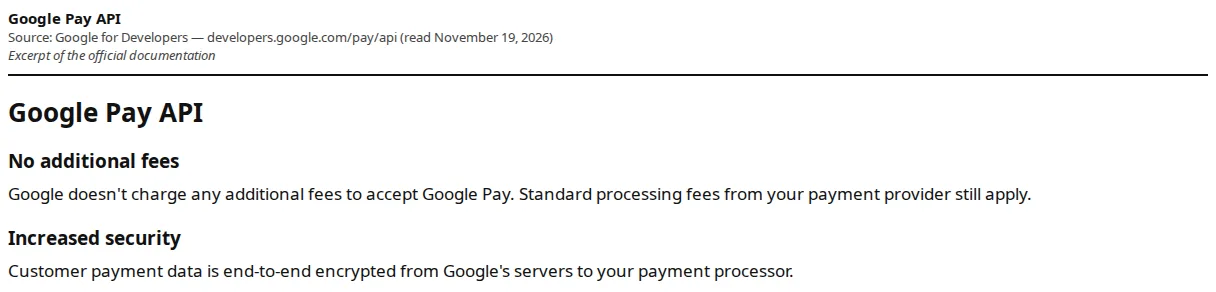
Google Pay is the same idea on the other half of the phone market. The buyer pays with a card saved to their Google Account, the payment data is end-to-end encrypted from Google's servers to the payment processor, and Google charges the merchant nothing beyond the processor's standard rate. Like Apple Pay, Google Pay tokenises the card, and the transaction is protected by 3-D Secure (3DS) where the issuer requires it. Google Pay works in Chrome, in Android apps, and on the web, worldwide. The two wallets are near-perfect complements: Apple Pay covers the iPhone and Safari buyer, Google Pay covers the Android and Chrome buyer, and together they cover the overwhelming majority of mobile checkouts.
Stripe Checkout is the third piece, and the one that makes the comparison practical. It is Stripe's hosted payment page: the merchant redirects the buyer to it, and it presents cards, Apple Pay, Google Pay, Link, and local payment methods, in the buyer's language and currency, without the merchant writing a checkout form. Stripe lists Checkout as "Included with Payments" on its pricing page — no separate fee, no monthly charge. The wallet buttons appear automatically when the buyer's device supports them; a merchant already on Stripe gets both wallets by turning them on, not by building them.
| Attribute | Apple Pay | Google Pay | Stripe Checkout (wallet buttons) |
|---|---|---|---|
| Wallet owner's fee to the merchant | $0 — billed at the card rate | $0 — "no additional fees" | $0 extra — included with Payments |
| Cost of a $100 domestic sale on Stripe | $3.20 (2.9% + 30¢) | $3.20 (2.9% + 30¢) | $3.20 (2.9% + 30¢) |
| International card surcharge | +1.5% via processor | +1.5% via processor | +1.5% via processor |
| Currency conversion | +1% via processor | +1% via processor | +1% via processor |
| Dispute fee | $15 via Stripe | $15 via Stripe | $15 via Stripe |
| Where it runs | Safari, iOS apps, Messages | Chrome, Android apps, web | Hosted page, any browser |
| Card data the merchant holds | None — device token only | None — tokenised, encrypted | None — Stripe holds it |
| Setup | Merchant ID + domain verification | Merchant ID via PSP | Toggle on in Stripe |
| Authority | Apple Developer, Apple Pay overview | Google Pay API docs | Stripe pricing page |
The fee math, at three basket sizes
Because the wallets add nothing, the math is the processor's math. Stripe's standard US online rate, read from its pricing page on November 19, 2026, is 2.9% plus 30 cents per successful domestic card transaction, plus 1.5% for international cards and a further 1% for currency conversion (FX). The same page lists digital wallets at that standard rate, and in-person point-of-sale (POS) wallet taps at 2.7% plus 5 cents. The 2.9% is Stripe's blended rate: underneath it sit interchange — the fee the card-issuing bank takes — and the card networks' scheme fees, which Stripe bundles into one number instead of itemising them per transaction.
At a $25 basket — a typical low-value ecommerce order — the fee is $1.03, or 4.1% of the order. At $100 it is $3.20, or 3.2%. At $500 it is $14.80, or 2.96%. The 30-cent fixed component is what punishes small baskets: it is 1.2% of a $25 sale and 0.06% of a $500 sale, which is why low-ticket merchants feel Stripe's pricing and high-ticket merchants barely notice it. An international card on the same $100 order adds $1.50; currency conversion adds another $1.00, taking the total to $5.70.
A store doing $50,000 a month at a $100 average order processes 500 orders and pays $1,600 in wallet and card fees — 3.2% of volume. If half of those orders arrive through Apple Pay and Google Pay and the wallets lift conversion by even five points, the incremental revenue dwarfs the fee, because the fee is identical to the card rate the store was already paying. The wallets do not cost more than cards; they convert better than cards at the same cost. Run your own volume through our pricing calculator before negotiating a custom rate: at $50,000 a month, a 0.3-point improvement in the percentage rate is worth $150 a month, while the 30-cent fixed component is worth $150 a month on 500 orders. Both levers are the same size, and most merchants negotiate only one.
Conversion is the product
The wallets exist because typing a sixteen-digit card number on a phone is where checkouts die. Apple Pay's express checkout lets a buyer complete a purchase from a product page with a single tap, without adding to a cart or filling out a form, and Apple Pay as the default, prominent option reduces cart abandonment. Google Pay's one-button checkout does the same for the Chrome and Android buyer. Neither wallet changes the fee; both change the completion rate. The merchant's question should be "what share of my buyers can pay in one tap?" — for a mobile-heavy store, that is most of them.
That coverage is also a fraud story. A typed-in card number can be stolen, tested, and replayed; a tokenised wallet payment cannot be replayed outside the device that created it, and it carries biometric authentication the card networks treat as strong evidence. Wallet transactions therefore clear 3D Secure friction less often, fail fewer fraud screens, and generate fewer chargebacks than keyed-in cards. When a dispute does arrive, it arrives as an ordinary card dispute: Stripe charges $15 to receive it, $15 to counter it manually (refunded if the merchant wins), and $15 to appeal it, with the network's own fees on top in rare cases. The dispute economics are the processor's, not the wallet's, and the wallet's contribution is that there are fewer of them. For the dispute machinery itself — representment evidence, the Visa VAMP programme, and the thresholds that turn a trickle of chargebacks into a monitoring programme — our Visa VAMP defence playbook works through the numbers.
Setup: what you actually have to do
Apple Pay requires a merchant identifier and domain verification: the merchant registers a Merchant ID in the Apple Developer account, creates a payment processing certificate, and hosts Apple's domain-verification file at the checkout domain. Stripe abstracts most of this — the merchant enables Apple Pay in the Stripe Dashboard and Stripe handles the certificate — but the domain verification file still has to be served from the merchant's domain, and the checkout domain must be registered with Apple. Expect an hour of setup the first time and ten minutes thereafter. One side benefit: because no card data touches the merchant's servers, the merchant's PCI-DSS scope shrinks — the payment service provider (PSP) holds the card data, not the store.
Google Pay is simpler. The merchant obtains a Google Pay merchant ID through their payment service provider — Stripe is listed among Google's supported PSPs — after the PSP's KYC checks, and enables the button in the Payment Element or Checkout, or through Stripe's mobile SDK. There is no domain verification file and no certificate. Stripe Checkout needs no setup at all for wallets: enable Apple Pay and Google Pay in the Dashboard, and the buttons render automatically when the buyer's device supports them. A merchant on another PSP follows the same pattern through that provider's console; the wallet owners do not sell a setup service, because there is nothing to sell.
The rollout sequence
- Enable Apple Pay and Google Pay in the Stripe Dashboard (or your PSP's console) and confirm both buttons render on a real iPhone and a real Android phone.
- Serve Apple's domain-verification file from the checkout domain and register the domain in the Apple Developer account; get the Google Pay merchant ID through your PSP.
- Confirm the rate on your own Dashboard: 2.9% + 30¢ domestic online, +1.5% international, +1% currency conversion, $15 per dispute.
- Remove "Apple Pay Later" from help pages and checkout copy — Apple discontinued it in June 2024; instalments now come from Affirm, Klarna, and card issuers.
- Price in-app digital goods for the app store's cut — roughly 30%, or 15% for qualifying small businesses — not for the wallet rate.
- Watch the payment-method mix for thirty days before judging either wallet; the mix reveals the devices your customers buy on.
Instalments, and the Apple Pay Later hole
Apple discontinued its own Apple Pay Later programme on June 17, 2024, after less than a year, and replaced it with third-party instalment loans inside Apple Pay: in the United States, buyers can apply for loans from Affirm at checkout, and instalment options from eligible credit and debit cards roll out through Citi, Synchrony, and issuers on Fiserv, with ANZ in Australia, CaixaBank in Spain, and HSBC and Monzo in the United Kingdom. Klarna integrated with Apple Pay in the United States and the United Kingdom from October 2024. The loans are offered by the bank or the provider, not by Apple, and the merchant's cost is the card rate plus whatever the instalment provider charges — on Stripe's own buy-now-pay-later pricing, 5.99% plus 30 cents per transaction.
That is roughly double the $3.20 wallet fee, and it is the correct comparison: instalments are a financing product with a financing price, while Apple Pay and Google Pay are checkout acceleration with no price at all. A merchant who offers instalments should measure the conversion lift against the extra $3.09 per $100 order, not against the wallet fee. A merchant who still lists "Apple Pay Later" in their help centre is advertising a product Apple stopped offering in 2024 — update the page. For the processor rates underneath every wallet transaction, see our Stripe vs Adyen vs Checkout comparison.
Founder & CEO Insight — Enow A. Jovial
- [x] Enable Apple Pay and Google Pay in the Stripe Dashboard and confirm both buttons render on a real iPhone and a real Android phone.
- [x] Serve Apple's domain-verification file from the checkout domain and register the domain in the Apple Developer account.
- [x] Confirm the rate on your own Dashboard: 2.9% + 30¢ domestic online, +1.5% international, +1% currency conversion, $15 per dispute.
- [x] Remove "Apple Pay Later" from help pages and checkout copy — Apple discontinued it in June 2024; instalments now come from Affirm, Klarna, and card issuers.
- [x] Price in-app digital goods for the app store's cut — roughly 30%, or 15% for qualifying small businesses — not for the wallet rate.
- [x] Watch the payment-method mix for thirty days before judging either wallet; the mix reveals the devices your customers buy on.