Three vendors sell you a database, and none of them calls it one. Airtable calls it a base. Notion calls it a database. Smartsheet calls it a sheet. The job is the same — records, fields, linked records, rollups, automations — but the pricing is built on three different units: Airtable charges per seat and caps records per base, Notion charges per member and caps nothing it will name, and Smartsheet charges per member and caps automations per month. Pick the wrong unit and you pay for a database that cannot hold your data. Prices are the vendors' annual-billed per-seat rates as read from their pricing pages on November 16, 2026.
The decision table
| Criterion | Airtable | Notion | Smartsheet | Authority |
|---|---|---|---|---|
| What the database is | A base: tables, linked records, rollups, interfaces | A database: pages with subtasks, dependencies, custom properties | A sheet: rows, columns, formulas, Gantt/board/calendar views | Vendor pricing pages, Nov 16, 2026 |
| Cheapest paid seat | Team, $20/user/mo annual ($24 monthly) | Plus, $10/member/mo annual | Pro, $9/member/mo annual ($12 monthly) | Vendor pricing pages, Nov 16, 2026 |
| Record ceiling, paid tier | 50,000 records/base (Team); 100,000 (Business, as displayed) | No published per-database record ceiling | No published record ceiling; sheets scale by plan | Vendor pricing pages, Nov 16, 2026 |
| Automation ceiling, paid tier | 100,000 runs/mo (Business); Team's limit not published on the pricing page | Automations via Notion Agent on Business; no run count published | 250 automations/mo (Pro); unlimited (Business) | Vendor pricing pages, Nov 16, 2026 |
| Who pays | Every seat with edit permissions; read-only collaborators free | Every member; guests free on paid plans | Every member; unlimited contributors and guests free | Vendor pricing pages, Nov 16, 2026 |
| AI included | 15,000 AI credits/user/mo (Team); 20,000 (Business) | Trial of Notion AI on Plus; Notion Agent on Business | Conversational AI on Pro | Vendor pricing pages, Nov 16, 2026 |
| History | 1 year (Team); 2 years (Business) | 30 days (Plus); 90 days (Business) | Not published on the pricing page | Vendor pricing pages, Nov 16, 2026 |
| Enterprise tier | Scale, custom: 500,000 records/base, 1 TB, 1,000,000 automation runs/mo | Custom: zero data retention with LLM providers, SCIM, audit log | Custom: admin controls, SSO, audit | Vendor pricing pages, Nov 16, 2026 |
What each tool is, as a database
Airtable is the most database-like of the three. A base holds tables; tables hold records; records link to records in other tables; rollups aggregate across links. The pricing page's plan data puts Free at 1,000 records per base and 1 GB of attachments per base, with 14 days of history and 500 AI credits per user per month. Team raises the ceiling to 50,000 records per base and 20 GB of attachments, with a year of history and 15,000 AI credits. Business shows 100,000 records per base in the plan summary, 100 GB of attachments, 100,000 automation runs a month, two years of history, and 20,000 AI credits. Enterprise Scale goes to 500,000 records per base, 1 TB, 1,000,000 automation runs a month, three years of history, and 20 synced tables. The ceiling is per base, not per workspace — ten bases at 50,000 records each hold 500,000 records on Team, but no single base can exceed 50,000. That distinction decides most Airtable purchases.
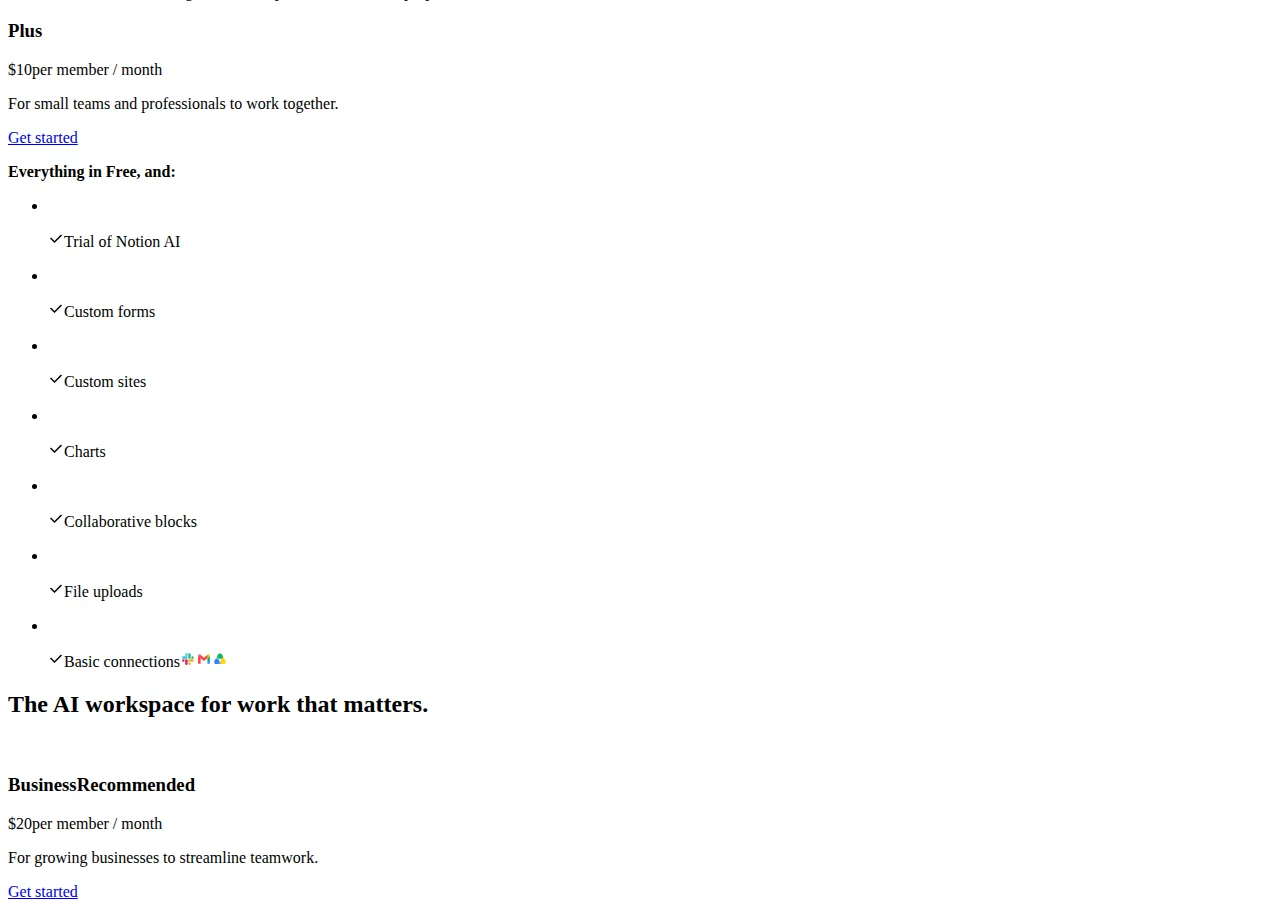
Notion is a workspace that happens to contain databases. A Notion database is a collection of pages with properties — subtasks, dependencies, and custom properties are included even on Free — and the pricing page sells collaboration and permissions rather than capacity. Free gives 5 MB file uploads and 7 days of page history. Plus, at $10 per member per month on the annual rate, adds a trial of Notion AI, custom forms and sites, charts, collaborative blocks, 5 GB uploads, and 30 days of history. Business, at $20 per member per month on the annual rate, adds Notion Agent, AI Meeting Notes, Enterprise Search in beta, SAML SSO, granular database permissions, private teamspaces, domain verification, and 90 days of history. Enterprise is custom, with zero data retention with LLM providers, SCIM provisioning, an audit log, and a customer success manager. Notion AI credits cost $10 per 1,000 monthly credits after the trial, and a custom domain costs $8 per month per domain on the annual rate ($10 monthly). The pricing page publishes no per-database record ceiling and no automation run count, so the Notion decision is about permissions and AI, not capacity — a team that needs granular database permissions needs Business at $20.
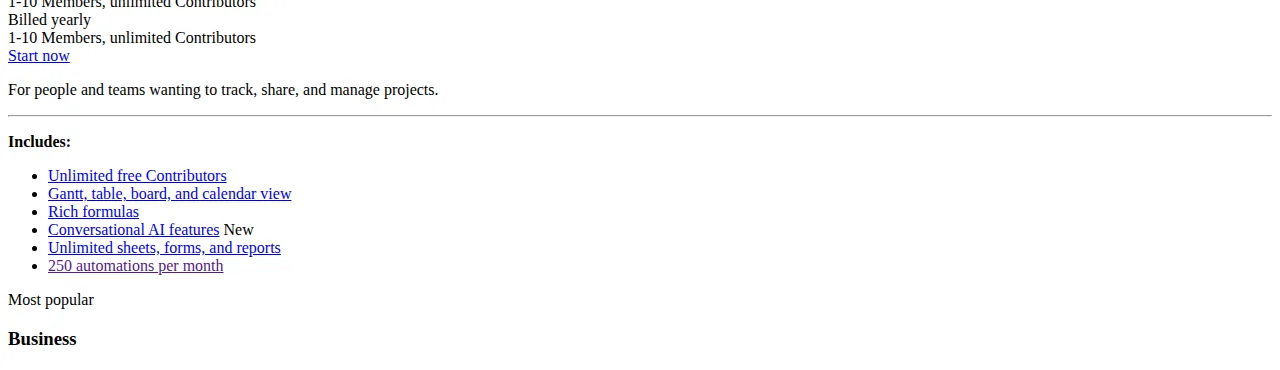
Smartsheet is a spreadsheet that grew into a database. Pro, at $9 per member per month on the annual rate ($12 monthly), covers 1 to 10 members with unlimited contributors, unlimited sheets, forms, and reports, 250 automations a month, Gantt, table, board, and calendar views, rich formulas, and conversational AI. Business, at $19 per member per month on the annual rate ($24 monthly), requires at least 3 members and adds unlimited automations, unlimited guests and contributors, the timeline view, workload tracking, and admin capabilities — and the pricing page marks it "Most popular". Enterprise is custom. Pro stops at 10 members, so an 11-person team cannot buy it at any price. And 250 runs a month is roughly eight a day — a team that automates approvals, reminders, and status changes will cross it in the first week.
The seat math, at 1, 5, and 25 seats
Every vendor bills monthly, per seat, on the annual rate. The formula is the same everywhere:
| Seats | Airtable Team ($20) | Airtable Business ($45) | Notion Plus ($10) | Notion Business ($20) | Smartsheet Pro ($9) | Smartsheet Business ($19) |
|---|---|---|---|---|---|---|
| 1 | $20 | $45 | $10 | $20 | $9 | $19 |
| 5 | $100 | $225 | $50 | $100 | $45 | $95 |
| 25 | $500 | $1,125 | $250 | $500 | — (Pro caps at 10 members) | $475 |
Three readings fall out of that table. At one seat the cheapest paid database is Smartsheet Pro at $9, then Notion Plus at $10, then Airtable Team at $20 — but a one-seat database is usually a spreadsheet with ambitions, and the seat price is the least important number on the page. At five seats the order holds — $45, $50, $100 — and the $5 gap between Smartsheet and Notion is noise against any real workflow difference. At 25 seats Smartsheet Pro disappears because it caps at 10 members, so the comparison becomes Business at $475 against Notion Plus at $250 and Airtable Team at $500. A team that outgrows Pro's member cap pays $475 for Business, nearly double Notion Plus — the moment to ask whether the team needs Smartsheet's unlimited automations or just more seats.
Run the numbers through the pricing calculator before committing to an annual plan: the annual rate is what the pricing page shows, and the monthly-billed rate is higher on every vendor that publishes one — Airtable Team is $24 monthly against $20 annual, Smartsheet Pro is $12 monthly against $9 annual. Notion's pricing page shows only annual rates, so this playbook prints no monthly-billed Notion seat price.
The ceiling math: cost per 1,000 records
Seat price is what you pay. Record ceiling is what you get. The ratio between them is the honest unit price of the database:
Airtable Team: $20 divided by 50,000 records is $0.40 per 1,000 records of ceiling. Airtable Business: $45 divided by 100,000 records is $0.45 per 1,000 — slightly worse per record than Team, because the extra $25 buys automations, history, and attachments, not records. The ceiling logic is binary: a base with 60,000 records exceeds Team's 50,000 and cannot live on Team at any price — the team must buy Business at $45 a seat, or split the base into two bases under 50,000 records each, which breaks linked records across the split. A base with 120,000 records exceeds Business's displayed 100,000 and needs Enterprise Scale at a custom price, or the same split. Airtable's underlying plan data lists a 125,000-record maximum for Business, but the plan summary the pricing page displays says 100,000 — this playbook uses the displayed 100,000, because that is the number a buyer sees before checkout.
The automation ratio works the same way:
Smartsheet Pro: $9 divided by 250 runs is $0.036 per run. Airtable Business: $45 divided by 100,000 runs is $0.00045 per run — eighty times cheaper per run, because the run allowance is four hundred times larger for five times the price. A team that runs 300 automations a month cannot use Smartsheet Pro at all: the 251st run does not exist. That team either buys Smartsheet Business for unlimited runs or buys Airtable Business and never thinks about the counter again. Notion publishes no run count, so no per-run price can be computed honestly.
Which ceiling binds first
For each vendor, one limit decides the purchase before price does. On Airtable it is the record ceiling per base — 50,000 on Team, 100,000 displayed on Business. On Smartsheet it is the member cap on Pro (10 members) and then the automation cap (250 a month). On Notion it is permissions — granular database permissions arrive only on Business at $20. Check the binding ceiling before the seat price, because the ceiling is the number that forces an upgrade, and the upgrade is the number that doubles the bill.
The free tiers are not a fourth option for a real database. Airtable Free caps at 1,000 records per base. Notion Free caps uploads at 5 MB and history at 7 days. Smartsheet has no free tier — the entry point is Pro at $9. A hobby base fits on Airtable Free; a business database does not.
Execution checklist
- [x] Step 1 — Count the records: how many records does the largest base hold today, and how many will it hold in twelve months? If the answer is over 50,000, Airtable Team is out.
- [x] Step 2 — Count the automations: how many automation runs does the team trigger a month? If the answer is over 250, Smartsheet Pro is out.
- [x] Step 3 — Count the seats that edit: read-only collaborators are free on Airtable; guests are free on Notion and Smartsheet paid plans. Price only the seats that edit.
- [x] Step 4 — Check the permission need: does any database need granular permissions, private teamspaces, or SAML SSO? If yes, Notion Business at $20 is the floor, and the Plus price is irrelevant.
- [x] Step 5 — Price the annual rate, then the monthly rate: the annual rate is the number on the pricing page; the monthly-billed rate is higher where published. Budget the rate you will actually pay.
- [x] Step 6 — Trial the binding ceiling, not the homepage: load the largest base, run the automations, and invite the editors before the annual plan starts. A ceiling found in a trial costs nothing; a ceiling found in month two costs the upgrade.
Founder & CEO Insight — Enow A. Jovial
Who should not buy on this comparison
A team that needs a relational database with joins, SQL, and row-level security should not buy any of the three — these are no-code databases with linked records, not Postgres. A team whose database is really a project tracker with dates and owners should read our Smartsheet vs Monday vs Wrike enterprise project management pricing playbook instead, because the decision there is about views and workload, not records. And a team choosing between Notion and Airtable as workspaces rather than databases should read our Notion vs Airtable vs Coda team workspace pricing and automation comparison, where Coda is the third vendor and the job is the workspace, not the database.
When the pricing changes
Vendor pricing pages move without notice. Three triggers should send a buyer back to the pricing page before renewing: a per-seat price change on any tier; a cap change on the tier you use; and a change in your own record count, automation count, or editor count that crosses a ceiling. The figures here are from the pricing pages as read on November 16, 2026 — check the live page before you buy, and check the annual rate, not the monthly rate.