The bill that arrived in February 2024
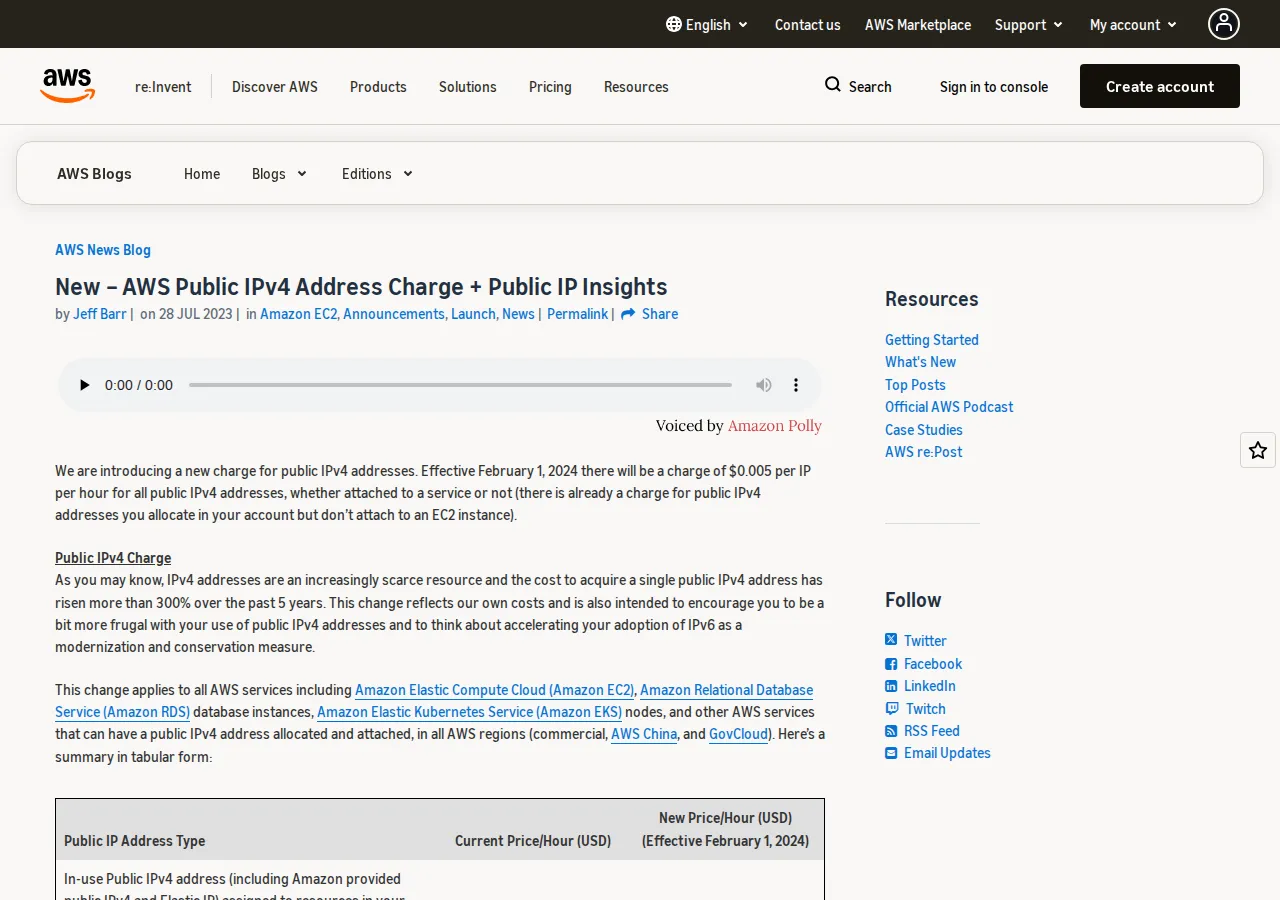
For twenty years the public IPv4 address on a server cost nothing. Then, on 1 February 2024, AWS started charging $0.005 per public IPv4 address per hour — attached to a service or not, in every region, on EC2, RDS, EKS, and every other service that can hold one. Google Cloud charges the same $0.005 an hour for an in-use external IPv4 address, and doubles it to $0.01 an hour for a static address reserved but not assigned to anything. External IPv6 addresses are free on both clouds. The rent is small per address and permanent per fleet, and it never goes down.
One address is a rounding error. A fleet is a budget line: a /24 — 256 addresses — costs $934.40 a month at the AWS and Google Cloud in-use rate, $11,212.80 a year. That is the arithmetic that makes IPv6 a finance decision now, not a protocol debate for later. Our pricing calculator will run the same multiplication against your own fleet size.
Why IPv4 ran out, and why it is not coming back
IPv4 addresses are 32 bits long. The whole space holds 2 to the power of 32 — 4,294,967,296 addresses — and the internet passed that number of connected devices years ago. The registries rationed what was left, then ran out: ARIN, the registry for North America, depleted its free pool on 24 September 2015, and after that date it could no longer fulfil requests except from small reserved blocks under strict policy. The other regional registries exhausted their pools in the years around it.
IPv6 answers with 128-bit addresses. The space holds about 3.4 × 10^38 addresses — roughly 4.25 × 10^28 per person on earth. The practical unit is the /64 subnet, which holds 2^64 addresses, about 1.8 × 10^19, so operators stop counting addresses and start counting subnets. The scarcity problem is solved structurally, not marginally, and that is why the protocol has survived thirty years of slow adoption: the maths was never the obstacle. The obstacle was that IPv4 kept working, propped up by NAT, and NAT hid the bill until the clouds itemised it.
Adoption crossed its symbolic line in 2026. Google's measurement — the share of its users who reach Google over IPv6 — passed 50% for the first time on 28 March 2026, at 50.1%. APNIC Labs, measuring capability across the wider web with a different method, records about 42% worldwide. The two numbers bracket the truth rather than contradicting each other: Google counts its own users, APNIC weights by each economy's internet population. Either way, around half the internet already speaks IPv6, and the rest is increasingly behind carrier-grade NAT, where one public IPv4 address is shared by hundreds of subscribers.
What IPv6 actually changes
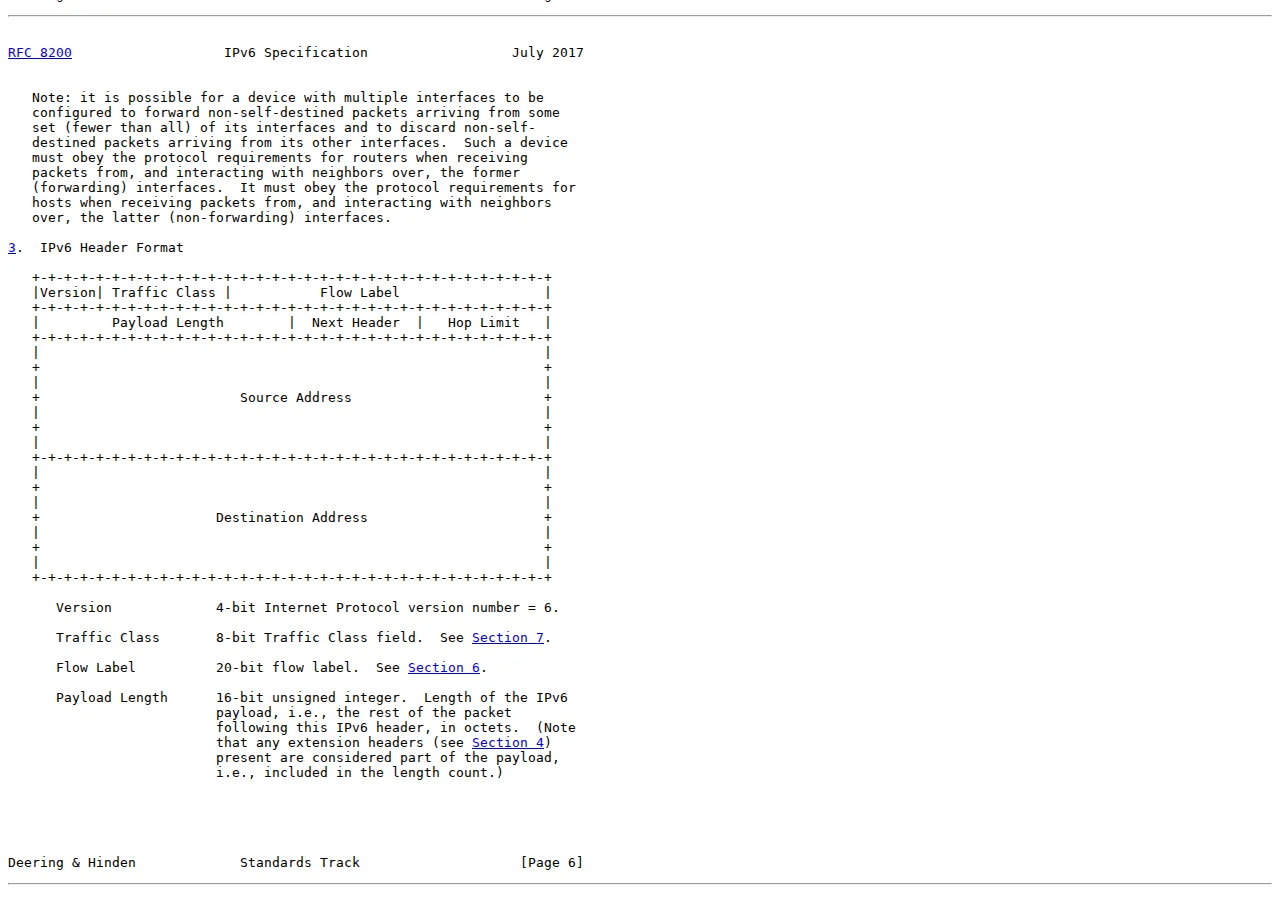
RFC 8200, the IPv6 specification published by the IETF in July 2017 as Internet Standard 86, defines the protocol in four changes from IPv4: expanded addressing, a simplified header, extension headers, and flow labelling. The header is fixed at 40 bytes — no options crammed into the base header, no header-length arithmetic on the fast path. Routers forward on a fixed layout, and anything optional moves into extension headers that only the endpoints process.
| Field | Size | What it does | Authority |
|---|---|---|---|
| Version | 4 bits | Always 6 | RFC 8200 §3 |
| Traffic Class | 8 bits | Priority and QoS marking | RFC 8200 §3, §7 |
| Flow Label | 20 bits | Labels a packet flow for consistent handling | RFC 8200 §3, §6 |
| Payload Length | 16 bits | Length of everything after the header | RFC 8200 §3 |
| Next Header | 8 bits | Type of the following header | RFC 8200 §3 |
| Hop Limit | 8 bits | Replaces IPv4 TTL; decremented per hop | RFC 8200 §3 |
| Source Address | 128 bits | Sender's IPv6 address | RFC 8200 §3 |
| Destination Address | 128 bits | Recipient's IPv6 address | RFC 8200 §3 |
Two assignment mechanisms matter for the cutover. SLAAC — stateless address autoconfiguration — lets a host build its own address from the network prefix the router advertises, with no server involved. DHCPv6, defined in RFC 8415, is the managed alternative: the server hands out addresses and DNS configuration the way DHCP does for IPv4, and it is the mechanism that gives an operator central control over which host holds which address. A dual-stack network usually runs both: SLAAC for clients, DHCPv6 for servers that need stable, recorded addresses. DNS is a single record type — AAAA — published alongside the existing A record; once both exist, IPv6-capable clients prefer the AAAA answer.
The address plan itself is the first real decision. A /64 per subnet is the standard, and it is not negotiable in practice: SLAAC requires a /64, and several stacks assume it. Take a /48 from your provider for the site — 65,536 subnets of /64 each — and carve /64s per VPC, per availability zone, per environment. Write the plan down before touching a console, because renumbering IPv6 later is as painful as renumbering IPv4 was.
The three migration paths
There are three honest ways to get from an IPv4-only service to one that serves IPv6, and they are not equal. Dual-stack runs both protocols side by side. NAT64 translates IPv6-only clients to an IPv4 backend through a gateway. 464XLAT puts a translator on the client and another in the network so an IPv6-only device can reach IPv4 services. The table is the decision; the prose after it is the reasoning.
| Path | How it works | Cost driver | When it wins | Authority |
|---|---|---|---|---|
| Dual-stack | Host, VPC, and service run IPv4 + IPv6 together; DNS publishes A + AAAA | IPv4 rent continues on the addresses you keep | Default for any service you control | RFC 8200; AWS dual-stack VPC docs |
| NAT64 + DNS64 | IPv6-only clients reach IPv4 backends through a translation gateway | Gateway hourly + per-GB translated traffic | IPv6-only mobile or IoT fleet talking to legacy backends | RFC 6146; RFC 6147 |
| 464XLAT | Client-side translator + provider translator; IPv4 literals work on IPv6-only networks | Two translators to operate; app must tolerate translated addresses | Mobile carriers and IPv6-only access networks | RFC 6877 |
Dual-stack wins for anything you operate yourself: nothing is translated, nothing is emulated. NAT64 wins when IPv6-only clients must reach backends that cannot change. 464XLAT wins when the access network itself is IPv6-only. Pick wrong and the cost is not a crash — it is a permanent translation layer needing monitoring, capacity planning, and a runbook, forever.
The cost model, worked
The decision is arithmetic, so run it with your own numbers. Start with the rent you pay today. A fleet of 100 public IPv4 addresses on AWS costs $3.65 each a month, $365 a month, $4,380 a year. The same fleet on Google Cloud at the in-use rate is identical; the reserved-but-unused addresses cost double.
Now price the migration. The engineering is a project, not a purchase: address plan, VPC and subnet enablement, IPv6 security-group rules, DNS AAAA records, dual-stack load-balancer listeners, application logging, and IPv6 monitoring. For a small service that is a week of careful work. For a fleet of 100 addresses, the migration pays for itself in the first year of rent avoided — if the migration removes the addresses. That conditional is the whole decision: dual-stack does not remove the IPv4 addresses on day one, because IPv4-only clients still need them. The rent falls as the IPv4-only share of traffic falls, and the IPv6 adoption numbers say that share is shrinking by a few points a year. Migrate now, retire IPv4 addresses as the traffic mix allows, and bank the saving address by address.
Buying addresses instead of migrating means paying twice for scarcity: thousands of dollars once for the /24, plus $11,212.80 a year in cloud rent to hold it.
The dual-stack cutover, in order
Run the cutover as a sequence: each step is verifiable before the next starts, and each rolls back cleanly.
- Address plan: take a /48 from the provider, assign /64s per VPC, per zone, per environment, and record the plan in the network runbook.
- VPC and subnets: enable IPv6 on the VPC, assign the /64s to the subnets, and confirm the route tables carry the IPv6 default route.
- Security groups and firewall: write the IPv6 rules as a mirror of the IPv4 rules — same ports, same sources, expressed in IPv6 — and test them from an IPv6 host before anything else.
- Load balancer: enable dual-stack on the listener, confirm the health checks pass over IPv6, and watch the access logs for IPv6 entries.
- Application: confirm the app logs the IPv6 client address, the rate limiter keys on it, and any IP-based allowlist has an IPv6 entry.
- DNS: publish the AAAA record with a short TTL — 300 seconds — so a mistake is reversible in five minutes.
- Monitor: poll the IPv6 endpoint from outside the network, alert on it separately from the IPv4 endpoint, and watch the share of IPv6 traffic for a week.
- [x] Address plan written: /48 allocated, /64s assigned per VPC, zone, and environment.
- [x] Firewall mirrored: IPv6 security-group rules match the IPv4 rules port for port.
- [x] Load balancer dual-stack: health checks pass over IPv6 and access logs show IPv6 entries.
- [x] AAAA published: short TTL, monitored for one week, IPv6 traffic share recorded daily.
- [x] IPv4 retirement scheduled: addresses released as the IPv4-only traffic share falls below the threshold you set.
What breaks, and how to see it coming
The breakage list is short and specific. DNS and the firewall come first, as above. After them: logs and rate limits that key on the client IP address will treat the IPv6 address as a new client unless the code handles both families — a rate limiter that only understands dotted quads will either fail open or fail closed, and both are bad. Geolocation databases have thinner IPv6 coverage than IPv4, so any feature that depends on the client's country from its IP needs a provider that covers IPv6 properly. Email is a special case: a mail server needs a reverse-DNS PTR record for its IPv6 address, and any allowlist naming IPv4 addresses needs the IPv6 addresses added before the traffic moves.
The monitoring rule is simple: poll the IPv6 endpoint as its own target, with its own alert, from outside your network. If the only check is the IPv4 endpoint, the IPv6 path can be down for a week and nobody will know until a customer reports it. The CDN helps here too: our Cloudflare vs Fastly vs AWS CloudFront CDN pricing playbook prices the edge that terminates IPv6 for you, and our CDN stale-while-revalidate and edge purge architecture guide covers the caching behaviour that sits behind that edge. For the private side of the network, our Cloudflare Tunnel vs Tailscale vs ngrok remote access playbook covers the tunnel that reaches backends without a public address at all.
Founder & CEO Insight — Enow A. Jovial
Who should not migrate yet
Not everyone should move now. A service whose entire audience reaches it through a CDN does not need a public IPv6 address on its origin — the CDN terminates IPv6 at the edge and the origin stays IPv4-only behind it. A service under a compliance regime that mandates IPv4-only logging or an allowlist that cannot express IPv6 should wait until the regime catches up; migrating into a failed audit is worse than paying the rent. And a service with no engineering time at all — a static site on a host that does not offer IPv6 — should not improvise a migration it cannot monitor. Pay the $3.65 a month, keep the service up, and revisit when the host or the traffic changes. The rule is not "migrate everything"; it is "migrate what you control, and price what you do not."
Start with the service holding the most idle public IPv4 addresses — staging environments, forgotten load balancers, reserved-but-unused statics at double the rate. Release those first, migrate production second, and let the adoption curve do the rest.